13
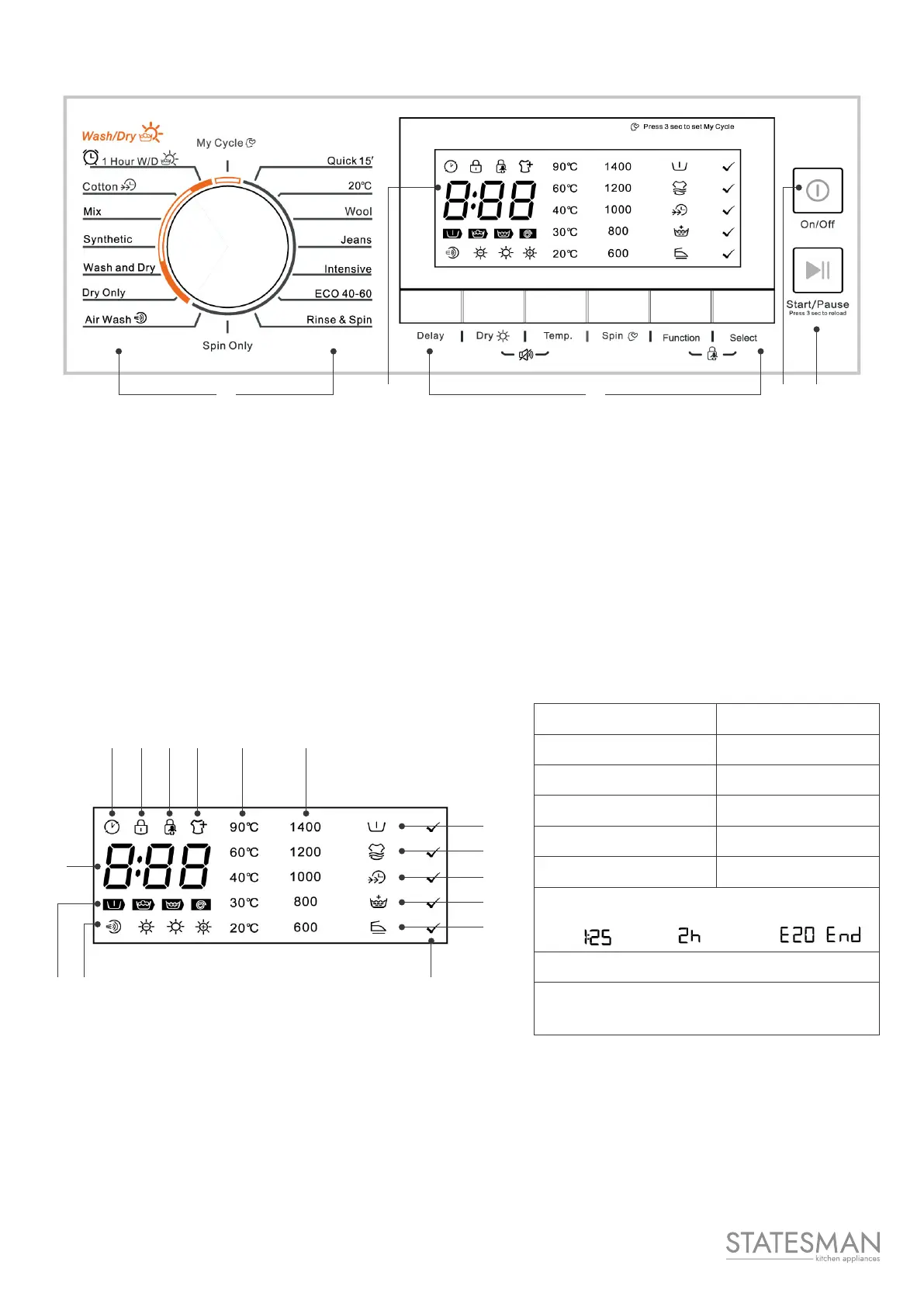
Control Panel
4 5 3 1 2
1. On/O
Product is switched On/O.
2. Start/Pause
Press the button to start or pause the washing
cycle.
3. Option
This allows you to select an additional function
and will light up when selected.
4. Programs
Available according to the laundry type.
5. Display
The display shows the settings, estimated time remaining, options, and status messages for your
washer dryer. The display will remain on throughout the cycle.
A Delay Timer J Select
B Door Lock K Anti-Crease
C Child Lock L Extra Rinse
D Reload M Speed Wash
E Temp. N Extra Wash
F Spin Speed O Prewash
G Wash Time Delay Time Error End
H Prewash - Wash - Rinse - Spin
I Air Dry - Gentle Dry - Normal Dry
- Extra Dry
A B C D E F
G
H I
O
N
M
L
K
J


 To Next Page