8
|
ENGLISH
Using Your
Steam Mop
ADDING WATER
1. Make sure On/Off Switch is set to “off” position
(red Power Indicator Light will not be illuminated)
and power cord is unplugged.
REFILLING: If unit has been in use, allow a
minimum of 5 minutes cooling time.
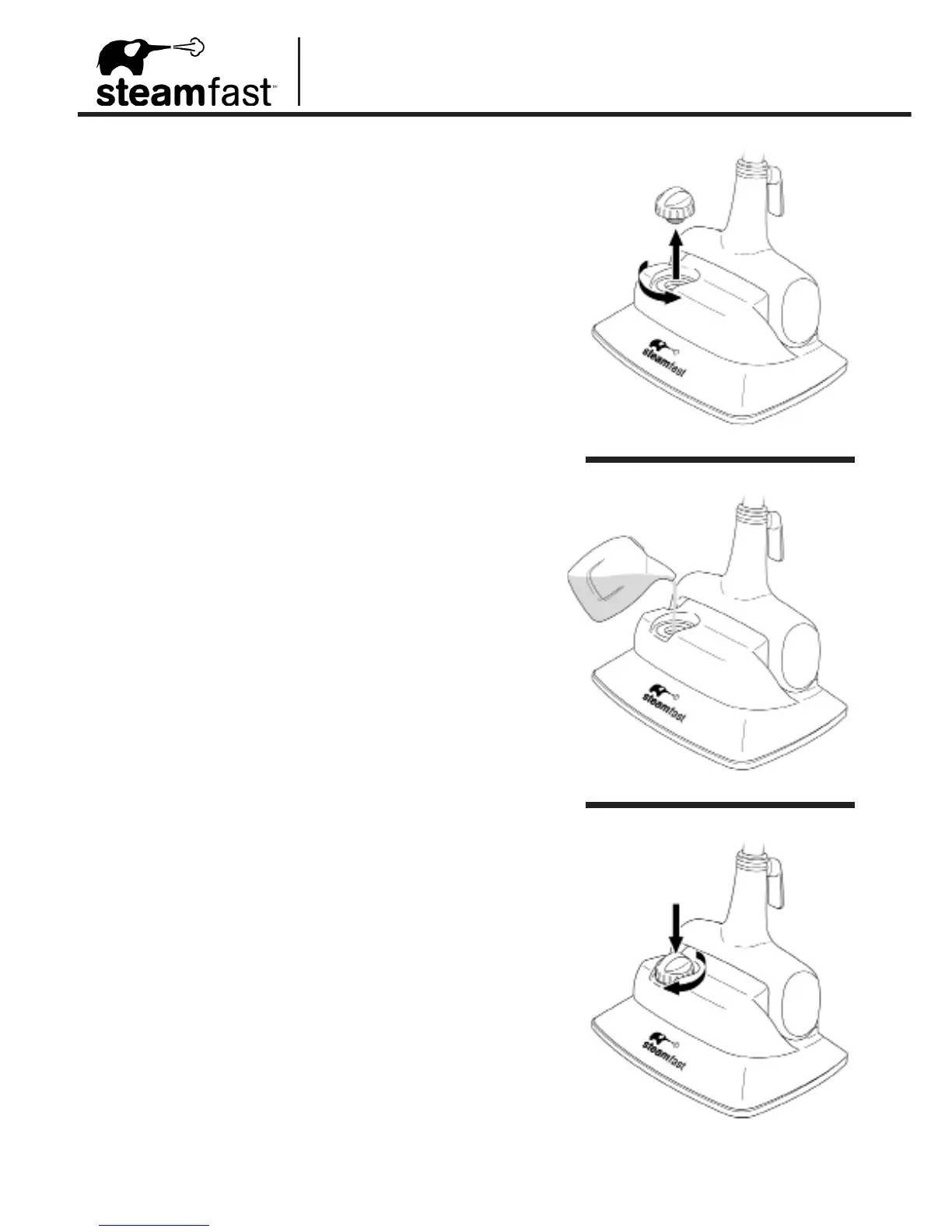
2. Carefully remove Boiler Cap by unscrewing it in a
counter-clockwise direction (FIGURE 4-A).
REFILLING: If unit has been in use, be sure
Boiler is completely empty to prevent overlling.
3. Fill included Measuring Cup with 8.5 oz. (250 ml.)
water, and pour into Boiler through Boiler Fill Hole
(FIGURE 4-B).
NOTE: In order to minimize potential mineral
build-up and prolong the life of your Steam
Mop, it is recommended that distilled or
de-mineralized water be used in the Boiler.
If distilled water is not available, then Boiler
should be cleaned frequently in order to
remove mineral build-up. Refer to Mineral
Build-Up section on Page 11 for details.
4. For maximum usable water (10 oz. / 300 ml.), ll
Measuring Cup with another 1.5 oz. (50 ml.) of
water, and add into Boiler.
5. Replace Boiler Cap by screwing it into Boiler Fill
Hole in a clockwise direction until tight (FIGURE
4-C). Unit is now ready to begin steaming – refer
to Page 9 for operating instructions.
FIGURE 4
4-A
4-B
4-C


 To Next Page