13
742.114 | 14.50
EN
5 Commissioning the device for the first time
Danger
Risk of death by electrocution! Be sure to perform all the measures listed in Section 4
before starting the first commissioning.
Notes
• After commissioning the controller for the first time, it is configured in such a man-
ner that it can be used in most applications without changes.
• After completing the first commissioning, later recommissioning is not necessary.
• The following steps must also be performed after the device has been reset to the
factory defaults.
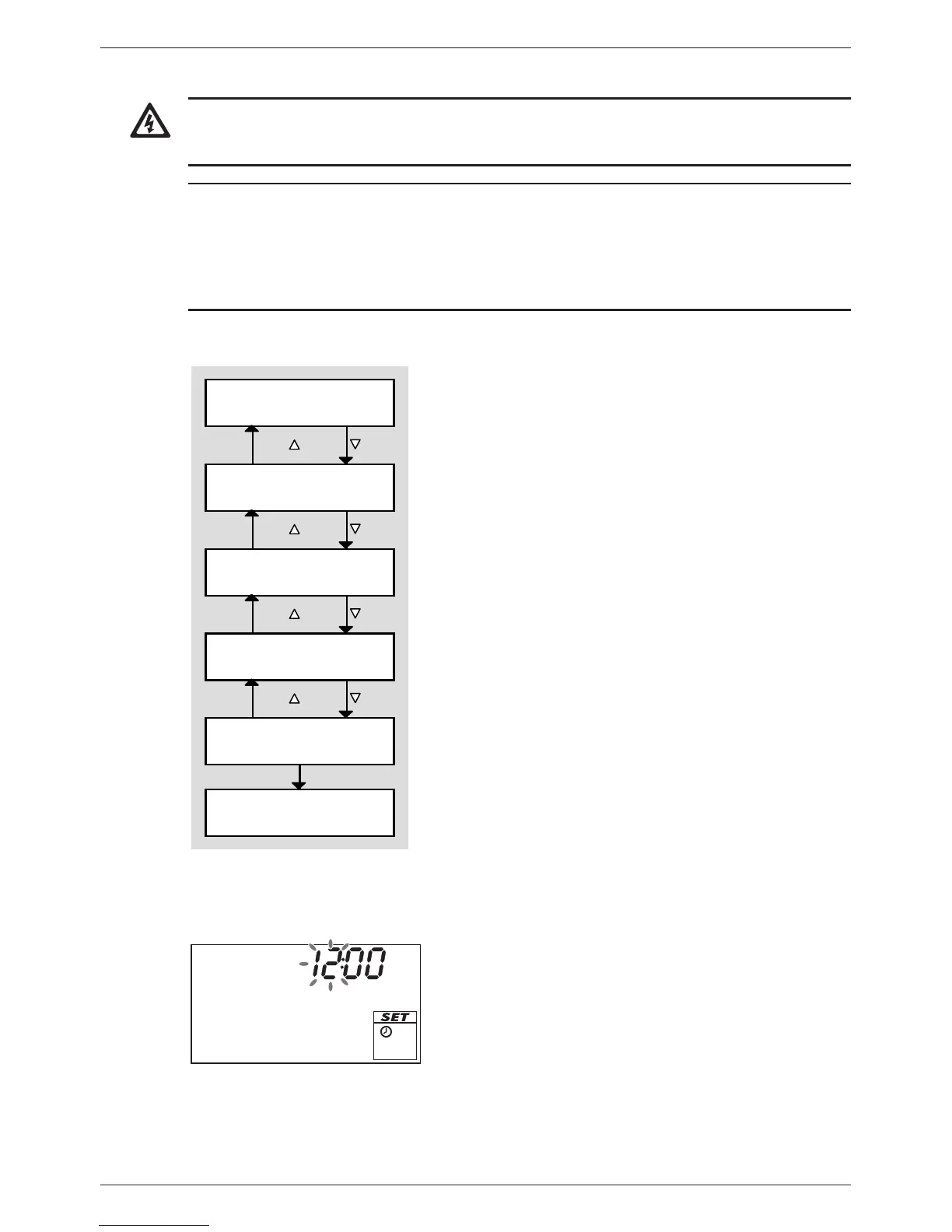
Overview
Operation mode Off is
switched on.
ESC /
OK
SET
Time
System
Pump R1 (R2)
Type / minimum speed
Functions
ESC /
ESC /
ESC /
The first time the controller is switched on, the following
main settings are made blockwise via a guided configu-
ration process (Fig. left):
• Time
• System (hydraulic variant)
• Type (Standard/high-efficiency pump) and minimum
speed of the connected pumps (not System 0.1)
• Functions
Values can be subsequently changed during the guided
configuration process. The following applies:
• /ESC/ blockwise navigation forwards and back
(Fig. left: = forwards; ESC/ = back).
• Navigation (with /ESC/) is always possible after
completing a block.
• Subsequent modification of a block is started with
SET.
Commission the controller for the first time as follows:
Setting the time
1. Apply power to the controller.
– The time 12:00 is displayed.
– 12 flashes (Fig. left)
– The backlighting is red.
2. Press to set the hours.
3. Press SET. The minutes flash.
4. Press to set the minutes.
5. Press SET. The time is displayed.


 To Next Page