EasyManua.ls Logo

Steca TR A502 TT - User Manual

Steca TR A502 TT
56 pages
Print Icon
To Next Page IconTo Next Page
Loading...
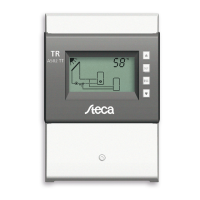
Temperature differential controller
5 inputs, 2 outputs
742.114 | Z03 | 14.50 | Subject to change due to technical improvements!
EN
Installation and operating instructions

Questions and Answers

  • G
    gillruthAug 16, 2025
    What to do if my Steca Thermostat shows 'Col1' flow rate fault?
    • S
      smithbrianAug 17, 2025
      If your Steca Thermostat displays 'Col1', indicating a flow rate fault, it could be due to a few reasons: there might be air in the system (in this case, bleed air from the system), the isolating valve might be closed (check the isolating valve), or the pump could be faulty (check the pump).
  • J
    James Vega DDSAug 19, 2025
    Why is my Steca Thermostat display empty or dark?
    • B
      Brian MathewsAug 19, 2025
      If the display of your Steca Thermostat is empty or dark, the controller power supply might be interrupted. To resolve this, check the controller power cable and the fuse for the power supply.
  • A
    angelarossAug 22, 2025
    What to do if output R1 of my Steca Thermostat is overloaded?
    • D
      Deborah OliverAug 22, 2025
      If the pump connected to output R1 flashes, it means that the permissible values for R1 specified on the type plate have been permanently exceeded, and the output has been switched off. To fix this, check the electrical data of the pump and replace it if necessary. R1 is automatically switched on again.
  • S
    Sarah WrightAug 25, 2025
    What to do if output R2 of my Steca Thermostat is overloaded?
    • W
      William RamirezAug 25, 2025
      If the pump connected to output R2 flashes, it indicates that the permissible values for R2 specified on the type plate have been permanently exceeded, and the output has been switched off. In this case, check the electrical data of the pump and replace the pump if necessary. R2 is automatically switched on again.
  • G
    George WhiteAug 27, 2025
    What does it mean if my Steca Thermostat flashes 12 times?
    • P
      pchungAug 27, 2025
      If your Steca Thermostat is flashing 12 times, it means the controller power supply was interrupted for longer than 15 minutes. You should set the time on the thermostat.
  • S
    Shaun GarciaAug 30, 2025
    What to do if there is a short-circuit at output R1 of my Steca Thermostat?
    • R
      robert35Aug 30, 2025
      If a short-circuit exists at output R1 and the pump connected to output R1 flashes, it could be due to a faulty pump or a wiring fault. Check the pump and the wiring from R1.
  • M
    Melinda LewisSep 2, 2025
    What to do if there is a short-circuit at output R2 of my Steca Thermostat?
    • L
      Lori WoodSep 2, 2025
      If a short-circuit exists at output R2 and the pump connected to output R2 flashes, it could be due to a faulty pump or a wiring fault. Check the pump and the wiring from R2.
  • D
    Donna CollinsSep 5, 2025
    Why is the solar circuit pump not operating on my Steca Thermostat?
    • T
      Thomas MartinSep 5, 2025
      If the solar circuit pump is not operating on your Steca Thermostat, even when the switch-on condition is fulfilled, it could be due to a few reasons: the pump power supply might be interrupted (check the pump power cable), or the pump might have seized up (get the pump working again, replace if necessary). If there is no fault.
  • N
    Nicole WilliamsSep 7, 2025
    Why does the solar circuit pump on my Steca Thermostat show cycle behavior?
    • D
      Darren MillerSep 7, 2025
      If the solar circuit pump on your Steca Thermostat shows cycle behavior, it could be due to a temperature difference that is too small (adjust temperature difference in the Parameters settings menu), or the collector sensor might be incorrectly positioned (check the position of the collector sensor and correct if necessary).
  • C
    Carl Long IIISep 10, 2025
    What to do if my Steca Thermostat detected an interruption at the displayed sensor input?
    • H
      haydenacevedoSep 12, 2025
      If your Steca Thermostat detects an interruption at the displayed sensor input, check the cable and sensor connected to the sensor input.

Summary

General Safety Instructions

Proper Usage

About These Instructions

Target Audience

Identifies the intended audience for this manual, focusing on technical professionals.

Danger Levels in Warning Notices

Explains the different danger levels used in warning notices and their associated risks.

Installation

Opening; Closing the Casing

Details the procedure for removing and reattaching the front panel of the controller.

Removing the Terminal Cover

Provides safety instructions and steps for removing the terminal cover.

Mounting the Casing

Describes how to securely mount the controller unit onto a vertical surface.

Establishing the Electrical Connections

Outlines crucial safety precautions and steps for making electrical connections.

Position of the Terminals

Illustrates and describes the function of each terminal on the controller's connector block.

Preparing the Cable Openings

Explains how to prepare the casing's pre-punched openings for cable entry.

Connecting the Cables

Details the process and important considerations for connecting electrical cables to the controller.

Inserting; Removing Plastic Links

Provides instructions on how to install and remove the plastic links used for cable strain relief.

Terminal Pin Assignments

Lists terminal assignments for various system configurations and connected components.

Commissioning the Device for the First Time

Setting the Time

Guides the user through setting the current time on the controller during initial setup.

Selecting a System

Details how to select the appropriate system configuration for the installed setup.

Setting Pump 1 (Output R1)

Explains how to configure parameters for the first pump, including type and speed.

Set Pump 2 (Output R2)

Details the configuration process for the second pump, if applicable to the system.

Set the Functions

Describes how to activate and configure various functions of the controller.

Finishing Initial Commissioning

Final steps to complete the initial setup and prepare the controller for operation.

Set the Operating Mode (Off, Manual, Automatic)

Instructions for setting the controller's primary operating mode.

Structure

Casing

Describes the physical components and elements of the controller's casing.

Display

Provides an overview of the controller's display areas and their functions.

System Graphics Symbols

Explains the meaning of various symbols used in the system graphics on the display.

Settings Menu

Details the entries and structure of the controller's settings menu.

Pictograms for Functions

Describes the pictograms used to represent different functions on the controller.

Operational and Setting Values

Explains the different elements that constitute operational and setting values displayed by the controller.

Operation

Operating Buttons

Details the function and usage of each button on the controller.

Display When Operating

Explains how to interpret the display information during normal operation.

Modes of Operation

Changing the Mode of Operation

Instructions on how to switch between the controller's different operating modes.

Off Mode

Describes the functionality and behavior of the controller when in 'Off' mode.

Manual Mode

Explains how to operate the controller and its outputs manually.

Automatic Mode

Details the normal operating mode where the system is automatically controlled.

Settings Menu

Overview

Provides a graphic overview of the structure and navigation within the settings menu.

Calling Up the Settings Menu and Selecting a Menu Entry

Explains how to access and navigate through the controller's settings menu.

Setting the Time

Guides the user on how to set or adjust the controller's time.

Setting the System

Details the process for selecting and configuring the correct system type.

Setting the Functions

Instructions on how to set and activate specific functions within the controller.

Setting the Parameters

Explains how to access, view, and modify the controller's operational parameters.

Setting the Priority

Describes how to set the loading priority for multiple storage tanks.

Resetting to Factory Defaults

Provides instructions on how to reset all settings to their original factory default values.

Functions

Operation

Explains how to display and activate various functions on the controller.

Characteristics

Describes the configurable characteristics for different functions, such as output, temperature, and input.

Functional Description

Details the specific characteristics and behavior of each available function.

Drainback

Explains the Drainback function, its settings, and operational notes for specific systems.

Circulation

Details the Circulation function, its temperature and time control settings.

Back-up Heating

Describes the Back-up heating function, its temperature and time restrictions.

Solid Fuel Boiler

Explains the Solid fuel boiler function, including activation and speed control.

Quick Charge

Details the Quick charge function for faster storage tank loading.

Heat Quantity

Explains how the controller calculates heat quantity and CO2 savings.

Thermostat

Describes the Thermostat function for temperature-dependent switching.

Differential Thermostat

Details the Differential thermostat function based on temperature differences.

Interval

Explains the Interval function for periodic switching of the solar circuit pump.

Reduction of Stagnation Phases

Describes the function to reduce system standstill times at high temperatures.

Holiday - Recooling

Explains the Holiday – recooling function to avoid stagnation during absence.

Active Cooling

Details the Active cooling function for additional cooling.

Freeze Recirculation

Describes the Freeze recirculation function to prevent collector freezing.

Display Storage Tank Top

Explains how to display temperatures in the upper region of storage tanks.

Alarm Output

Details the Alarm output function for fault indication.

Parameters

Maximum Temperature Storage Tank 1

Sets the maximum allowable temperature for storage tank 1.

Maximum Temperature Storage Tank 2

Sets the maximum allowable temperature for storage tank 2.

Maximum Temperature Swimming Pool

Sets the maximum allowable temperature for the swimming pool.

Switch-on Temperature Difference Solar Circuit 1

Defines the temperature difference for switching on the solar circuit 1.

Switch-off Temperature Difference Solar Circuit 1

Defines the temperature difference for switching off the solar circuit 1.

Switch-on Temperature Difference Solar Circuit 2

Defines the temperature difference for switching on the solar circuit 2.

Switch-off Temperature Difference Solar Circuit 2

Defines the temperature difference for switching off the solar circuit 2.

Switch-on Temperature Difference External Heat Exchanger

Sets the temperature difference for switching on the external heat exchanger.

Switch-off Temperature Difference External Heat Exchanger

Sets the temperature difference for switching off the external heat exchanger.

Maximum Collector Temperature

Sets the maximum allowable temperature for the collector.

Minimum Collector Temperature

Sets the minimum allowable temperature for the collector.

Switch-on Temperature Difference Heating Return Increase

Defines the temperature difference for switching on the heating return increase.

Switch-off Temperature Difference Heating Return Increase

Defines the temperature difference for switching off the heating return increase.

Maximum Temperature Loading Circuit

Sets the maximum temperature for the loading circuit.

Minimum Temperature Loading Circuit

Sets the minimum temperature for the loading circuit.

Loading Strategy Storage Tank 1

Configures the loading strategy for storage tank 1 (e.g., efficiency, temperature).

Loading Strategy Storage Tank 2

Configures the loading strategy for storage tank 2 (e.g., efficiency, temperature).

Pump Type R1

Selects the pump type (AC or HE) for output R1.

Pump Type R2

Selects the pump type (AC or HE) for output R2.

Control of the Storage Tank Loading Valve

Sets the control mode (normal/inverted) for the storage tank loading valve.

Control of the Zone Loading Valve

Sets the control mode (normal/inverted) for the zone loading valve.

Control of the Return Increase

Sets the control mode (normal/inverted) for the return increase.

Dismantling and Disposal

Info Messages

Troubleshooting

General Faults

Lists common faults, their possible causes, and recommended remedies for the controller.

Error Messages

Explains specific error messages displayed by the controller and their troubleshooting steps.

Checking the Pt1000 Temperature Sensor

Provides a guide and resistance table for testing the Pt1000 temperature sensor.

Technical Data

Controller

Presents detailed technical specifications for the controller, including inputs, outputs, and physical data.

Cable Specifications

Outlines the specifications for mains and sensor cables compatible with the controller.

Exclusion of Liability

Legal Guarantee

Notes

Steca TR A502 TT Specifications

General IconGeneral
BrandSteca
ModelTR A502 TT
CategoryThermostat
LanguageEnglish