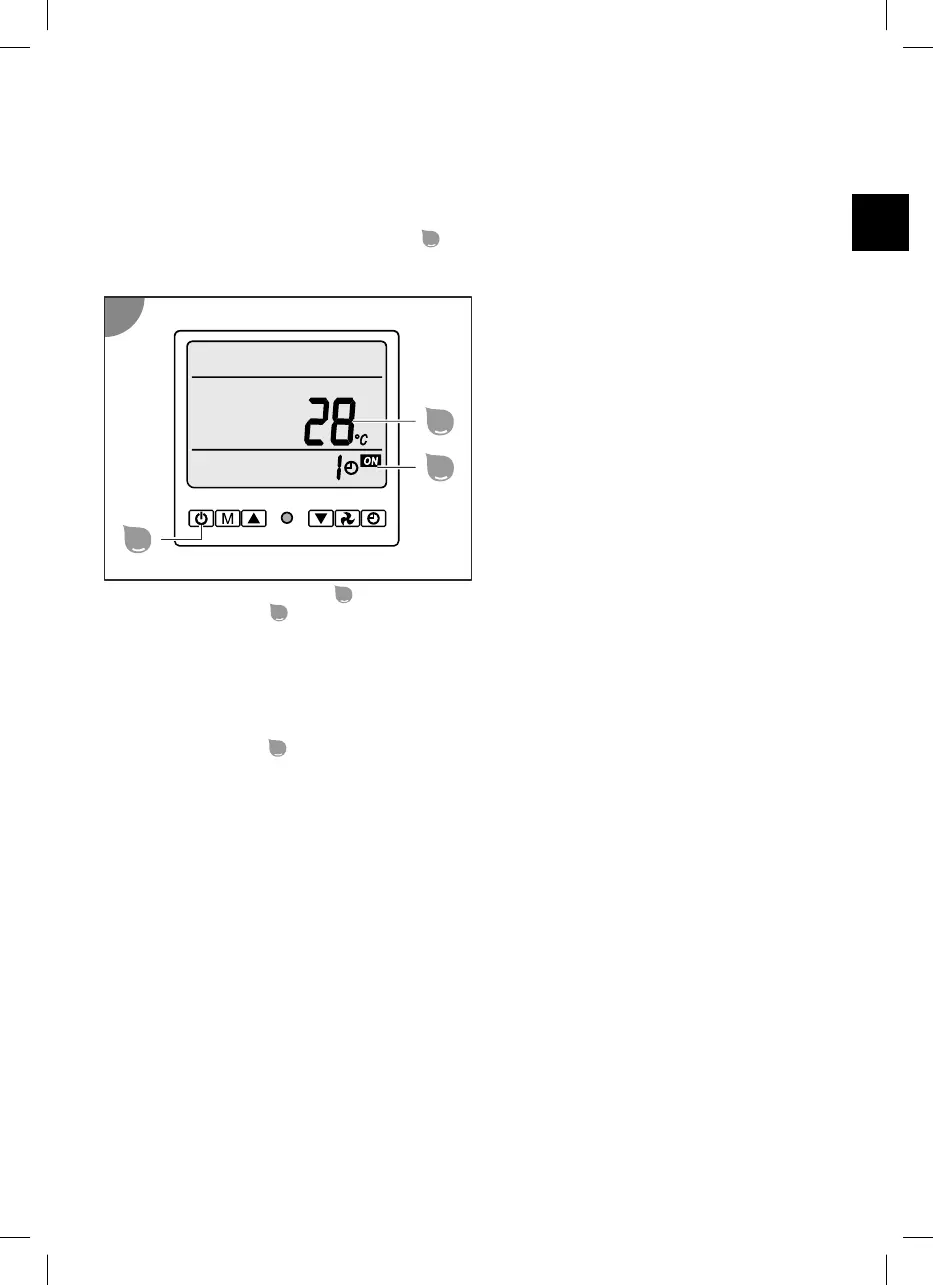
Display
Standby mode
In standby mode, the heat pump is ready for operation but it is deactivated. The water is neither being
heated nor cooled. Press the ON/OFF button
to switch the heat pump between standby mode and
operating mode.
Active display elements:
- The Temperature 2 display
shows the current water temperature.
-
The Timer display
shows the time remaining for the automatic activation of the standby mode in
hours, if the timer is activated (see the "Operation" section).
Operating modes
The heat pump has the following operating modes:
-
Heating operating mode
-
Cooling operating mode
Press the Mode button
to switch the heat pump between the heating and cooling operating modes.
You can set the water temperature to a value between +5 °C and +45 °C.
In heating operating mode, the heat pump heats the water to the set water temperature. When the
heating operating mode is activated, the default value for the set water temperature is 25 °C.
In cooling operating mode, the heat pump cools the water to the set water temperature. When cooling
operating mode is activated, the default value for the set water temperature is 30 °C.
39



 To Next Page
 Loading...