Page 16 | Stellar
®
Heavy-Duty Telescopic Crane Owner’s Manual
Operation and System Preferences
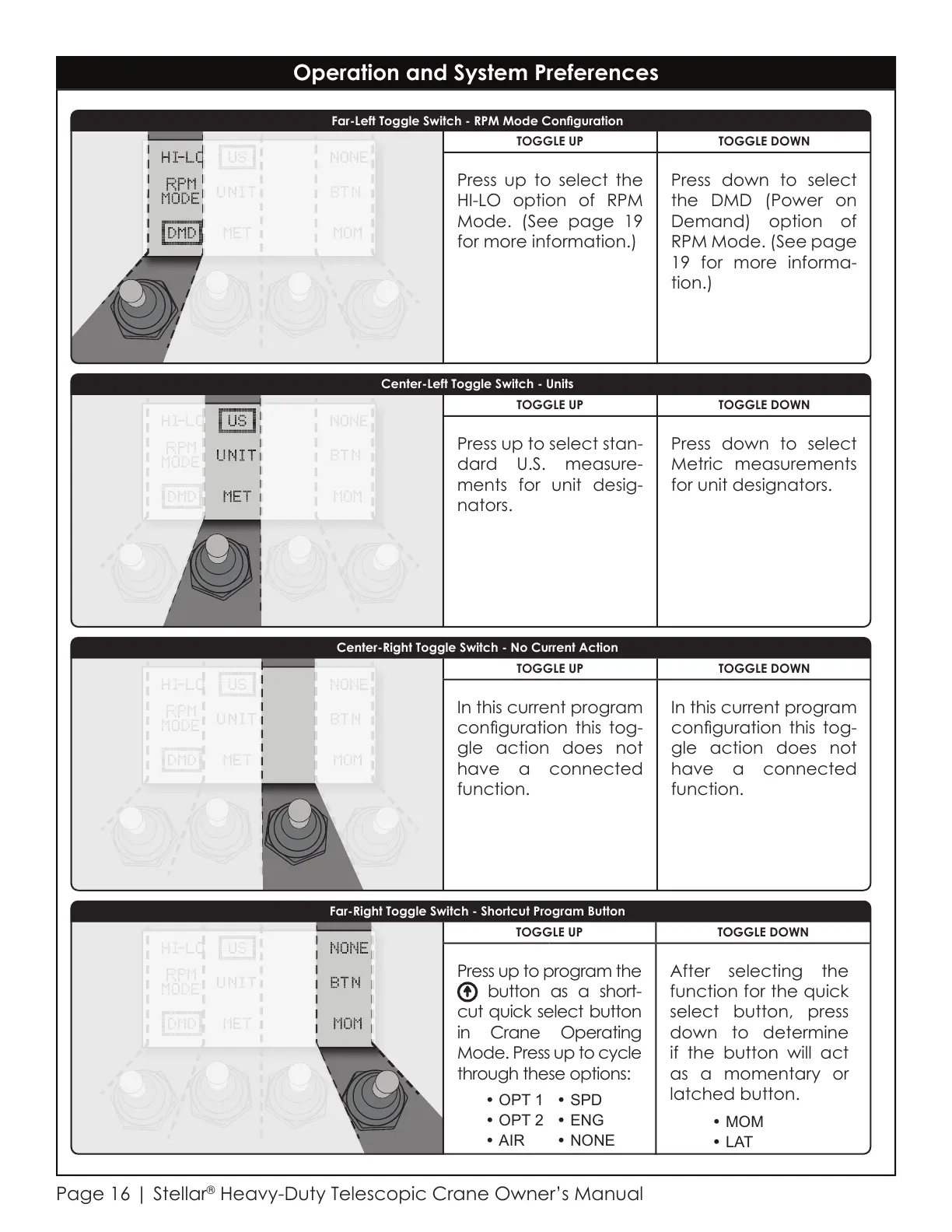
Far-Left Toggle Switch - RPM Mode Conguration
Far-Right Toggle Switch - Shortcut Program Button
Center-Left Toggle Switch - Units
Center-Right Toggle Switch - No Current Action
TOGGLE UP TOGGLE DOWN
In this current program
conguration this tog-
gle action does not
have a connected
function.
In this current program
conguration this tog-
gle action does not
have a connected
function.
TOGGLE UP TOGGLE DOWN
Press up to select stan-
dard U.S. measure-
ments for unit desig-
nators.
Press down to select
Metric measurements
for unit designators.
TOGGLE UP TOGGLE DOWN
Press up to select the
HI-LO option of RPM
Mode. (See page 19
for more information.)
Press down to select
the DMD (Power on
Demand) option of
RPM Mode. (See page
19 for more informa-
tion.)
TOGGLE UP TOGGLE DOWN
Press up to program the
button as a short-
cut quick select button
in Crane Operating
Mode. Press up to cycle
through these options:
After selecting the
function for the quick
select button, press
down to determine
if the button will act
as a momentary or
latched button.
• MOM
• LAT
• OPT 1
• OPT 2
• AIR
• SPD
• ENG
• NONE
Courtesy of CraneMarket.com



 To Next Page