Page 20 | Stellar
®
Heavy-Duty Telescopic Crane Owner’s Manual
Range Finder™ Mode
The Range Finder™ feature allows the opera-
tor to create a lift plan without ever needing
to unstow the crane. This world-rst technology
estimates distance and calculates crane ca-
pacities where the operator is holding the radio
remote.
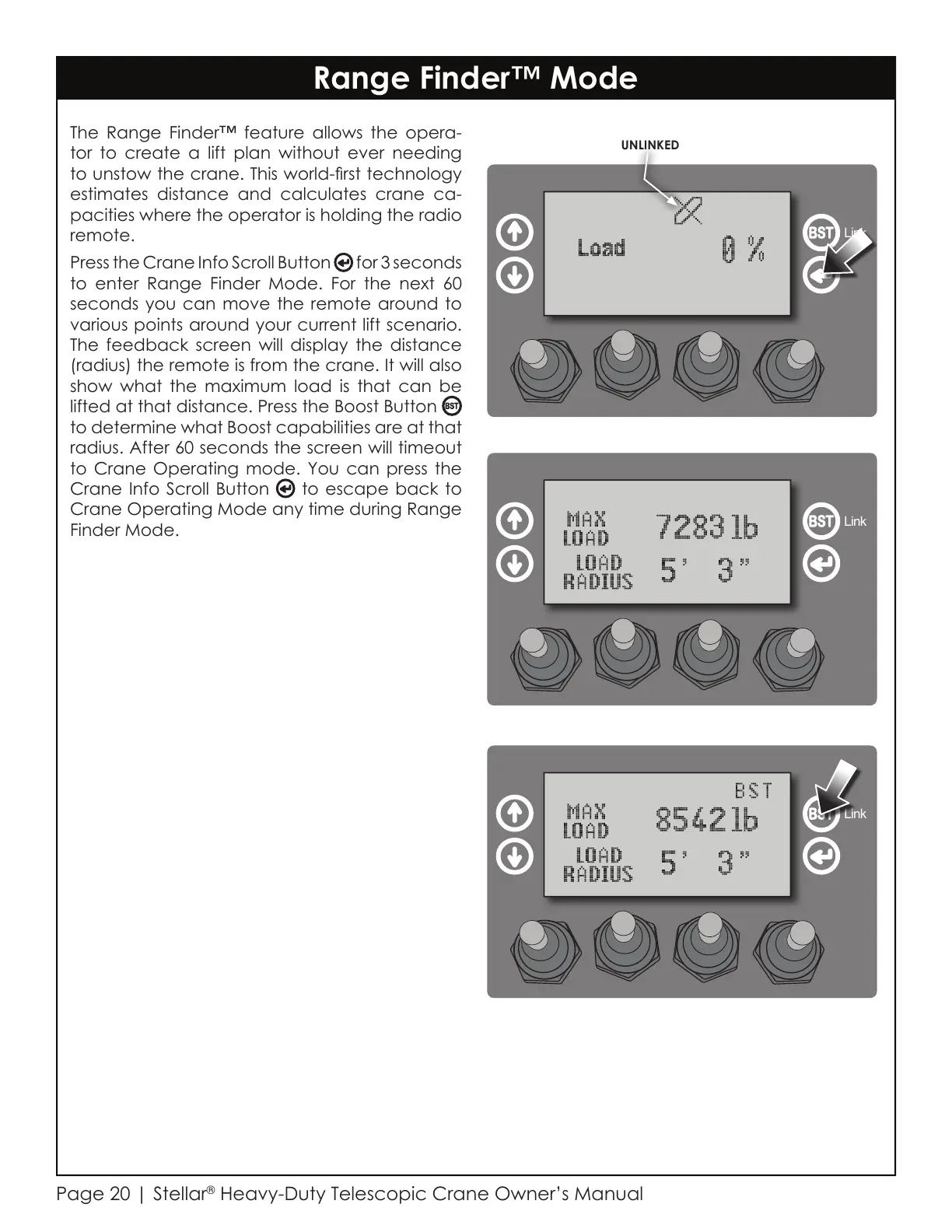
Press the Crane Info Scroll Button for 3 seconds
to enter Range Finder Mode. For the next 60
seconds you can move the remote around to
various points around your current lift scenario.
The feedback screen will display the distance
(radius) the remote is from the crane. It will also
show what the maximum load is that can be
lifted at that distance. Press the Boost Button
to determine what Boost capabilities are at that
radius. After 60 seconds the screen will timeout
to Crane Operating mode. You can press the
Crane Info Scroll Button to escape back to
Crane Operating Mode any time during Range
Finder Mode.
Link
Link
Link
UNLINKED
Courtesy of CraneMarket.com



 To Next Page