Stellar
®
Heavy-Duty Telescopic Crane Owner’s Manual | Page 27
Tethering Features
DANGER
Death or serious injury will
result from touching tethered
remote if crane, load, or vehicle
becomes electrically charged.
Maintain safe clearance from
high voltage power sources.
Electrocution Hazard
4186
Radio Remote Tethered Extension Cable
If the handheld transmitter has a system problem
that makes the wireless function unusable, use
of a back-up tethered extension cable may be
necessary. While tethered, the extension cable
will also supply power to recharge the remote's
NiMH batteries. Extra caution about the lift area
should be exercised while tethered.
1. Locate the extension cable tether. Most
likely it is in the crane compartment, or in
the cab behind the seat.
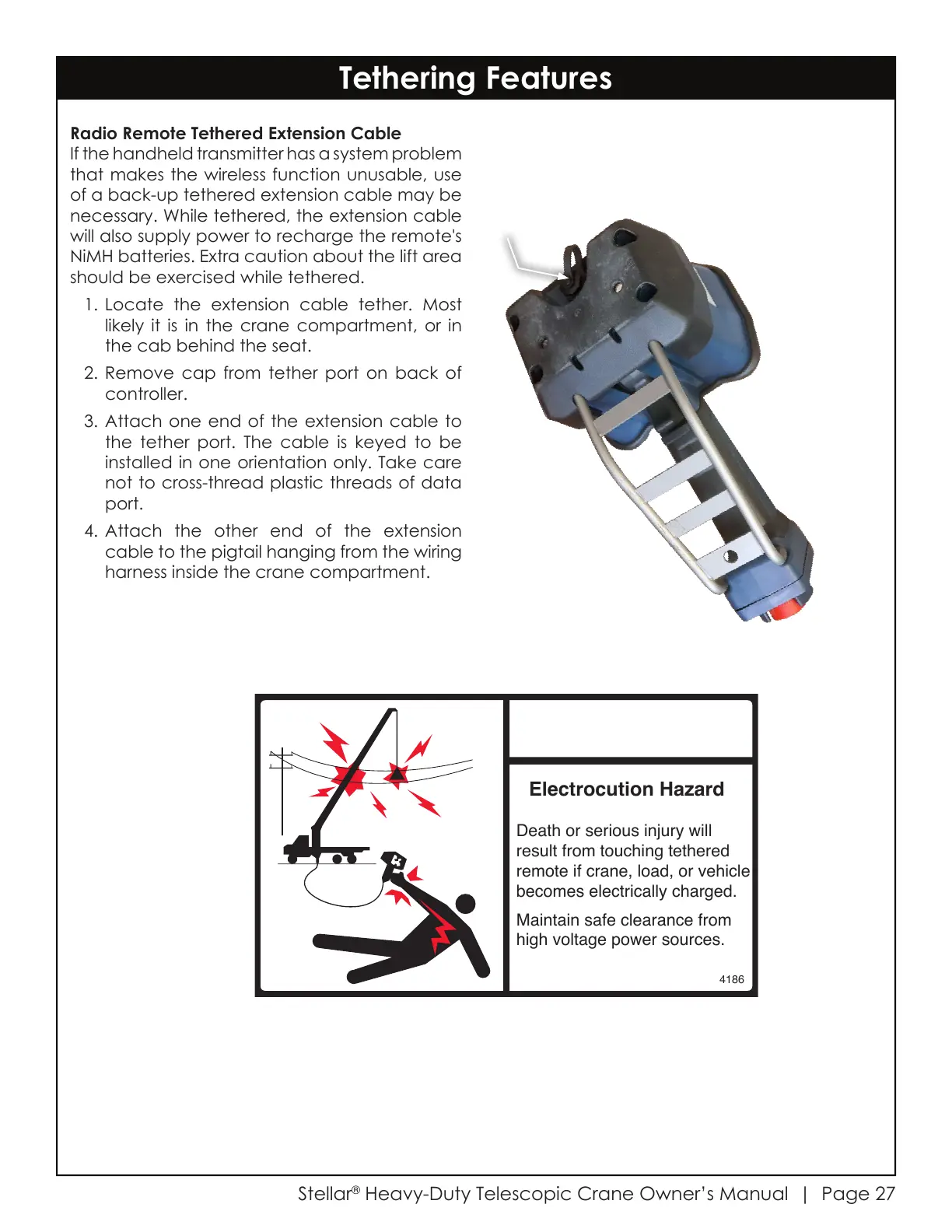
2. Remove cap from tether port on back of
controller.
3. Attach one end of the extension cable to
the tether port. The cable is keyed to be
installed in one orientation only. Take care
not to cross-thread plastic threads of data
port.
4. Attach the other end of the extension
cable to the pigtail hanging from the wiring
harness inside the crane compartment.
Courtesy of CraneMarket.com



 To Next Page