Select ● Cluster Identical from the AlphaNet Visibility menu
Conrm by clicking ● OK
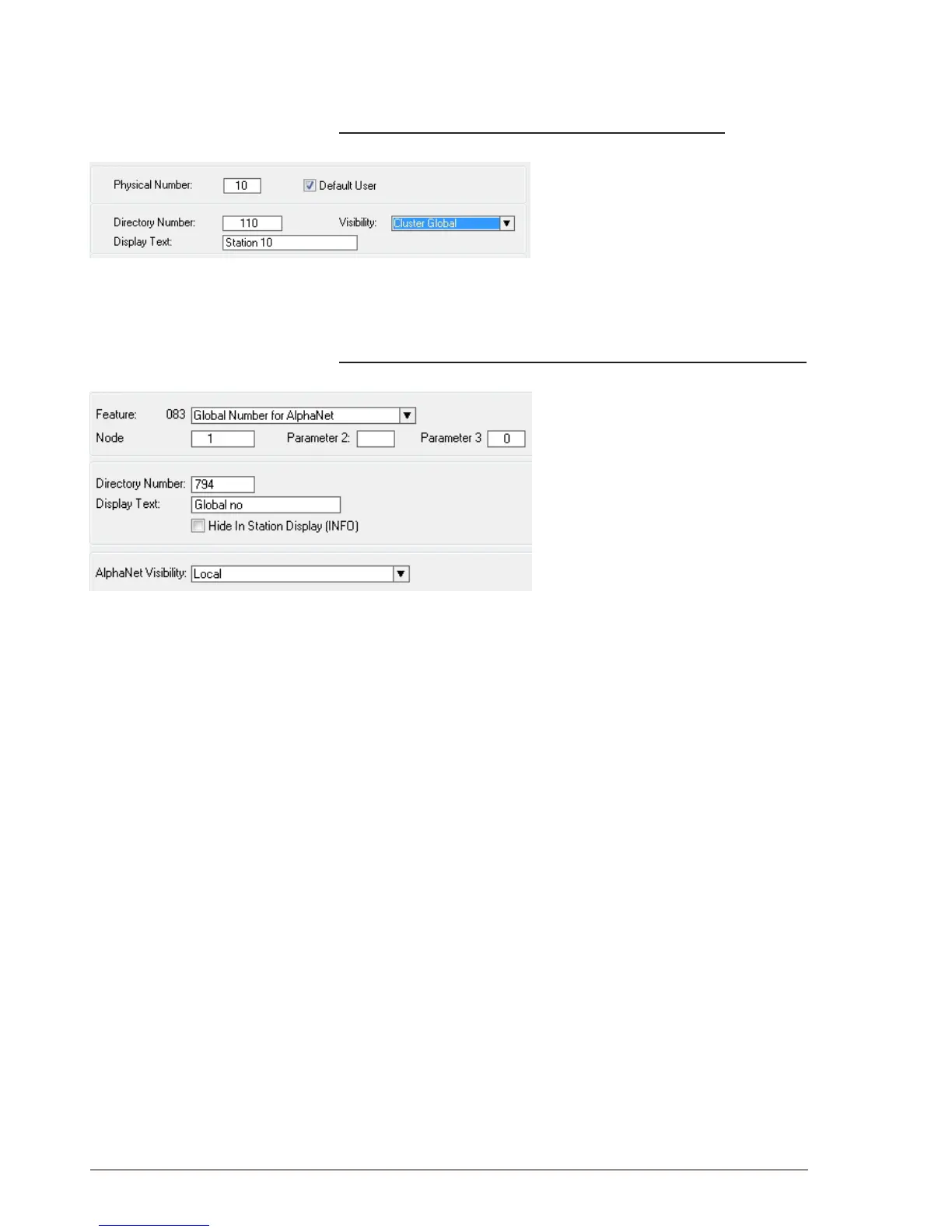
Make AlphaCom stations visible in the AlphaNet cluster
● Click the Users & Stations icon
Select the station that should have a ●
global number
Select ● Cluster Global from the
Visibility drop-down list
Conrm by clicking ● OK
Cluster Global can also be set from the Directory & Feature menu. All
stations can then be set in one operation.
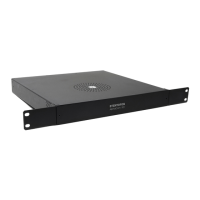
Manually create directory number for Global Numbers for AlphaNet
● Click the Directory & Features icon
Click ● Insert
Select ● Global Number for AlphaNet –
83 from the Feature drop-down list
Enter the node number for the ●
exchange
Enter the directory number you want ●
to use as global number
Conrm by clicking ● OK
Leave the ● AlphaNet Visibility at
Local


 To Next Page