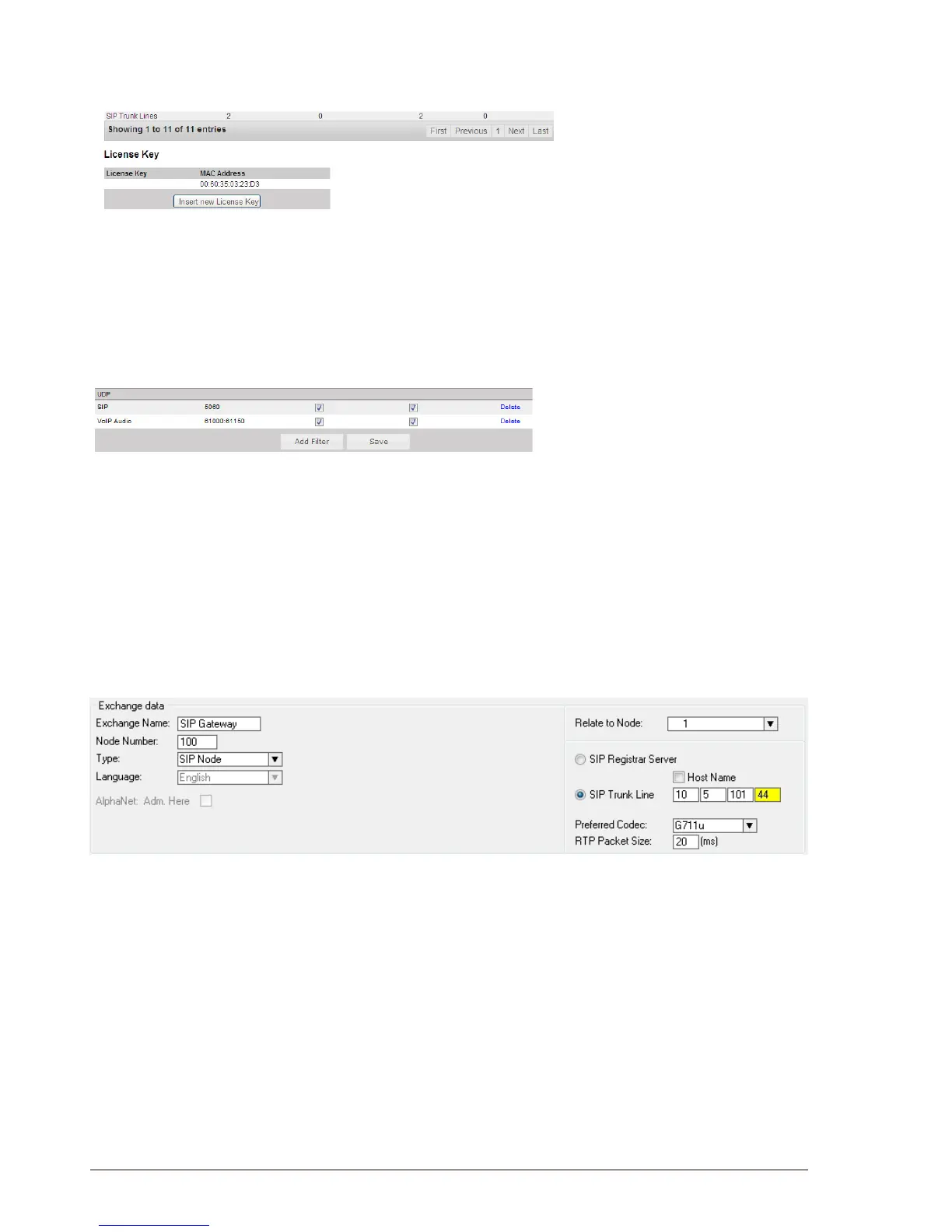
Insert SIP Trunk licenses8.3.2
Log on to AlphaWeb and select ● SystemConguration > Licensing
Install the SIP Trunk license by clicking ● Insert new License Key
Firewall(lter)settings8.3.3
Log on to AlphaWeb and select ● SystemConguration > Filters
Enable the ● SIP protocol and VoIP Audio on the desired Ethernet
port by ticking the relevant checkboxes (default enabled for Ethernet
port1).
AlphaProConguration8.4
Create a SIP Trunk Node 8.4.1
From the AlphaPro main menu, click the ‘+’ button next to the ● Select
Exchange drop-down list to create a new exchange.
The exchange ● Type must be set to SIP Node.
Click the radio-button for ● SIP Trunk Line and enter 10.5.101.44
The SIP Trunk IP address must be identical to the IP address of the -
SIP Gateway.
If AlphaCom is congured with a SIP Registrar node in addition L
to the SIP Trunk node, the SIP Registrar node must have a
lower node number than the SIP Trunk node.
DenetheAlphaCom/SIProuting8.4.2
Select ● Exchange & System > Net Routing and click the Insert
button to create a route between AlphaCom and SIP Gateway.
Select ● SIP Link from the ACDP Link drop-down list
Tick the ● Audio on IP checkbox
Set ● Preferred codec to G711u and RTP Packet Size to 20 ms.
Conrm by clicking ● OK


 To Next Page