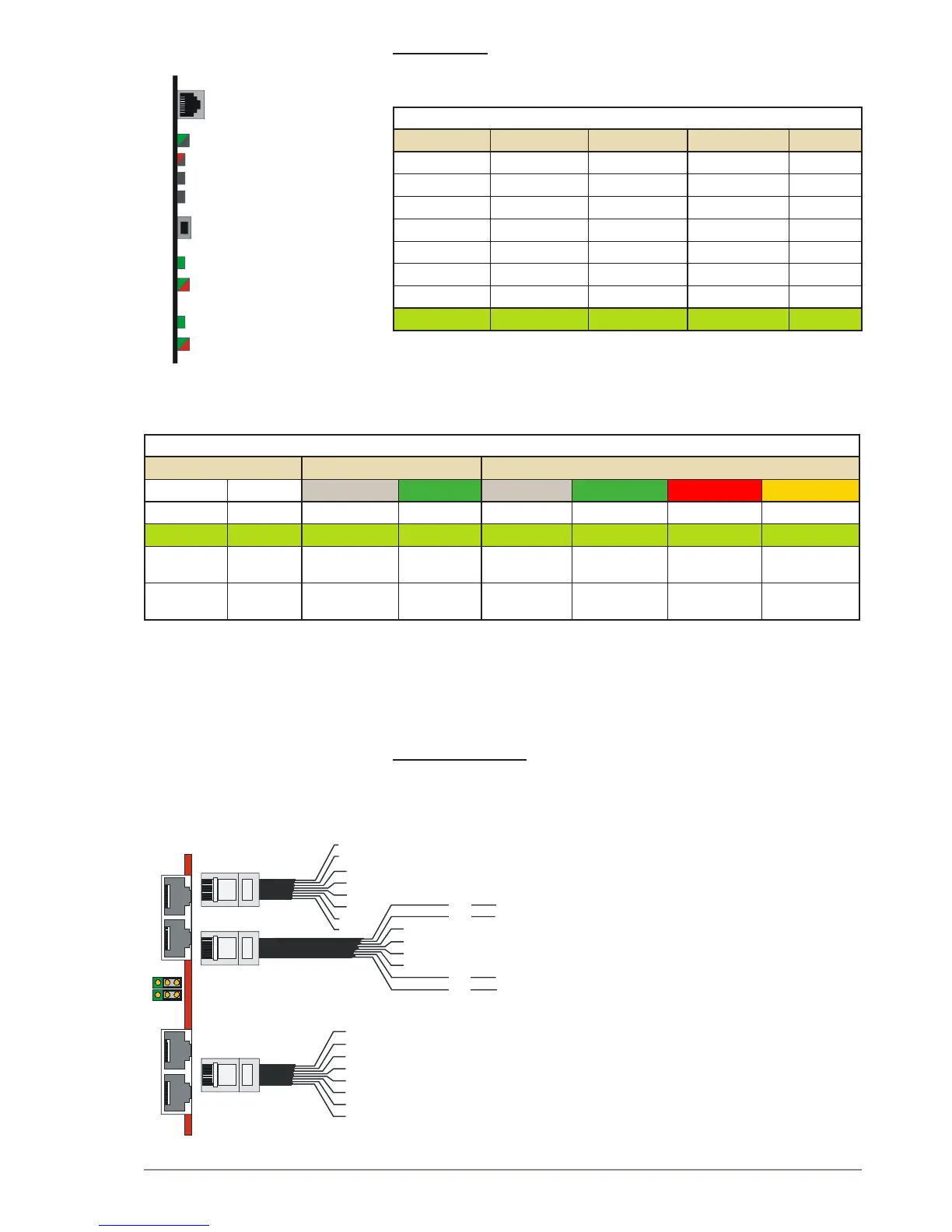
S200 settings
The switch S200 determines the Ethernet port speed, the duplex mode,
and the link status LED mode.
SPEED / DUPLEX
S200-1/2 S200-3/4 S200-5/6 Speed Duplex*
OFF OFF OFF 10 Mbps Half
OFF OFF ON 10 Mbps Full
OFF ON OFF 100 Mbps Half
OFF ON ON 100 Mbps Full
ON OFF OFF Auto Half
ON OFF ON 10 Mbps Auto
ON ON OFF 100 Mbps Auto
ON ON ON Auto Auto
* Full = Open duplex (telephone)
Half = Voice controlled duplex
Auto = Automatically sensed
LINK STATUS FOR ETHERNET PORT 0 AND 1
S200 Link LED Dual LED
7 8 Off Green Off Green Red Amber
OFF OFF !0 Mbps 100 Mbps Link down Half Duplex Error Full Duplex
OFF ON Link down Link up No activity Rx activity Tx activity Tx+Rx act.
ON OFF 10 Mbps 100 Mbps Link down
Link up,
Activity*
Full Duplex,
Collisions*
Link up in
full Duplex
ON ON 10 Mbps 100 Mbps Link down
Link up,
MII isolation*
Full Duplex,
Collisions*
Link up in
full Duplex
* Blink rate = 100 ms
Port pin-out12.5
The AlphaCom XE servers have two serial and two Ethernet ports.
AlphaCom XE20/26
In AlphaCom XE20 and E26, the serial ports are available on RJ45
connectors on the AMC-IP Filter Card. Serial port 0 is RS232 but port 1
can be set to RS232 or RS422/RS485 by jumpers on the card.


 To Next Page