SSD10000S - SSD10000S/3PH
14
Refer to engine owners handbook supplied with each generator for further information.
While holding down the fuel pump prime button you should be able to see the gauge needle rise and rest to
indicate a level, also you should hear the fuel pump operating.
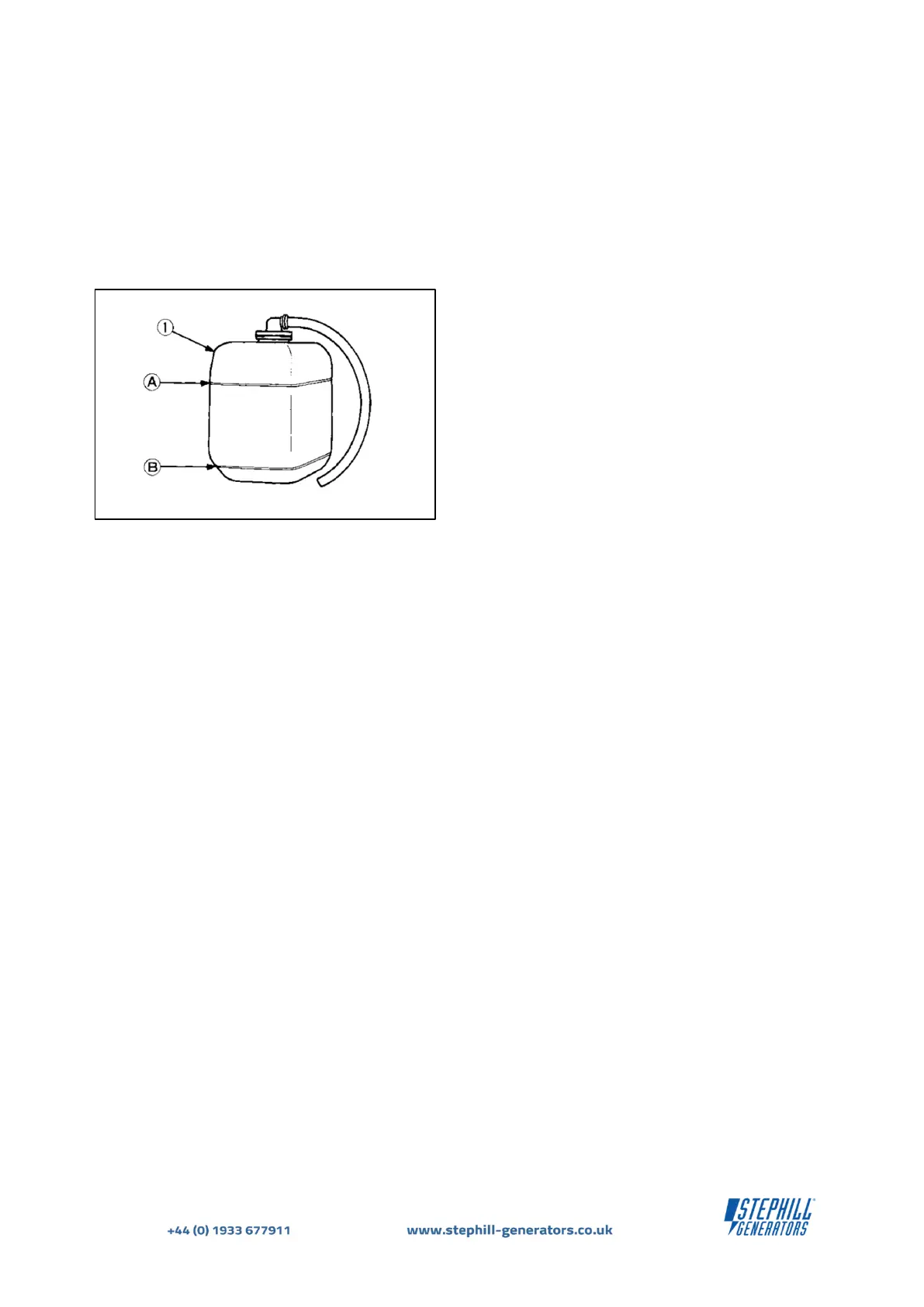
The radiator is provided with a recovery tank (expansion vessel) , check the water/coolant is between the
"FULL" and "LOW" marks - Ref. Fig.6.
While the generator is at standstill you will notice the fuel gauge on the control panel will be showing empty
"no fuel".
(1) Recovery tank
(expansion vessel)
Ensure the main MCB or RCBO is in the "OFF" position (switch down) - Ref Fig.2 & 3. WARNING - Never try to
start the generator with load connected.
It is recommended to check the water/coolant level of the radiator BEFORE EVERY START OPERATION - Ref.
Fig.6.
To check the fuel level in the generator fuel tank you can energise the fuel gauge by pressing and holding the
fuel pump prime button on the control panel - see Fig.2 & 3.


 To Next Page