2112 116TH AVE NE SUITE 1-5, BELLEVUE WA, 98004 WWW.STEPPIR.COM TEL: (425)-453-1910 FAX: (425)-462-4415
12
Select the SETUP button, and use the BAND up or down arrow to select “Test Motors”.
To enter, press the SELECT button. as soon as the “Test Motors” menu is selected the con-
troller will automatically send any of the elements home before doing any of the test. This will
be shown by the red TUNING light flashing.
These test will be done one element at a time. Use the BAND up and down button to test all
of the elements for the antenna. The red TUNING light will begin flashing and the controller
will feed out about four inches of copper out each side of the 20m element housing and 17
feet on the MonstIR elements. Pressing the BAND up and down arrows will cause each of
the elements to flash in turn, to test a specific element simply press “SELECT” when the
desired element is flashing. Verify that the element is in the right location and the copper
tape is extending properly. To exit the test press the SETUP button.
OPTIONS MENU
Select the SETUP button, and use the BAND up or down arrow to select “Options Menu”.
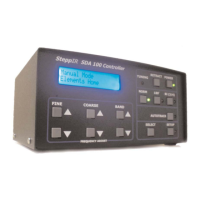
To enter, press the SELECT button. There will be 4 options possible in this Menu. Shown
below is a controller with a 30m/40m loop option. If the antenna has an option like a 80m
dipole it will show “80m” instead of “40m”.
6m OPTION
To activate a 6m option use the BAND up and down to make the “6m” flash. Then press the
SELECT button to enter the menu and select “YES” to enable the 6m option.
The lengths for the 6m passive element will be active for the NORM and 180 positions in the
frequency range of 50 through 51 MHz. There will be a small “p” located to the left of the fre-
quency while operating on 6m. On 6m with the aluminum element kit installed the 180 mode
does nothing. The BI mode will dramatically reduce the front to back but the antenna will still
have some forward gain. This does not effect any other band.
30m/40m or 80m OPTION
To activate the 30m/40m or 80m dipole option use the BAND up and down to make the
“40m” or “80m” flash. Then press the SELECT button to enter the menu and select “YES” to
enable the option.
DRIV OFF 40m 6m DONE
Up Dn to SCROLL


 To Next Page