Need help?
Do you have a question about the SteppIR SDA 2000 OptimizIR and is the answer not in the manual?
Summarizes key features including Transceiver Interface, Tuning Relay, ALP, and operational modes.
Voltage present on control cable wires even when POWER is off. Unplug before connections.
Step-by-step instructions for initial controller verification.
Details the controller's operation modes, power-on screen, and main menu screen.
Standard mode for manually operating the controller on ham bands.
Electrically rotates the antenna 180 degrees from the current beam heading.
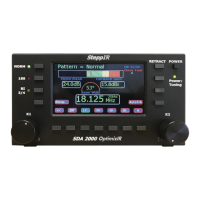
Details the function and operation of buttons on the OptimizIR front panel.
Explains how to enter and navigate the controller's setup menu.
Procedure for calibrating the antenna to ensure accurate element length reporting.
Configures the connection and communication with external radios or PCs.
Accesses and displays fault codes for diagnosing controller problems.
Guide on updating the controller's firmware using a PC and programming software.
Details the ALP circuitry for protecting against lightning and static.
 General
| Brand | SteppIR |
|---|---|
| Model | SDA 2000 OptimizIR |
| Category | Controller |
| Language | English |

 To Next Page