14
Setup Main Menu
The Setup Menu comprises sub-menus some of which are optional depending on antenna
type. Scroll through list of menu items with K1 or K2 knobs. The list does not loop. The
items will change rapidly so turn knob slowly.
There are 2 soft keys, Select and Exit. Select will enter a sub-menu and Exit will exit
sub-menu or setup menu if no sub-menu is selected. RETRACT will also exit setup
menu. Pressing K2 knob is same as pressing Select.
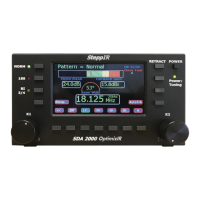
Press Setup once to enter setup mode. Even though soft key for setup is not present
when in setup menu, button is still active. Pressing setup button while in setup menu will
exit current menu. To select setup options. Use K1 knob to find desired sub menu and
press K1 knob.
The selections available are 1) Options Menu, 2) Calibrate Antenna, 3) Retract Elements,
4) Autotrack Settings, 5) Band Limit Settings, 6) Transceiver Setup, 7) Motors Test, 8)
Relays Test, 9) Software Version, 10) Antenna Selection, 11) Reset User Data, 12) Fault
Code Menu, 13) Create/Modify, 14) LCD Display Setup, 15) Flash File Menu.
Options Menu
The K1 knob will cycle through possible options. The K2 knob is used to change option
value. Select is used to confirm change to option. When pressing Select button, entire
display will briefly flash on and off to verify change has been accepted. Change is
immediate when Select is pressed. Global offset does not change element lengths until
Select is pressed.
SETUP Menu
K1 for next item
Options Menu


 To Next Page