30
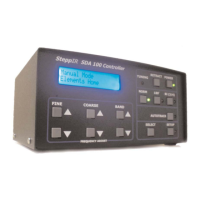
Here are a couple of possible reasons to use compact flash card:
Updated Master File Available
The procedure is:
1. Insert compact flash card into controller
2. Go to Flash File Menu
3. Select Read Antenna File
4. Select new Master Antenna File
5. Exit Flash File Menu
6. Select Reset User Data menu
7. Press Default lengths
8. Press Select
Using Controller for More Than One Antenna
To use controller for more than one antenna, but not lose the custom settings, do the
following:
1. Save current antenna data using Flash File Menu Save User Antenna File
menu.
2. A file will be saved with a name based on currently selected antenna with a file
extension of .sav. Special characters cannot be part of file name.
3. RETRACT antenna elements.
4. The controller is now ready for a different antenna
5. When ready to restore controller, be sure to also save the currently selected
antenna file.
6. Go to Flash File Menu and select “Read Antenna File”.
7. Locate saved antenna file and select it.
8. Exit Flash file menu.
9. Select antenna selection menu and select antenna.


 To Next Page