PRINTING IN WINDOWS 2000/XP
Setting Up Windows 2000 TCP/IP Printing
Following is the correct procedure for setting up TCP/IP LPR
printing under Windows 2000.
Click Start > Settings > Printers.
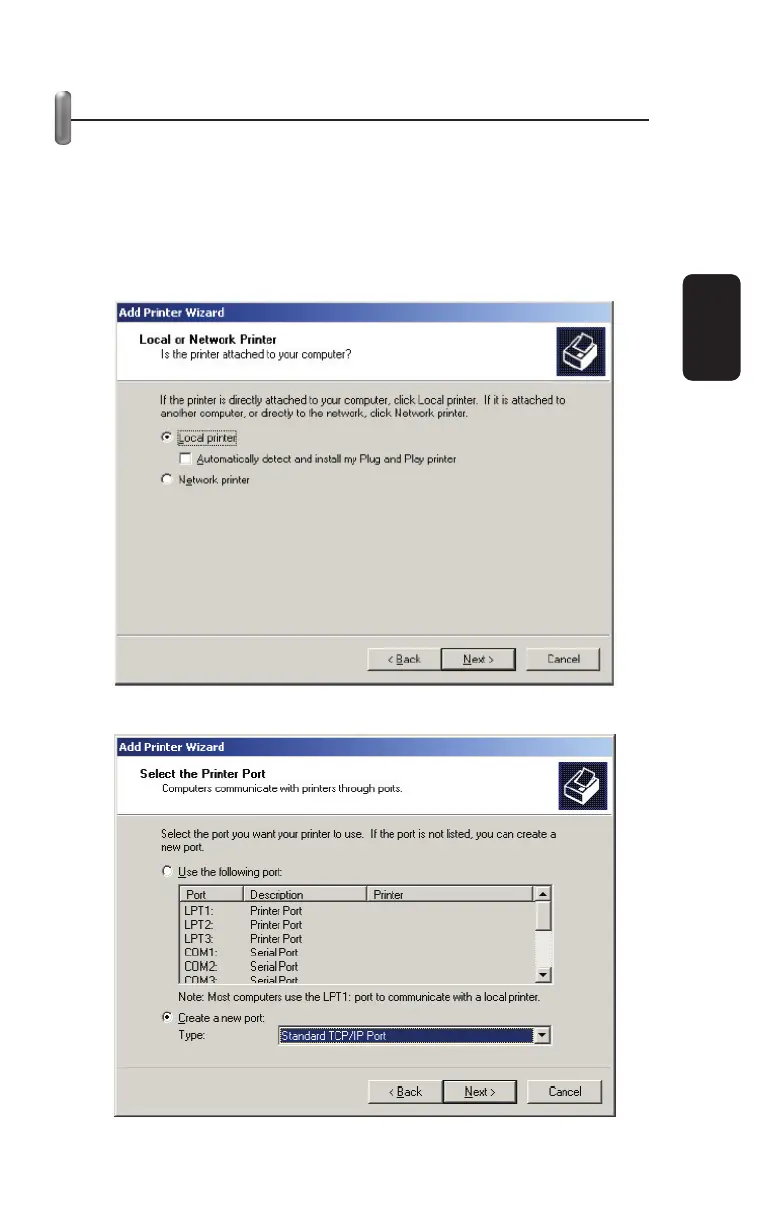
Double Click “Add Printer”
Select “Local Printer”
Create a new “Standard TCP/IP Port”
ENGLISH
ENGLISH-29



 To Next Page