ENGLISH
ENGLISH-56
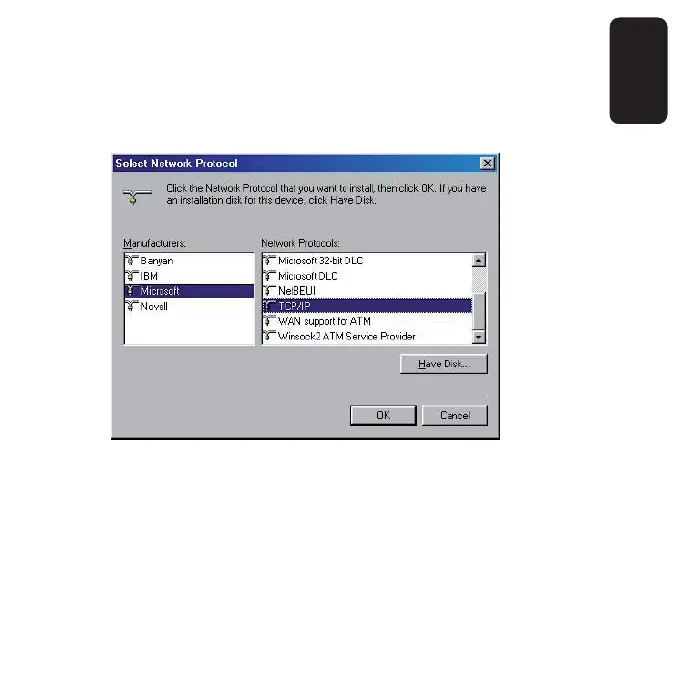
4) Under Manufacturers on Select Network Protocol page, highlight
Microsoft. Under Network Protocols, highlight TCP/IP. Click OK. TCP/IP
protocol will take effect after reboot.
2. Confi gure TCP/IP for your computer
1) On the Windows taskbar, click the Start button, point to Settings, and
then click Control Panel.



 To Next Page