ENGLISH
ENGLISH-45
Secondary DNS - (Optional.) Input the IP address of another
DNS server if your ISP provides two DNS servers.
To use the DHCP server function of the AP, you must confi gure all
computers on the LAN as “Obtain an IP Address automatically”
mode. This function will take effect until the AP reboots.
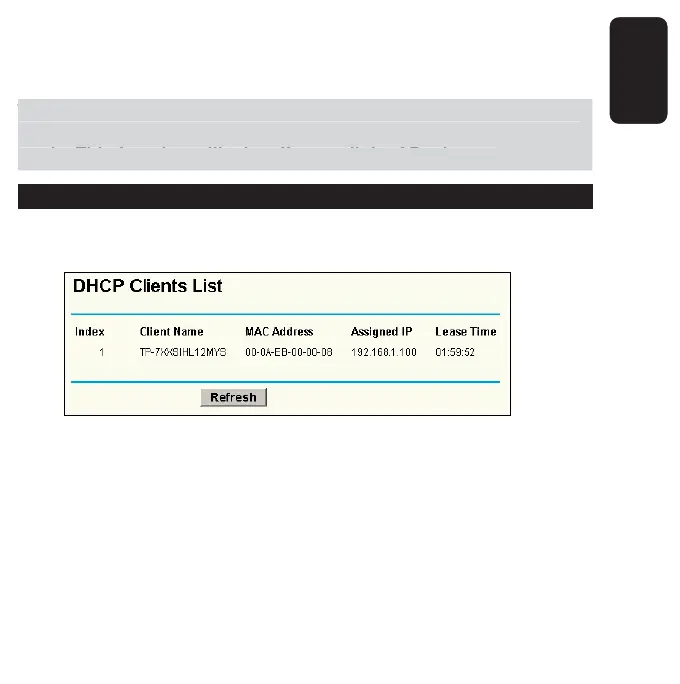
DHCP CLIENTS LIST
This page shows Client Name, MAC Address, Assigned IP and Lease
Time for each DHCP Client attached to the AP.
Index - The index of the DHCP Client
Client Name - The name of the DHCP client
MAC Address - The MAC address of the DHCP client
Assigned IP - The IP address that the AP has allocated to the
DHCP client.
o use the DHCP server function of the AP,
ou must confi
ure all
omputers on the LAN as “Obtain an IP Address automaticall
”
ode. This function will take effect until the AP reboots



 To Next Page