ENGLISH
ENGLISH-06
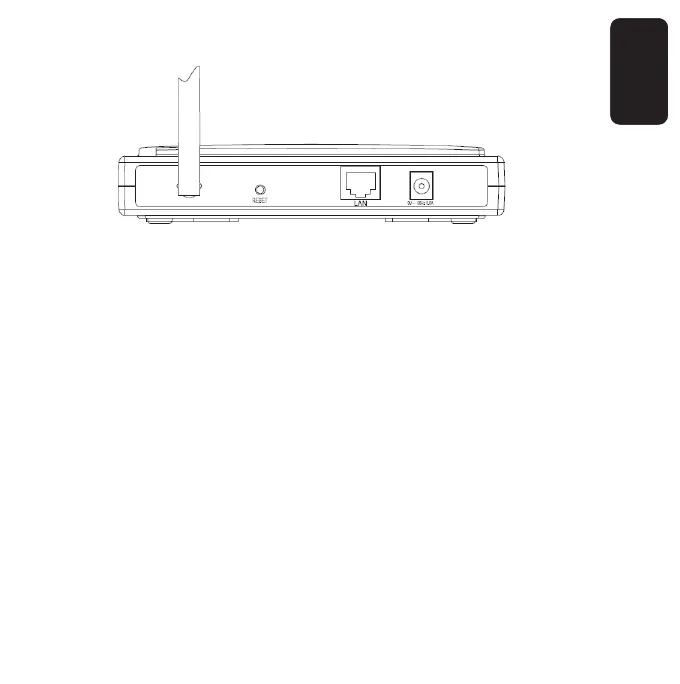
REAR PANEL
1.- Wireless antenna
2.- Reset button
There are two ways to reset the AP’s factory defaults:
a) Use the Factory Defaults function on System Tools ->
Factory Defaults page in the AP’s Web-based Utility.
b) Use the Reset button: First, turn off the AP’s power. Second,
press and hold the default reset button then turn on the AP’s
power, until the system LED lights up (about 3 seconds). Last,
release the reset button and wait for the AP to reboot.
Ensure the AP is powered on before it restarts completely.
One RJ45 LAN port
For connecting the AP to a hub or switch
AC power socket



 To Next Page