ENGLISH
ENGLISH-63
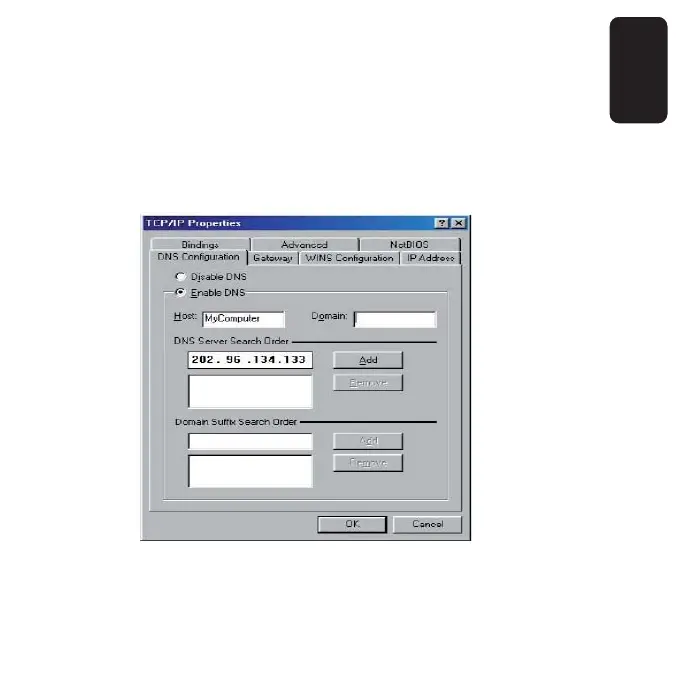
c. On the DNS Confi guration tab, click Enable DNS
radio, and type your computer name in to the Host
fi eld and a Domain (such as szonline.com) into the
Domain fi eld. In the DNS Server Search Order fi eld
you can type the DNS server IP addresses, which has
been provided by your ISP, and click Add button.
Shown below:
Now, all the confi gurations are fi nished, it will take effect after reboot.



 To Next Page