4 Operation
Auxiliary equipment
– Switch on the working spotlights.
The lower working spotlights light up.
The upper working spotlights a
re switched on
by the proximity switch when th
e fork carriage
reaches or exceeds the preset l
ift height.
The upper working spotlights are switched off
by the proximity switch when the fork carriage
falls below the preset lift height again.
CAUTION
Possible component damage caused by collision if
the proximity switch is set incorrectly.
– The proximity switch may be adjusted by trained
personnel.
– If necessary, inform the authorised service
centre.
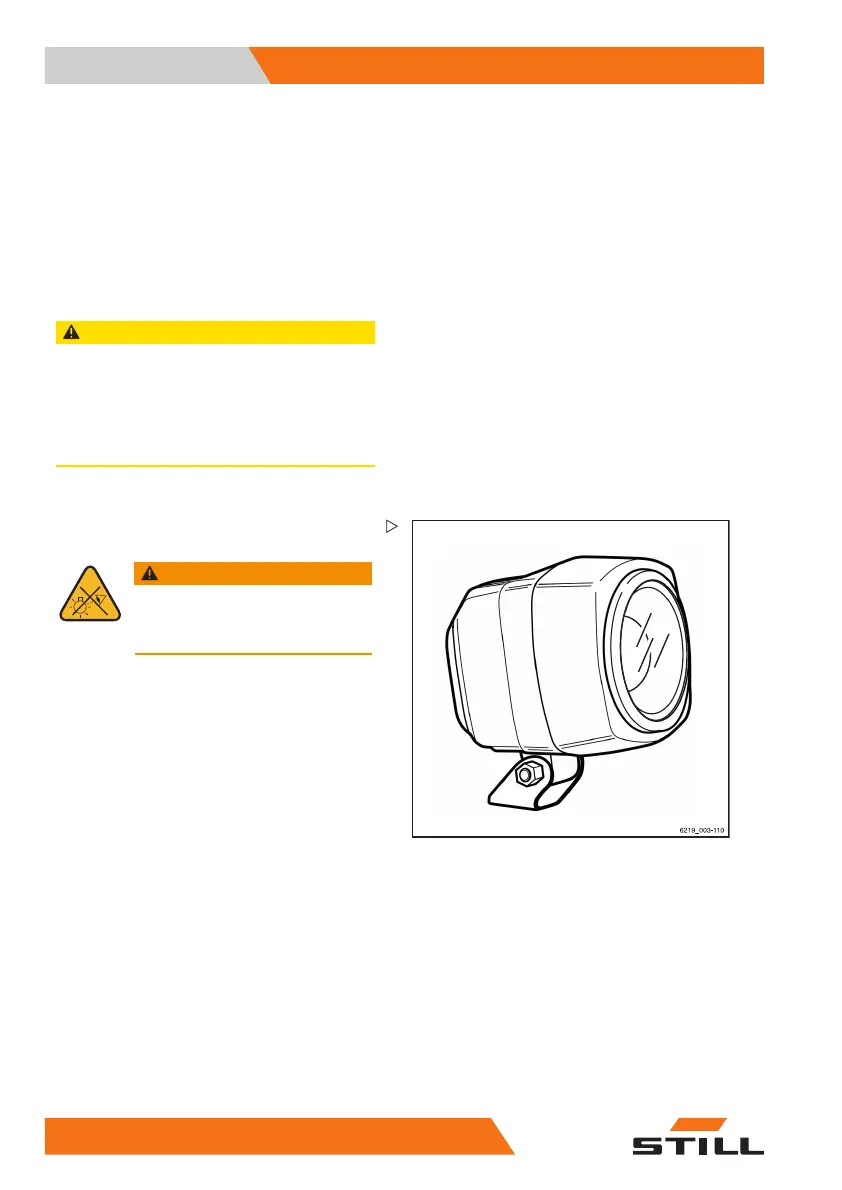
STILL SafetyLight (variant)
WARNING
Danger of damage to eyes from
looking into the STILL SafetyLight.
Do not look into the STILL SafetyLight.
The STILL SafetyL
ight is a visual warning unit
designed to enabl
e early detection of trucks
in driving areas
with low visibility (such as
drive lanes, hig
h racks), as well as at blind
junctions. The S
TILL SafetyLight is mounted
on a support on th
e overhead guard such
that it is not aff
ected by jolts and vibrations.
The STILL Safety
Light projects one or more
light-blue ligh
t spots in front of or behind
the truck and thu
s warns others about the
approaching tru
ck. Several light spots are
projected as a ch
ase light. The chase light
indicates the lo
cation of the truck with its
direction of t
ravel.
Depending on the configuration of the truck,
the STILL SafetyLight automatically switches
itself on when the truck is moving. The
STILL SafetyLight can also be switched on
and off on the display-operating unit.
– To do so, press the corresponding button.
244
171533 EN - 02/2019 - 19



 To Next Page