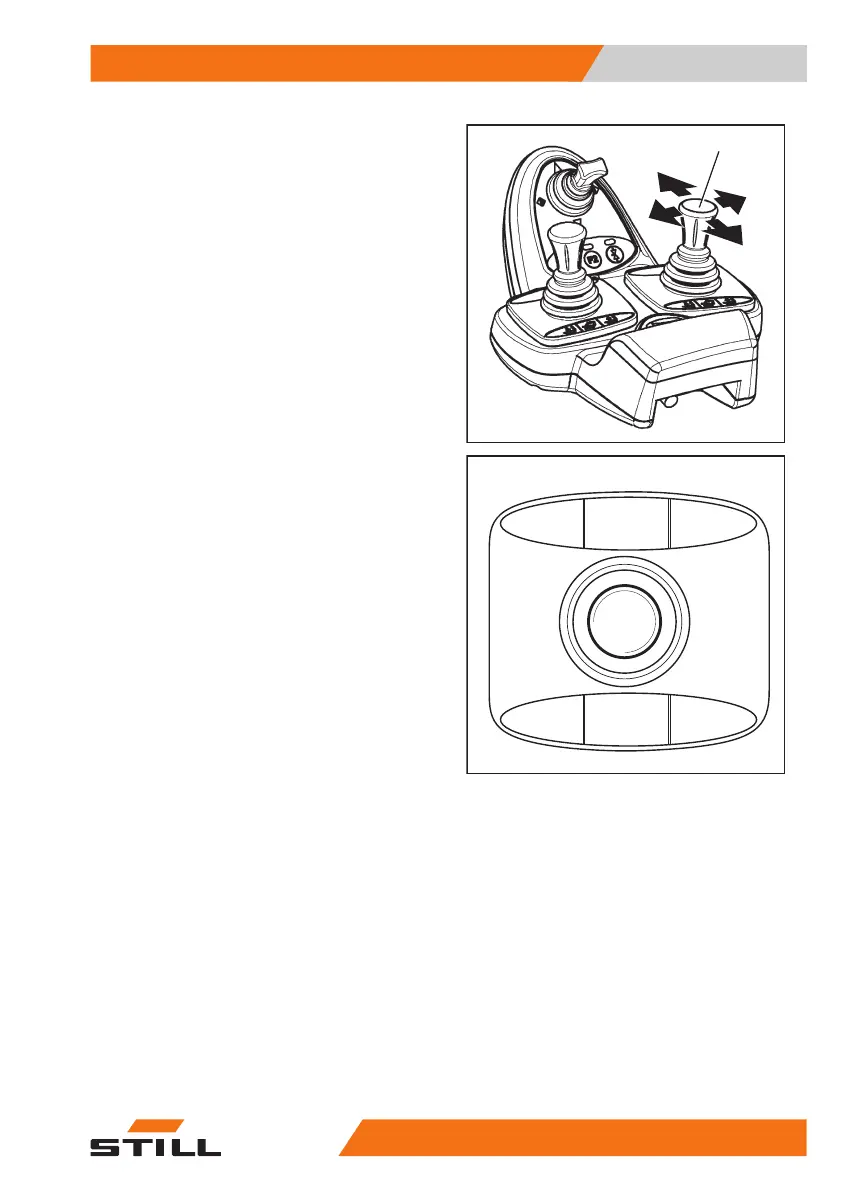
Controlling attachments using a
double mini-lever
The attachments (variants) are controlled in
this version using the "attachments" cross lev-
er (1).
The pictograms on the "attachments" cross
lever show the respective functions that are
activated by this lever.
This essentially involves the following:
– Move the "attachments"(1) cross lever in
the direction of the arrow (A) .
The attachment moves in accordance with the
pictogram in position (A).
– Move the "attachments"(1) cross lever in
the direction of the arrow (B) .
The attachment moves in accordance with the
pictogram in position (B).
– Move the "attachments"(1) cross lever in
the direction of the arrow (C) .
The attachment moves in accordance with the
pictogram in position (C).
– Move the "attachments"(1) cross lever in
the direction of the arrow (D) .
The attachment moves in accordance with the
pictogram in position (D).
5060_003-113
A
C
B
D
1
5060_003-112_V2
A
C
B
D
Operation
4
Attachments
18957348011850 EN - 08/2020 - 12



 To Next Page