DocID024383 Rev 1 15/56
UM1619 Software GUI description
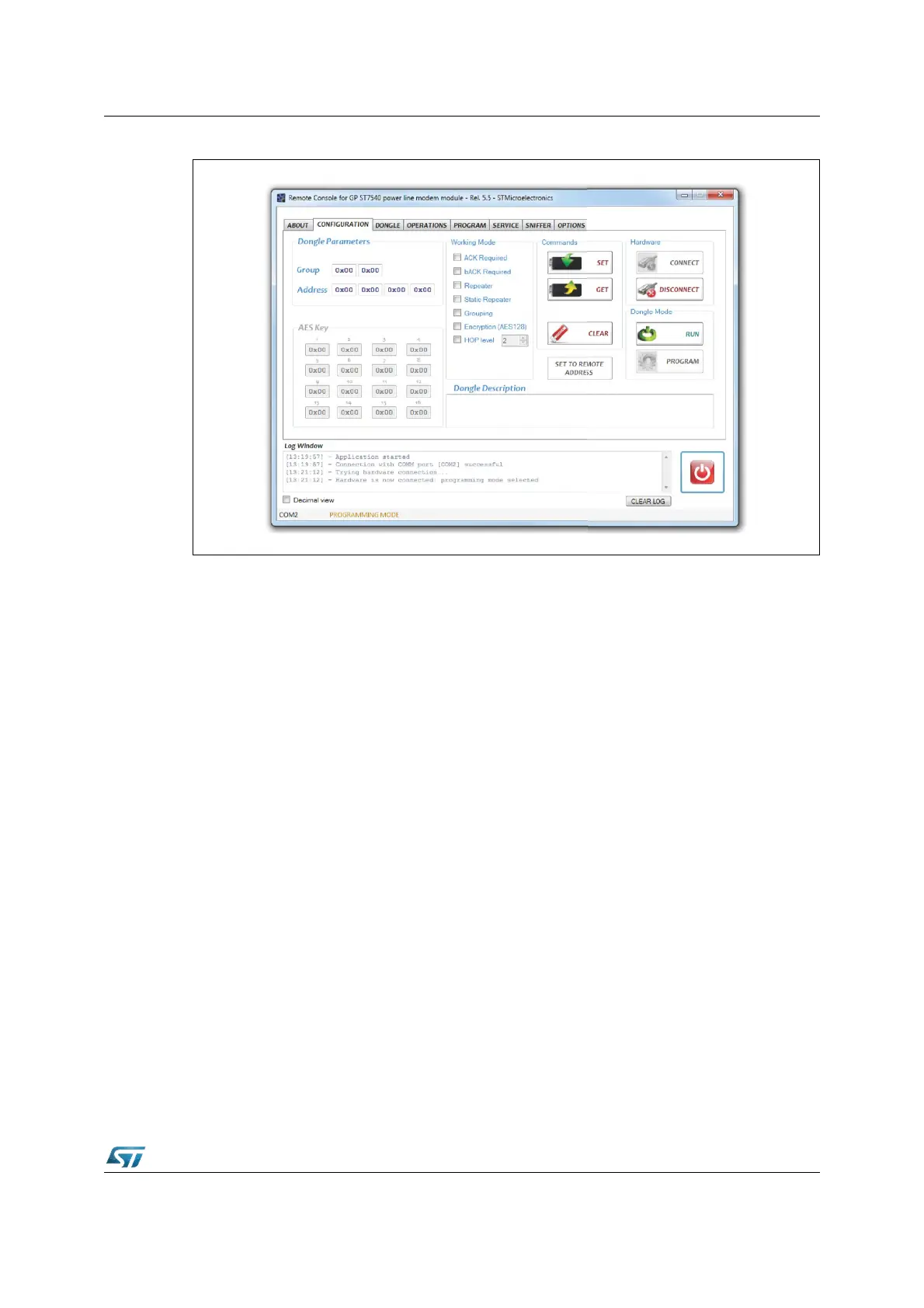
Figure 12. GUI configuration tab
• Working Mode
The working mode panel is used to specify the working mode of the power line
communication. The communication between two or more modules can be with or without
acknowledgment and with or without back acknowledgment. Select the respective check
box in order to enable or disable the ACK/bACk frames on a communication.
Checking the REPEATER box, the module works also as a repeater in case a data frame is
not addressed to itself. In this case, after a certain delay, if the targeted module does not
reply with an ACK to the sender, the module repeats the data frame as it was previously
sent. The repetition for a given frame is done only once per each module.
If the STATIC REPEATER check box is checked, the module repeats statically each sensed
frame without checking if the frame has been received/acknowledged or not. In both cases
the anti-collision mechanism (explained in the UM1573) is always adopted.
The GROUPING check box allows the creation of sub nets (group of modules interacting
only among those with the same group number). The group number has to be specified in
the group field of the dongle parameters panel.
The ENCRYPTION (AES128) check box enables the encryption mode: all the data
exchanged by the module are encrypted using the standard AES128 encryption algorithm.
The 128 bit encryption key is configurable in the AES key panel.
The HOP LEVEL check box allows to assign a hierarchical level to each module that is
enabled to work also as a repeater. Each time a data frame is repeated, the hop is
decremented by one. Only the modules with lowest hop level will repeat the same frame.
Please refer to user manual UM1573: ST7540 power line modem firmware stack for more
details on PLM protocol parameters.


 To Next Page