6.6 Step-by-step processing
The purpose of step-by-step processing is to give user choices to select the corresponding processing steps
according to the needs.
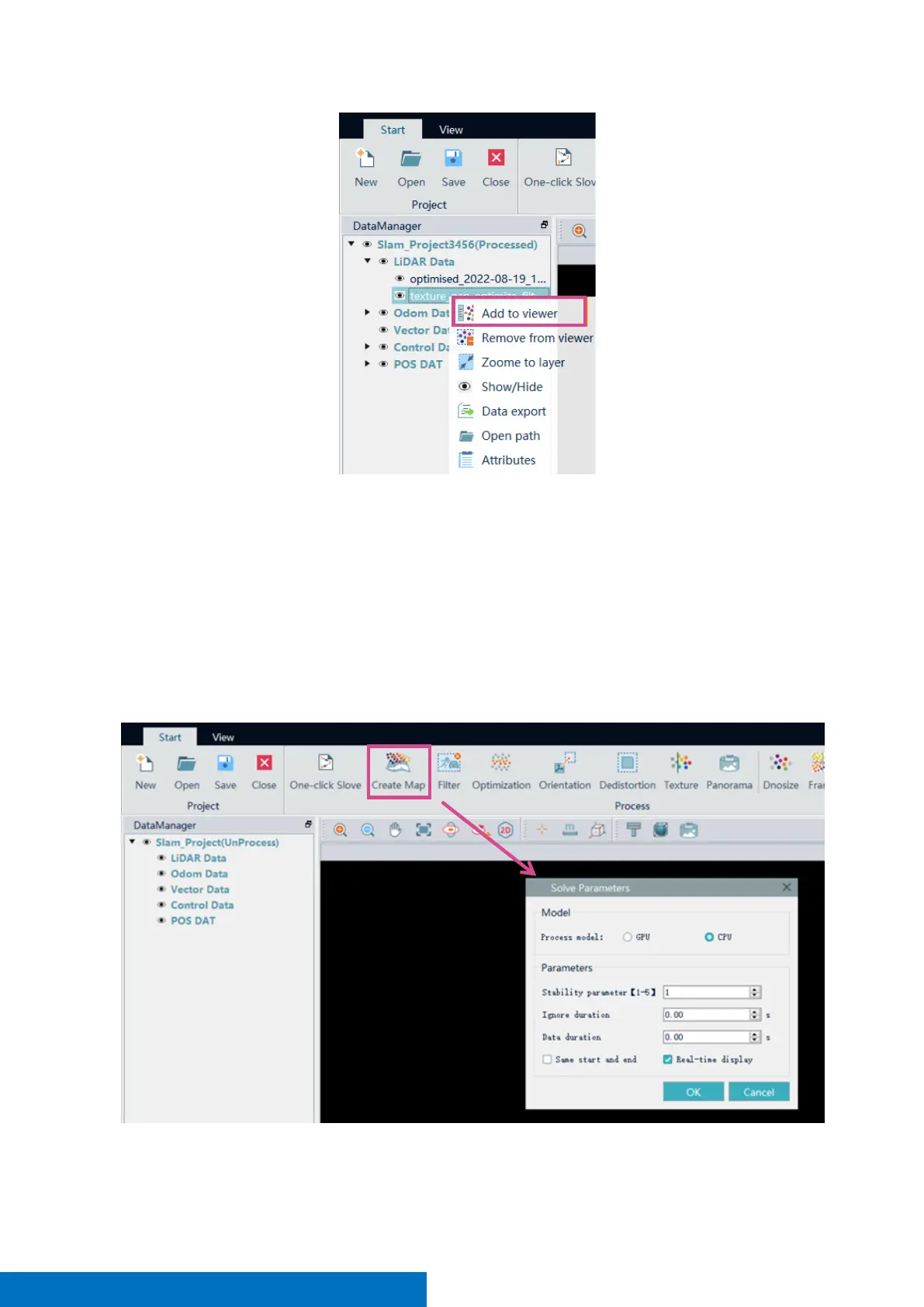
Create map
Activate the project, click Create map, select the Process mode and set the parameters, Click OK to start the
calculation. This step is to generate original point cloud with no further processing. Therefore, it may contain
some noise. The processed result begins with a prefix ‘optimized’ in the file name under LIDAR Data in
DataManager.
Filter



 To Next Page