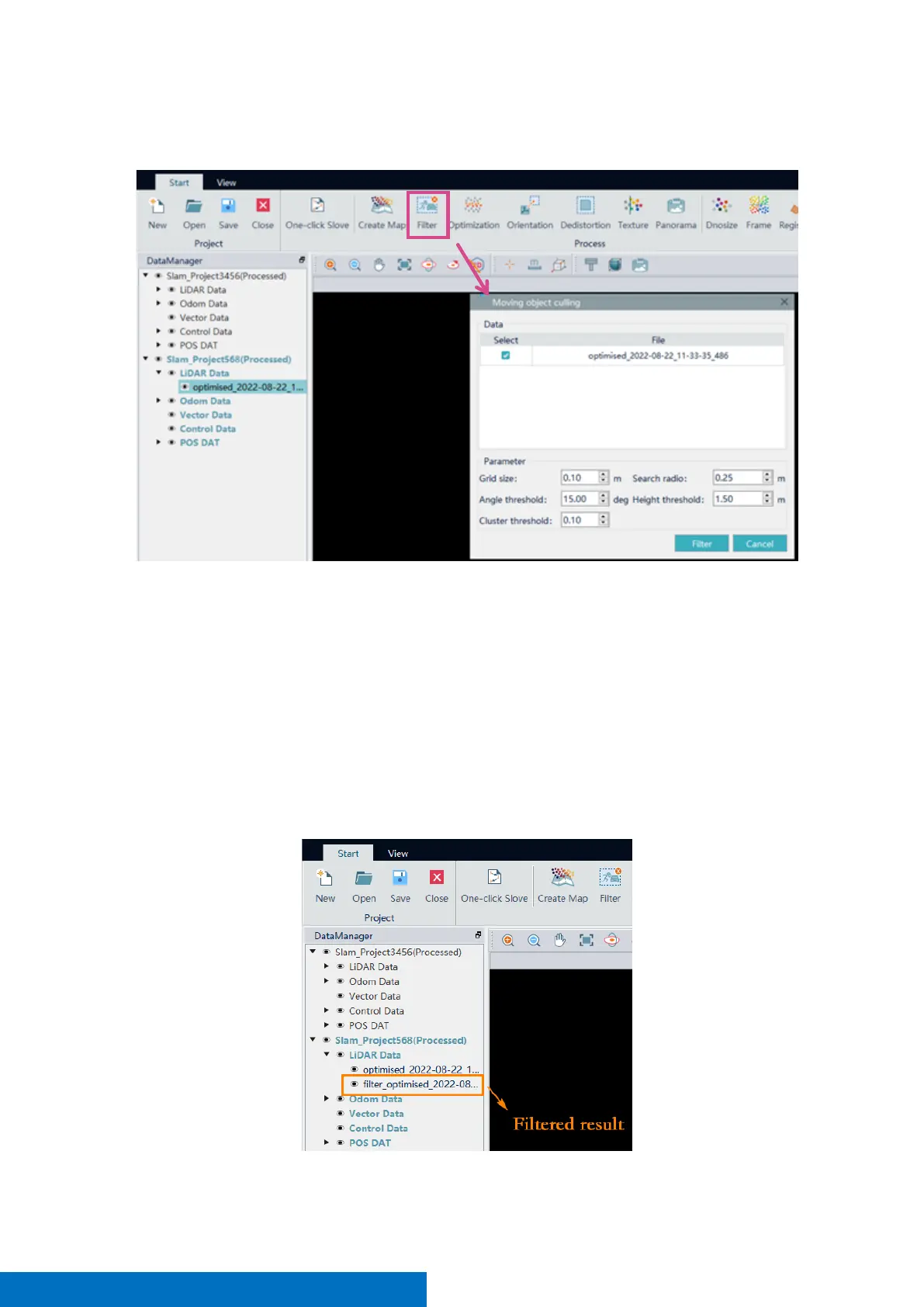
It is used to remove moving targets in original point cloud. Click the Filter button and select the data to filtered.
The meaning of the filter parameters is shown as following
• Grid size: The filter mesh size, unit is meter, into which the point cloud data is divided, the default is
0.1m
• Search Radius: The size of the range used to search for clustering
• Angle threshold: The angle of the normal vector between two adjacent points, less than the threshold
is considered to be a surface-like object, which is retained
• Height threshold: The height of a point to the detection center, and points above this threshold do
not participate in the calculation
• Cluster threshold: The percentage of points after clustering to participate in the calculation of points,
and if more than this value, it is considered non-moving object.
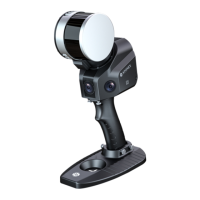
Point clouds beginning with “filter” are the filtered result.


 To Next Page