13
8.2 – MAIN INTERFACE
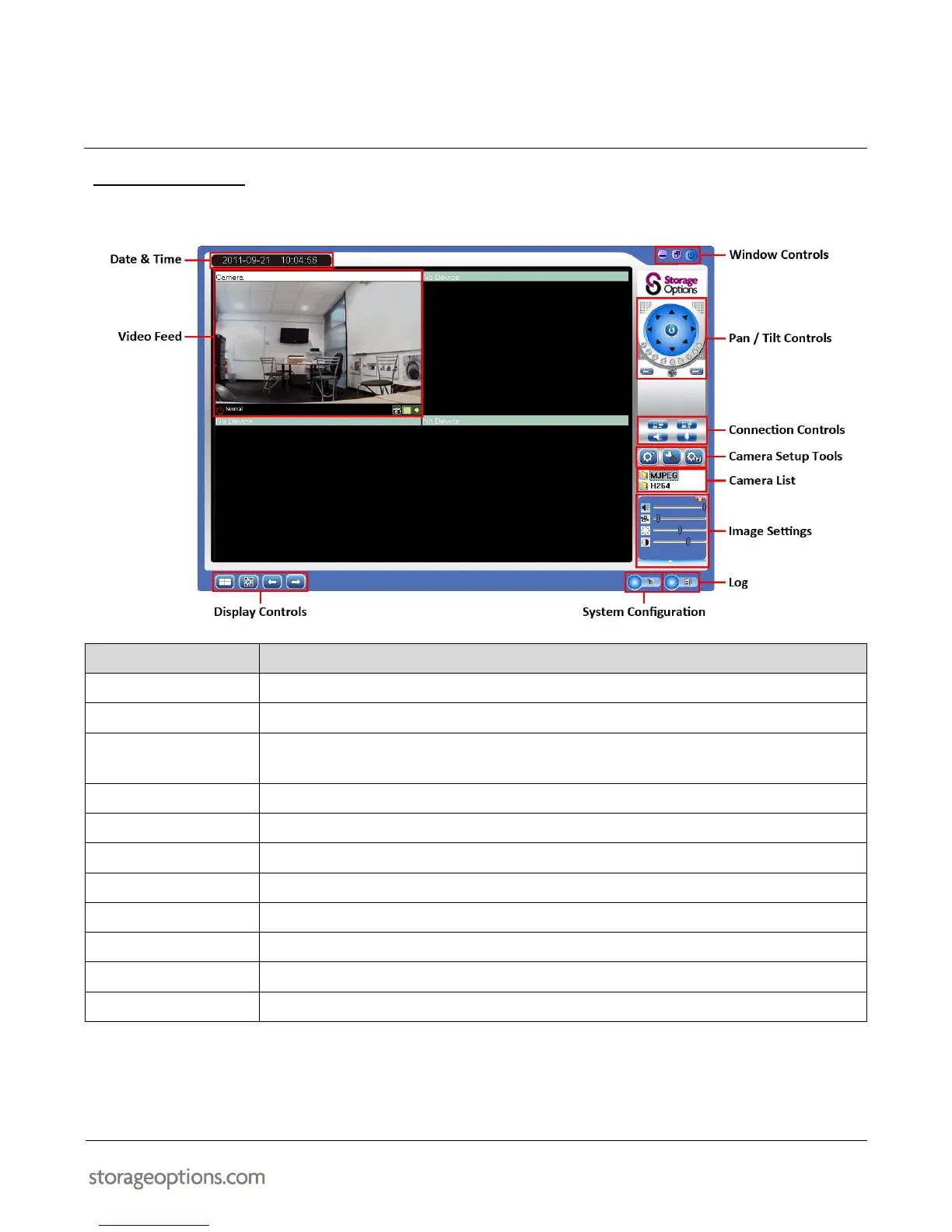
The main interface is divided into various sections which group related controls together.
Displays the current date & time.
Video from the connected camera will be displayed here.
Choose whether to show 1, 4, 9, 16, 36, or 64 camera feeds on-screen.
View the selected feed full-screen, and cycle through camera pages.
Minimise / maximise the window or close the program.
Pan (turn left / right) or tilt (up / down) the camera, or set it into cruise mode.
Connect / disconnect the camera, and use the audio tools.
Use these buttons to add an IP Camera or adjust settings for an existing IP Camera.
Displays the currently connected MJPEG and H.264 cameras.
Adjust brightness & contrast here.
Displays the program log.
Adjust various options in this menu.


 To Next Page