25
9.3 – LIVE VIDEO
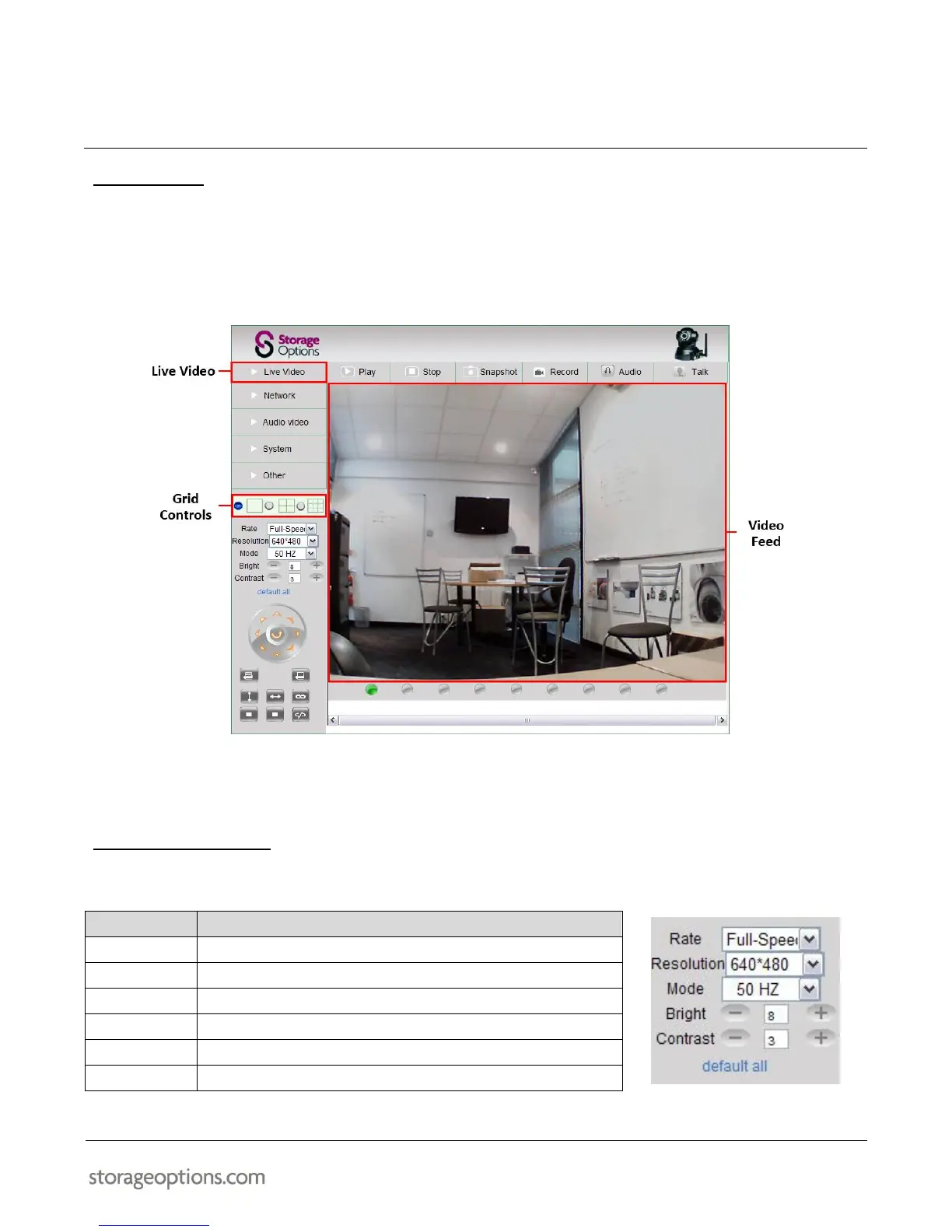
Live Video is the default view in the web interface. It gives access to all IP Cameras attached to the network.
To use the “Live Video” mode:
1. Click “Live Video” to view video from the IP Camera(s).
2. It is possible to view 1, 4 or 9 cameras at the same time in the Video Feed panel. Choose one of 3 options in
the Grid Controls panel to best suit your viewing needs. See section “9.8 – System Settings” (page 27) for
further details.
9.4 – IMAGE ADJUSTMENT
The Image Settings panel allows you to change various settings for the currently selected IP Camera.


 To Next Page