15
8.4 – DEVICE SETTINGS
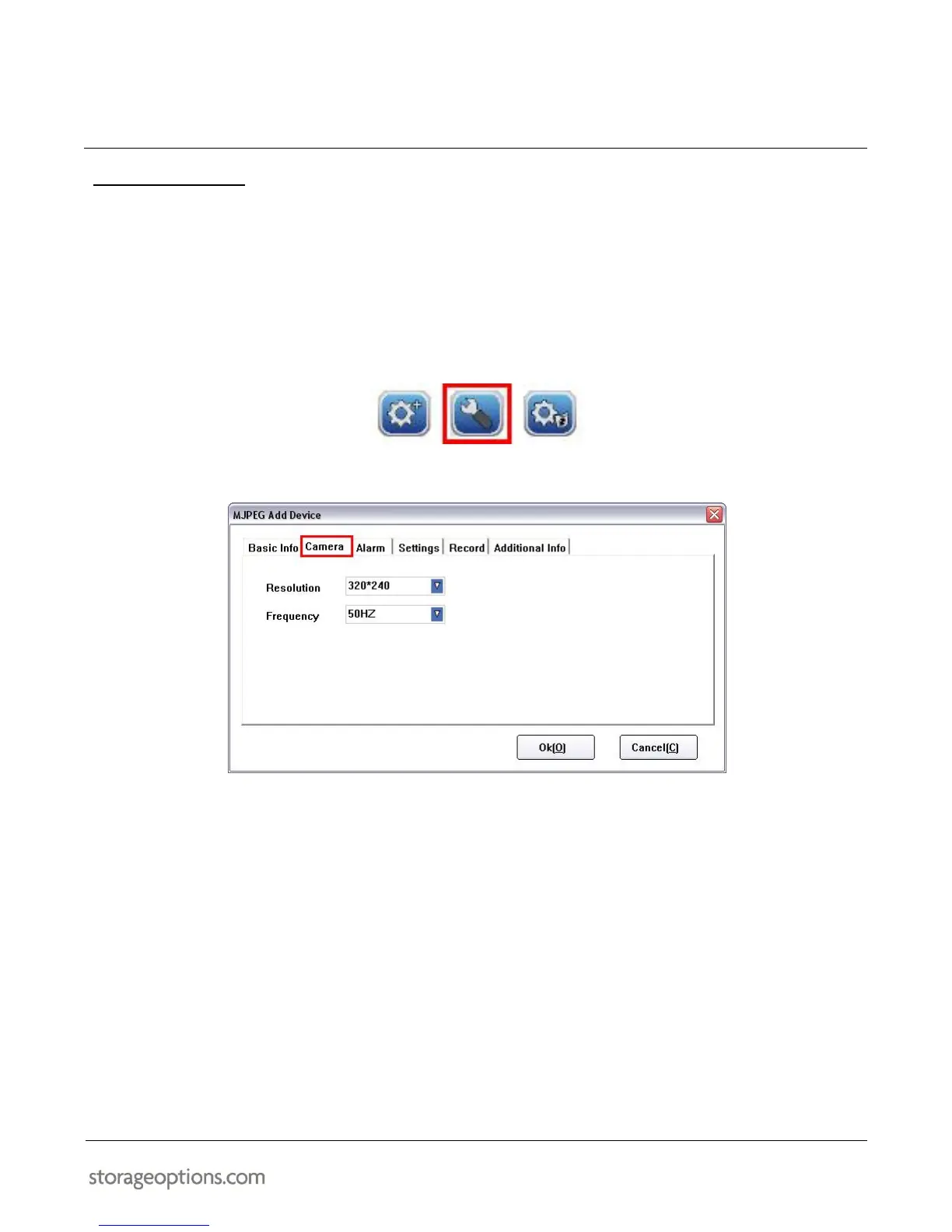
You can adjust image resolution and frequency for the IP Camera.
To adjust these settings:
1. Select the camera you wish to change by clicking on the title above the video window. It will switch from
green to white to indicate it is the currently selected camera.
2. Click the “Device Settings” button, which opens a configuration window.
3. Click the “Camera” tab.
4. Adjust the resolution to either:
320 x 240 (small image, lower network bandwidth usage)
640 x 480 (larger image, higher network bandwidth usage)
5. Adjust the frequency to either:
50Hz (UK mains supplies)
60Hz (USA mains supplies)
6. Click “OK” to save the changes.


 To Next Page