24
9.2 – MAIN INTERFACE
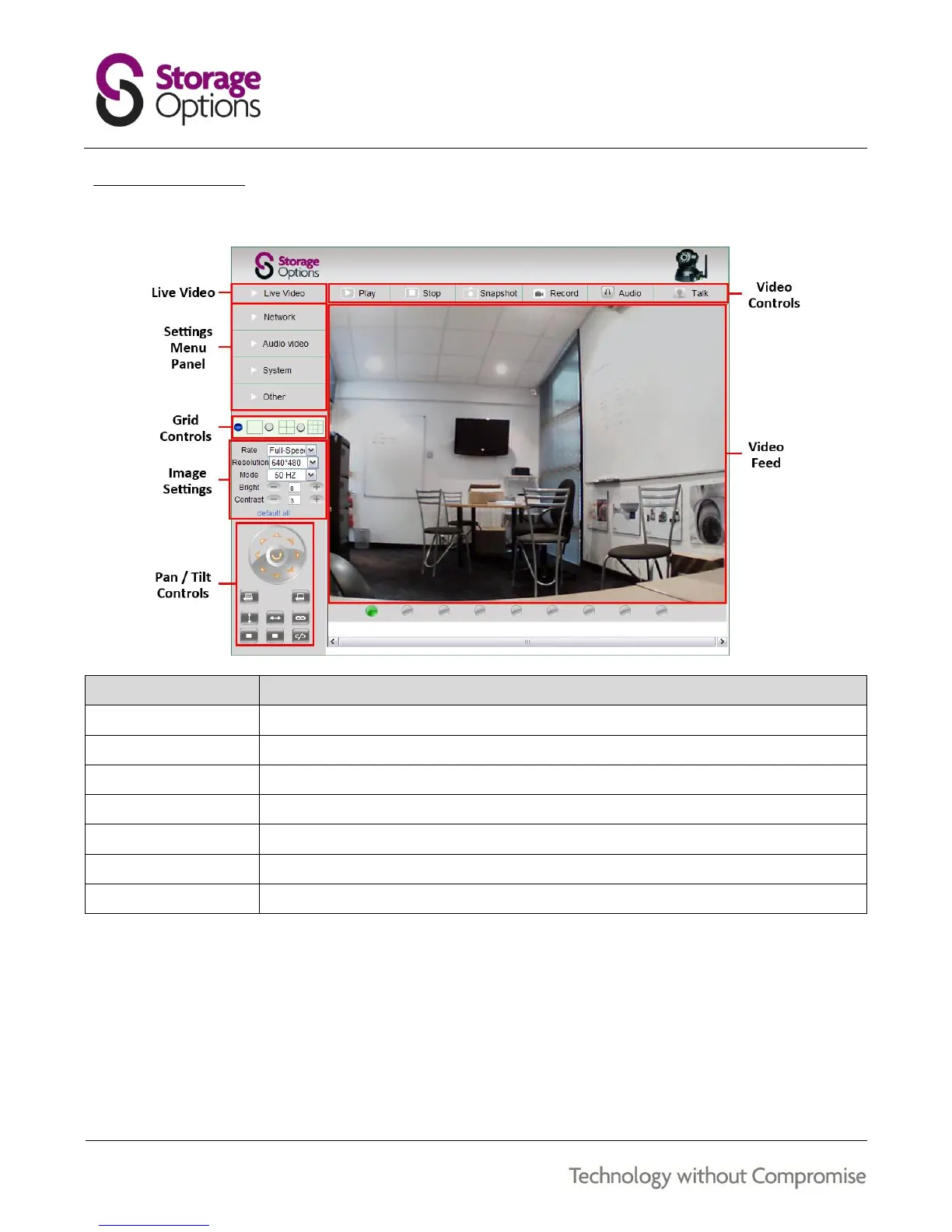
The main interface is divided into various sections which group related controls together.
Displays the live video feed(s).
Covers various system settings, grouped into similar functions.
Choose whether to show 1, 4, or 9 cameras on-screen.
Adjust frame rate, resolution, frequency, brightness & contrast here.
Here you can pan (left / right) and tilt (up / down) the camera, or set it into cruise mode.
Use these buttons to play / stop the video feed, take a snapshot, record video, etc.
Video from the connected camera will be displayed here.
You can view up to 8 other Storage Options IP Cameras in the different grid views by adding their IP address
information in the settings menu.


 To Next Page