ISP Immersive Sound Processor
31
Audio/Video General Delay per AV Zone
Set the global lip sync delay for each theater, A/V,
and Headphone zone here. Max value is 250 ms.
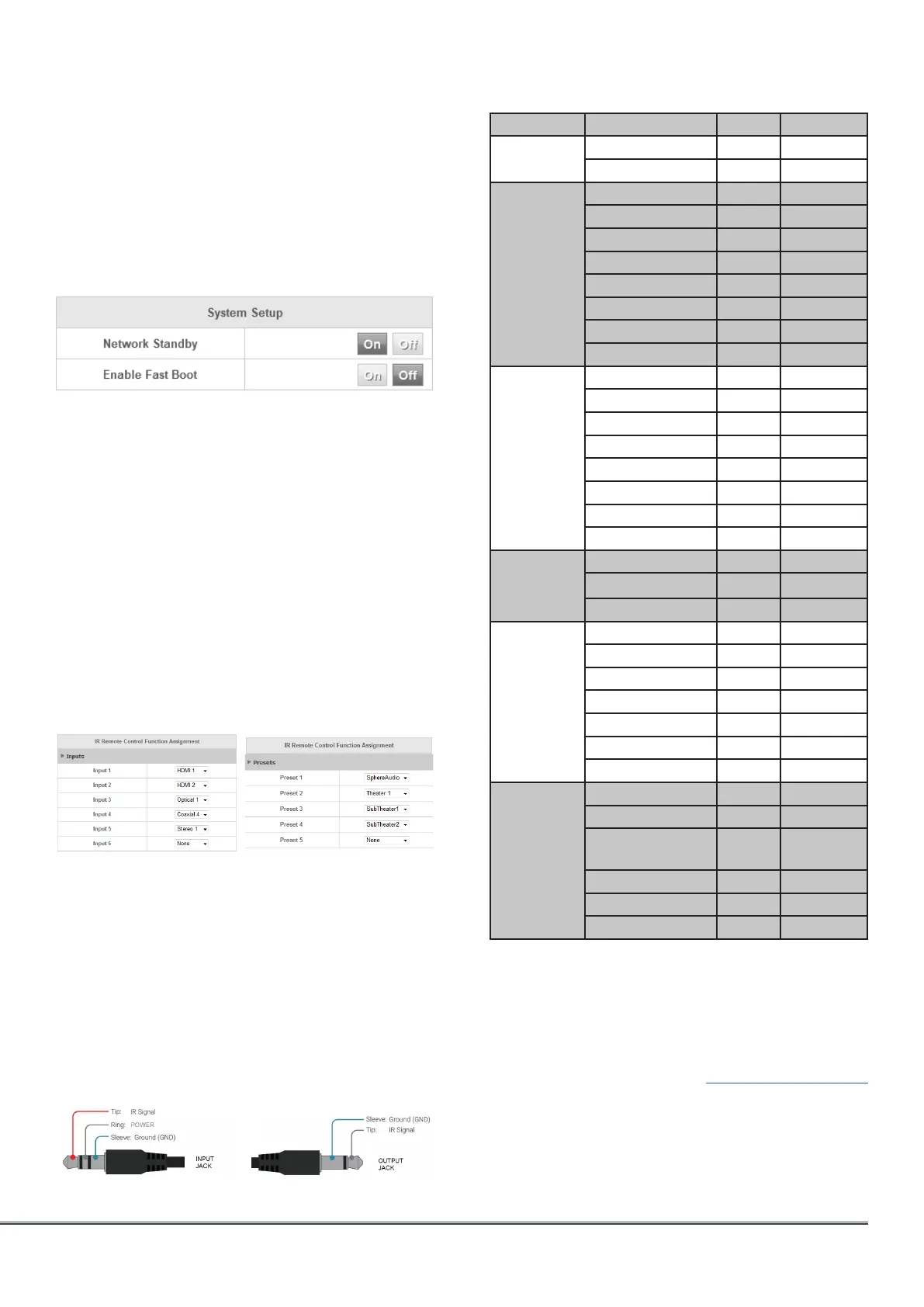
System Setup
To control the ISP using the iPad StormRemote
App or Control Systems via TCP/IP, the Network
should remain active at all times.
• Network standby: Enable the Network Standby
(On) to allow for control via IP when in Standby.
Note that the standby consumption will be higher.
• Enable fast boot: this mode will substantially
decrease power on time of the ISP at the expense
of greater standby power consumption.
IR Function Assignment & Commands
Expand Inputs and/or Presets to assign up to 6
inputs and 5 presets to discrete buttons of the
IR remote control. Note that many “universal”
remotes also have the ability to cycle through all
available inputs or presets so even if you have
more than 6 or 5 respectively setup, they can still
be accessed via IR.
The ISP offers a front panel remote sensor. In case
of a rack mount usage, it is also possible to use
the back panel IR jack 3.5mm input to connect
to remote IR sensor. It is also possible to daisy
chain the input to the output jack to connect a
IR blaster.
For direct device interface, please verify carefully
the pin-out of the jack receiver/transmitter
below.
Group Command name System Command
POWER POWER ON 16 29
POWER OFF 16 30
CONTROL DISPLAY 16 71
INFO 16 15
UP 16 80
LEFT 16 85
HOME 16 82
RIGHT 16 86
DOWN 16 81
EXIT 16 83
INPUTS INPUT 1 16 1
INPUT 2 16 2
INPUT 3 16 3
INPUT 4 16 4
INPUT 5 16 5
INPUT 6 16 6
INPUT BACK 16 33
INPUT NEXT 16 32
VOLUME VOL UP 16 16
VOL DOWN 16 17
MUTE 16 13
PRESET PRESET 1 16 67
PRESET 2 16 68
PRESET 3 16 69
PRESET 4 16 70
PRESET 5 16 72
PRESET + 16 47
PRESET - 16 48
PREFERRED
UPMIX
NATIVE 16 94
STEREO 16 95
DOLBY
SURROUND
16 91
DTS NEURAL:X 16 92
AURO-MATIC 16 93
STORMXT 16 96
The ISP IR code table has been added to Harmony
Logitech database. It is therefore possible to
create Activities involving the ISP as the audio
reproduction device. Check for StormAudio and
ISP Elite, brand and device names respectively
in the MyHarmony app. See MyHarmony website
for more information.
Do not connect directly to the Harmony Hub
using a jack to jack cable as this can harm the
ISP IR internal circuitry, use only IR receiver/
transmitter.



 To Next Page