8
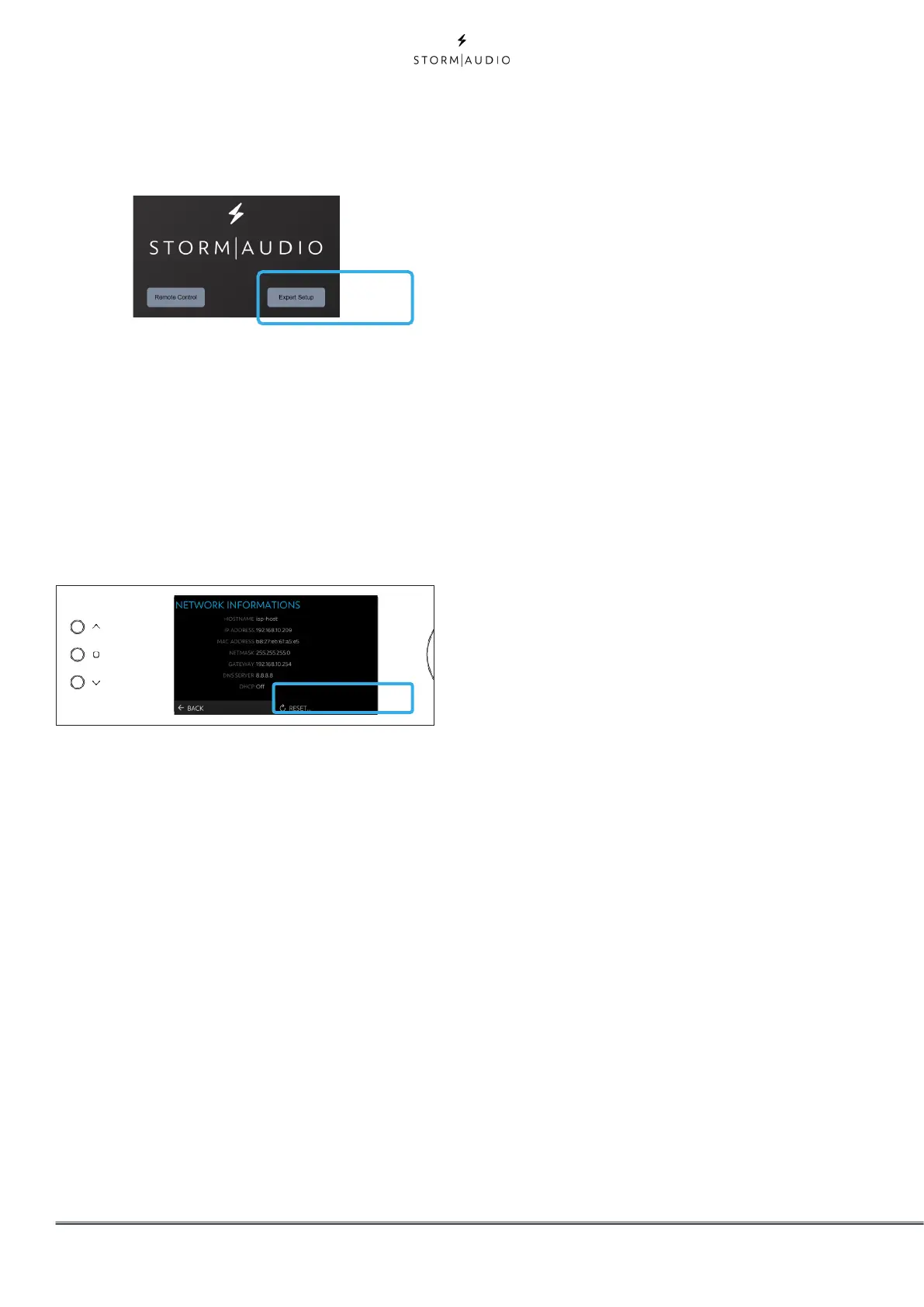
4. Open your Web Browser in a laptop and enter
the IP address in the URL area. Then select
Expert setup and use installer as password.
4
Note: Only one instance of control via web UI can be opened
at a time. If a window is already accessing the ISP web UI,
a message will ask you to close one. Browsers supported:
Edge (Windows), Safari (macOS) and FireFox, Chrome
(Windows, macOS et Ubuntu). Others might show issues.
5. In case the unit is not in DHCP mode, and you
need to restore DHCP mode from the front
panel, follow the above steps 1, 2 and 3, then
select RESET. A message will appear asking
for confirmation of this action. Confirm by
selecting Yes.
Default Passwords
Note: In case you have forgotten the Expert User or Installer
password, it is possible to reset them to the default values
by first accessing the Info screen (see “Get Network Access”
on page 7above). Then press and hold EDIT and EXIT
buttons together. Press ENTER to confirm when prompted.
The Expert Setup area has two levels of access:
Expert User and Installer. Expert user gets access
to portions of the menu defined by the installer.
Installer gets full access to setup. Use this level
to perform the configuration.
The default password for full access to the setup
menu is installer. Enter the password and press
connection to enter the setup menu. Default
password for Expert User is expert.
5



 To Next Page