SN2000 and SN3000
On these products, data is stored on one or two SSDs accessible from the front panel.
Each SSD can be easily extracted: to unlock its tray, press on the gray button while pushing it
laterally towards the left.
Other data is stored on an internal flash module.
Dismantling
1. Unscrew the 9 black countersunk screws with a Philips screwdriver.
2. Open up the appliance by pushing the cover towards the back and removing it.
This operation will tear the warranty sticker.
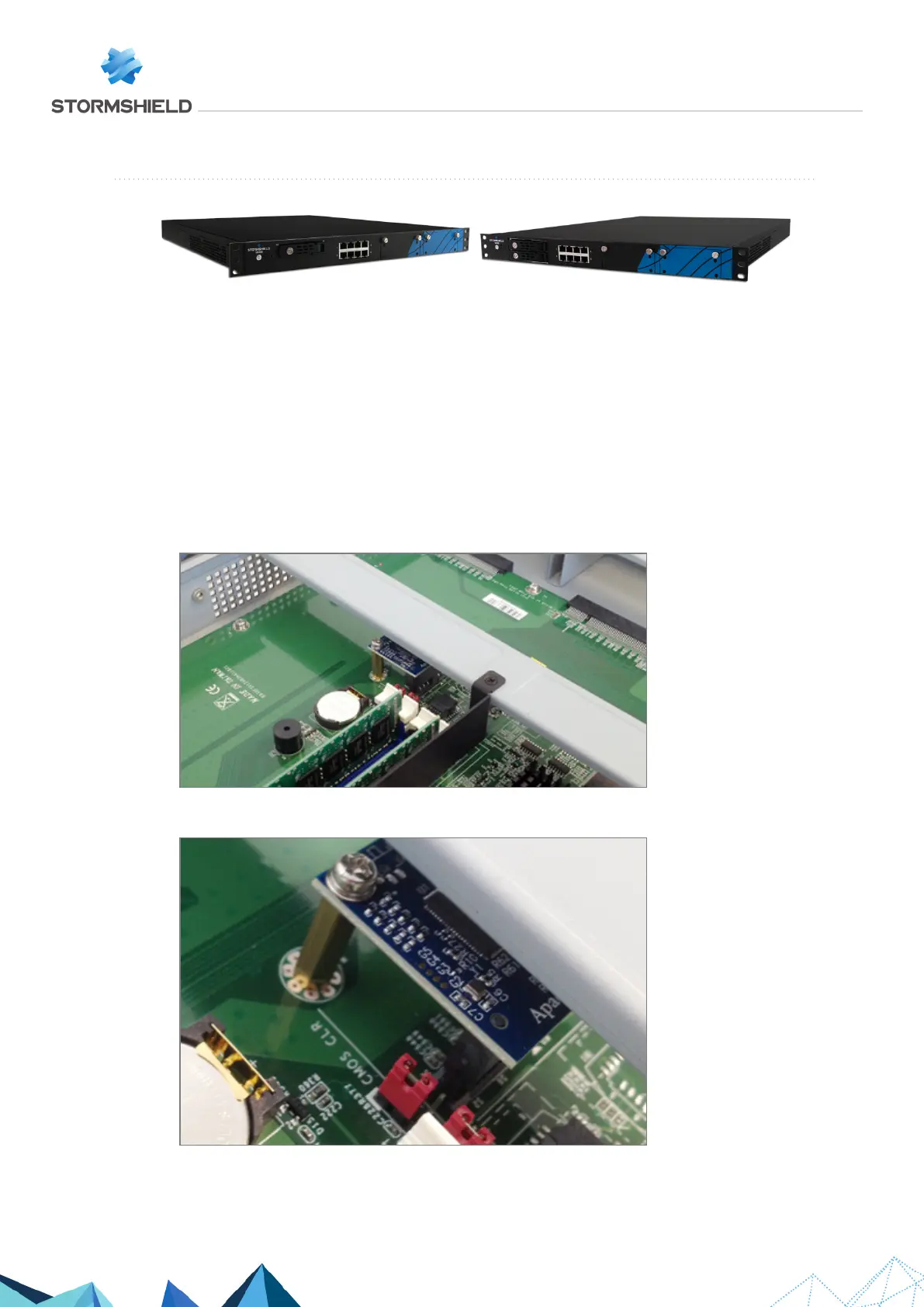
3. Locate the Flash module:
4. Unscrew the fastening screw of the Flash module with a Philips screwdriver, by keeping the
associated hex spacer in place with a flat wrench:
SNS - TECHNICAL NOTE
SECURE RETURN OPTION
Page 13/29 sns-en-secure_return_option_technical_note - 08/01/2022



 To Next Page