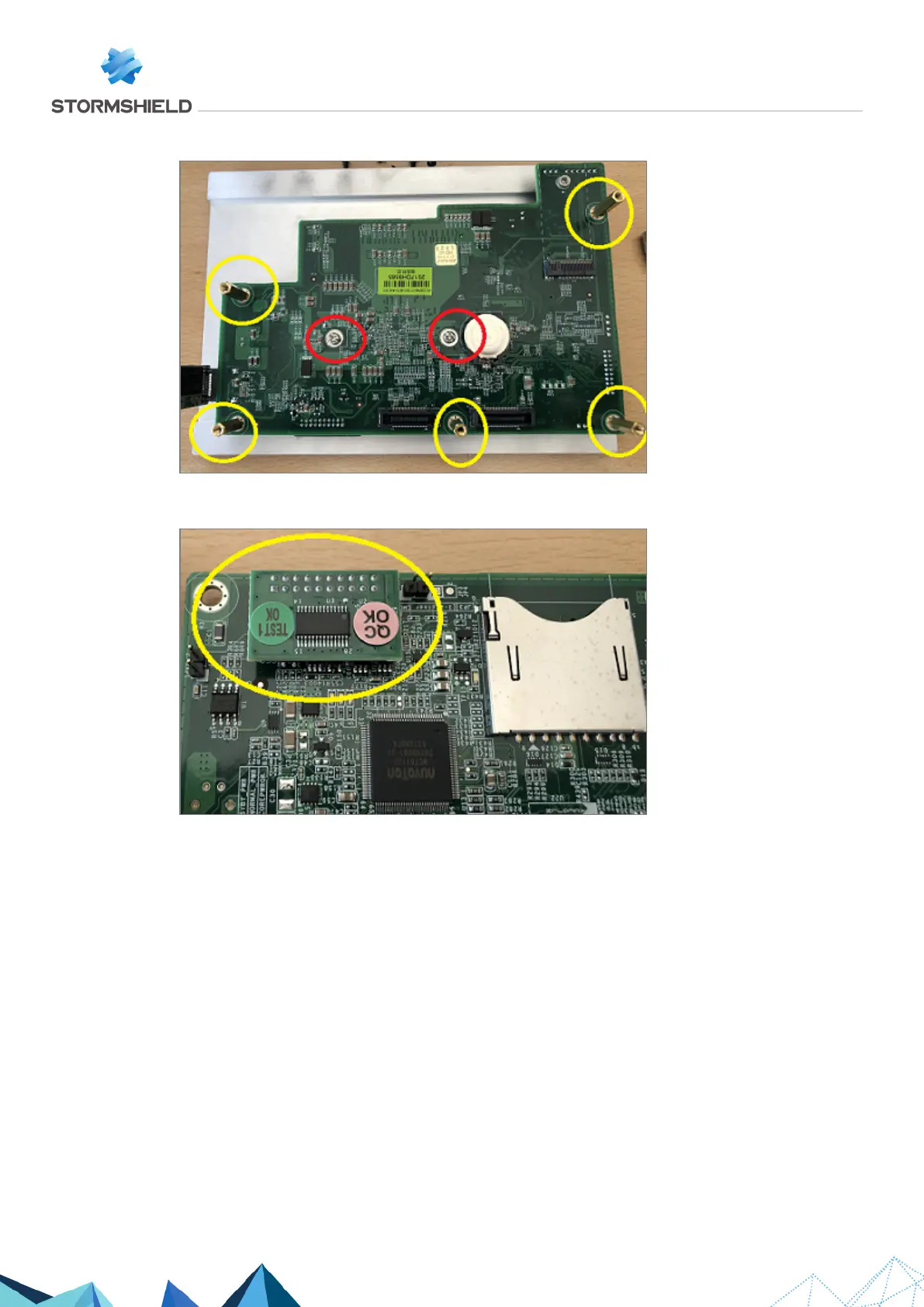
11. Unscrew the 2 silver screws and the 5 gold-colored spacers with a 5mm hex socket:
12. Remove the second part of the motherboard by pulling gently and vertically.
13. Remove the TPM (Trusted Platform Module) by pulling gently and vertically:
Assembling
Re-assemble the product by following the same steps to dismantle it, in reverse order.
SNS - TECHNICAL NOTE
SECURE RETURN OPTION
Page 23/29 sns-en-secure_return_option_technical_note - 08/01/2022



 To Next Page