Features
Microsoft® Lync® Integration
Strata CIX General Description 04/13 171
Microsoft
®
Lync
®
Integration
Toshiba has a plugin that is installed on a customer’s PC to integrate with the Microsoft Lync
client. This eliminates the complex server configuration that is required for server integration. This
integration enables customers who adopt Lync as the Instant Messaging/Presence application to
integrate with the Strata CIX system telephone features.
The following features are available through the integration:
• Lync Presence reflecting user’s telephone status (In call).
When a Lync user is on a call using a Toshiba digital telephone, IP telephone, or built-in
softphone; other users will see the user’s status as Busy (in call).
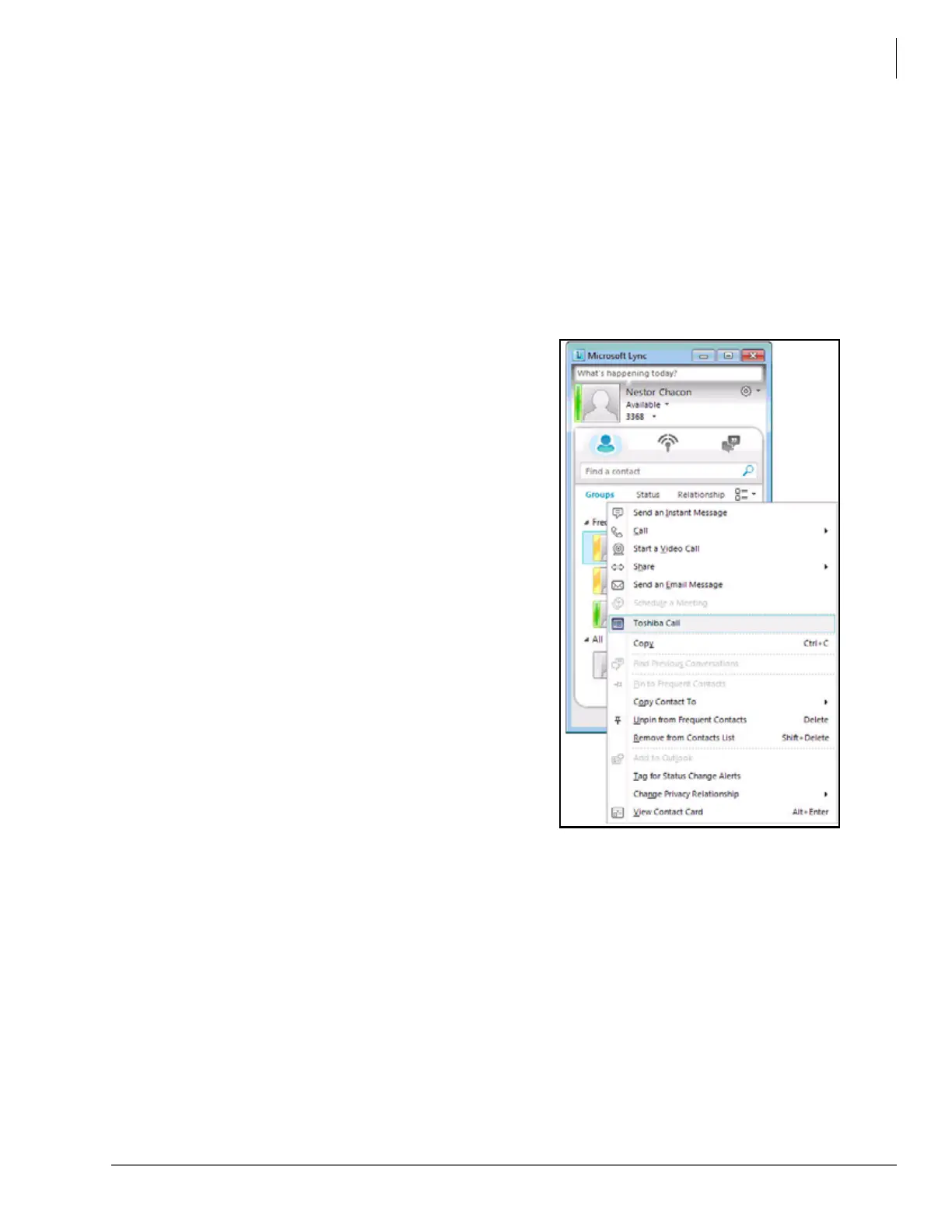
• Make Call from the Lync contact (shown right).
The Toshiba Plugin provides a menu to use the
Toshiba digital telephones, IP telephones, or the
built-in softphone from the Lync Contact by right-
clicking a contact and selecting Toshiba Call. If the
user selects Call, it will use Lync softphone when it
is available.
• Pop up notification for a ringing call with Lync
contact information (shown right).
When a call arrives, Toshiba Plugin pops up the
notification and shows the contact name if available
from the Lync Contact. The user can answer the call
or route the call to the voice mail or other specified
destination.
• Transfer and Conference Call
User can transfer or conference call from the
Toshiba Plugin main window.
• Optional built-in softphone
Toshiba Plugin can be used together with Toshiba
digital telephone, IP telephone, or SoftIPT for the
user to control the telephone from Toshiba Plugin. In
addition, as an option, the built-in softphone can be
used with Toshiba Plugin.
Telephones to be used with Toshiba Plugin should be configured to have the Primary DN only,
and Secondary DN/Shared DN and other GCO/Pool line keys should not be used. When used,
the Toshiba Plugin or popup notification may not work properly.



 To Next Page