ISTM-ALL MDVR-2012_Q2_Ver 1.0
20/27
1) Wiring Inspection
(1) Cable wiring should be cross-vertical strokes, orderly to keep the vehicle clean and safe
(2) Wiring for power cable, extension cable, ground wire and digital wire should be in orderly.
(
3
)
Keep 90 degree angle if cables cross is necessary.
(
4
)
Suitable ribbon should be used in binding with consistent method and equal spacing; redundant ribbon
should be cut off and not harm for hand.
(
5
)
Ribbon should be not too tight to injury the cable. The cable should not touch the sharp objects, rubber
protector is necessary for the holes
(6) All cable should be with Cabling Rack, no jump wiring is allowed.
2) MDVR Device inspection
(
1
)
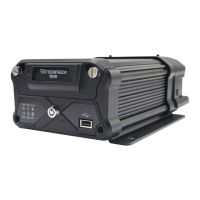
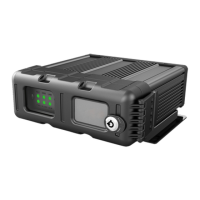
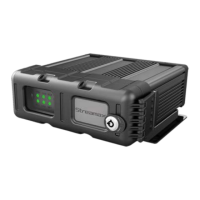
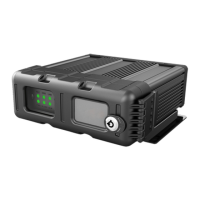
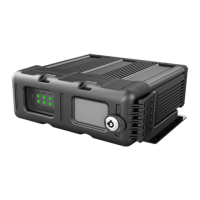
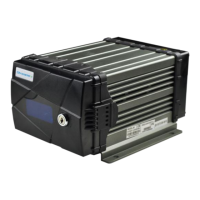
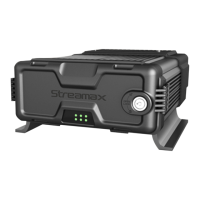
Check the MDVR device is fixed well or not. Try to move the MDVR and check whether it is loose.
(
2
)
Check the device power connection is correct or not. Connect the MDVR ground cable with vehicle directly is
not allowed.
(
3
)
Check whether the hard disk or SD card installation is correct or not?
(
4
)
Inspect all connection cables and connectors.
3) Electrical Equipment Inspection
After the inspection for MDVR machine, please confirm the each connector as following:
(1) Checking the voltage for power connector is from 8V to36v, higher or lower voltage will bring damage for the
MDVR machine.
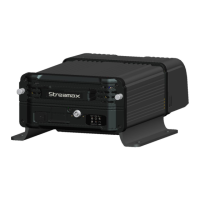
(2) Checking all kinds of antennas are well connected as photo showed.
(3) Check video outputting connector.
(4) Check the camera, no short-circuit and electrical ground phenomenon.
4) System Inspection and testing
(1) Check the cable connection is strong and firm.
(
2
)
Check the connection of power and whether the fuse can work fine.
1.2 Trial Testing after the System Gets the Power
(1) After all the checking in item 1.1, please try to connect the power for the system.
(2) After the MDVR gets power, please check the LED lights on the front panel of the MDVR.
(3) Does the relative LED is flashing or not. Does some LED shows error information.
(4) Check the image from the monitor
(5) Check the MDVR output voltage is normal or not (12V,5A)
(6) Check the firmware version, communication module and GPS module if the signal is strong or not.
(7) HDD format. After formatting, the MDVR system will reboot up. After that, please check the REC LED on the
front panel of the MDVR to ensure that MDVR can record. Then please enter the MDVR GUI for configuration
(8) The last step is for Ignition test. Checking whether the machine will restart or not . If the MDVR will reboot up
continuously, please re-check the cables connection and load capacity of the system.



 To Next Page