Lisa LCD 25
4.2 Menu language
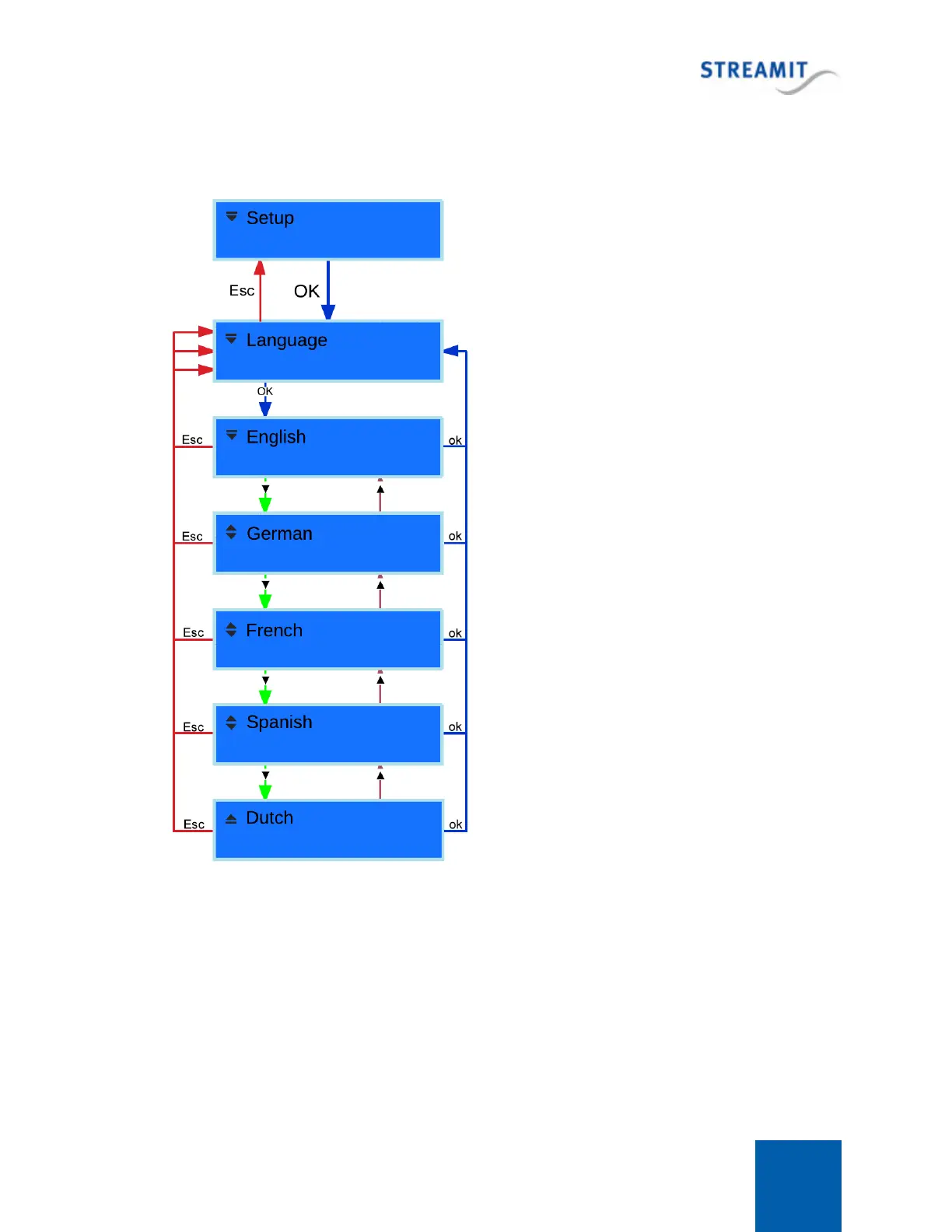
You enter the language menu by entering the Lisa
Setup. If you are already in [Setup], press the Menu-
Up button until you reach the [Language] option.
Press OK button to access the [Language] menu.
You can use the Menu-Up/Menu-Down buttons to
browse through the available languages and use the
OK button to confirm your choice. In this case the
chosen language will be applied and the Lisa will
return to the [Language] option.
If you access the [Language] menu, but you decide
not to change the current language of your Lisa, you
could press the Escape button, in which case the
Lisa will return to the [Language] option without the
language being changed.
4.3 Network
Changing the network settings of the Lisa is done via the Network Setup menu. You can enter the
Network Setup menu by entering the [Setup] and browsing until you find the [Network Setup] option. Use
OK to access this menu. Two options are available, [DHCP] and [Static IP]. In case you decide not to
change the current settings, just press Escape to return.
In case of DHCP, just confirm your choice pressing OK. Your preference will be saved and will be applied
the next time the device will restart (a restart is done when you leave the setup menu).



 To Next Page