30
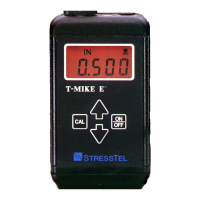
Couple the probe to the thinner calibration sample. Remove the probe and adjust the reading to agree with the known
thickness by pressing á or â. When this reading is correct press [CAL].
The gage will display:
Couple the probe to the thicker calibration sample. Remove the probe and adjust the reading to agree with the known
thickness by pressing á or â.
Now press [CAL] once more. The display will display the newly calibrated sound velocity. If you wish, you may modify
the sound velocity by pressing áorâ, although this over rides the calibration and is not recommended. Press [CAL] to
return to the measurement mode.
IMPORTANT: Because the two measurements interact (in other words, adjusting the thin value affects the thick value),
it may be necessary to repeat the above procedure a number of times until no more changes are necessary.


 To Next Page