13
WWW.STROMLTD.COM
STROM LIMITED
HOLIDAY MODE
Holiday mode is extremely useful tool in cutting your energy bills while you
are away but ensuring you return to a warm home. To enable Holiday mode
simply follow this procedure:
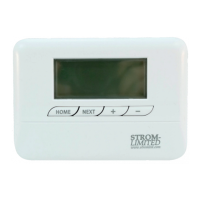
1. Press the “HOLIDAY SELECTOR” .
2. Using the “ADJUSTMENT SELECTORS” choose between 1 & 99
days for your holiday.
3. Press the “HOME SELECTOR” .
Conrmation that the Holiday Mode is active can be seen the the
illumination of “HOLIDAY” in the “CURRENT OPERATING MODE” section .
The controller is now in Holiday Mode and has disabled all heating
functions until the function is either cancelled or the number of days has
run out. To cancel holiday mode premature simply press the “HOLIDAY
SELECTOR” again. In the event of a power cut while you are away the
controller will resume the Holiday mode until such a time it is cancelled or
expires according to the timer.
7
4
2
16
USER GUIDE


 To Next Page