8
Second RCU is quite big and traditional. It is only IR and has complete list of buttons to control your TV.
1. q Press to turn the TV on or standby.
2. ! Press to mute or restore the volume.
3. 0 ~ 9 Choose channel directly.
4. INFO Display information about the current source.
5.
Press to display EPG info in TV mode.
6.
Press to access the TV settings.
7. EXIT Exit the current menu.
8. Press to go back to previously viewed channel. In menu: Back to previous menu.
9.
Enter the home desktop.
10. Navigate the menu.
11. OK Conrm the selection.
12. NETFLIX Press for direct access to Netix*
13. YouTube Press for direct access to YouTube.
14. prime video Press for direct access to prime video**.
15. Google Play Press for direct access to Google Play.
16. VOL +/- Adjust the volume up or down.
17.
Press to activate the voice control function.
18.
Press to access the TV sources.
19. P +/- Change programmes up or down.
20.
Press to access the teletext in TV mode.
21. USB Enter the Multimedia menu.
22.
Audio track selection
23. SUBT Enable/disable subtitles in DTV mode
24. 1 Press to start playback.
25. 2 Press to pause playback.
26. 3 Press to stop playback.
27. 4 No function.
28. 5 Press to fast reverse.
29. 6 Press to fast forward.
30. 7 Press to play the previous le.
31. 8 Press to play the next le.
32. COLOUR BUTTONS Press to execute the prompt function in TV or DTV
You could use the RCU which you preferred or both of them simultaneously to control your TV.
* Membership is not included. Netix is available in selected countries. Streaming Netix requires to set up an account. Broadband Internet required. See www.
netix.com/TermsOfUse for details.
** Membership is not included. Prime is available in selected countries. Streaming prime video requires to set up an account. Broadband Internet required. See
www.primevideo.com for details.
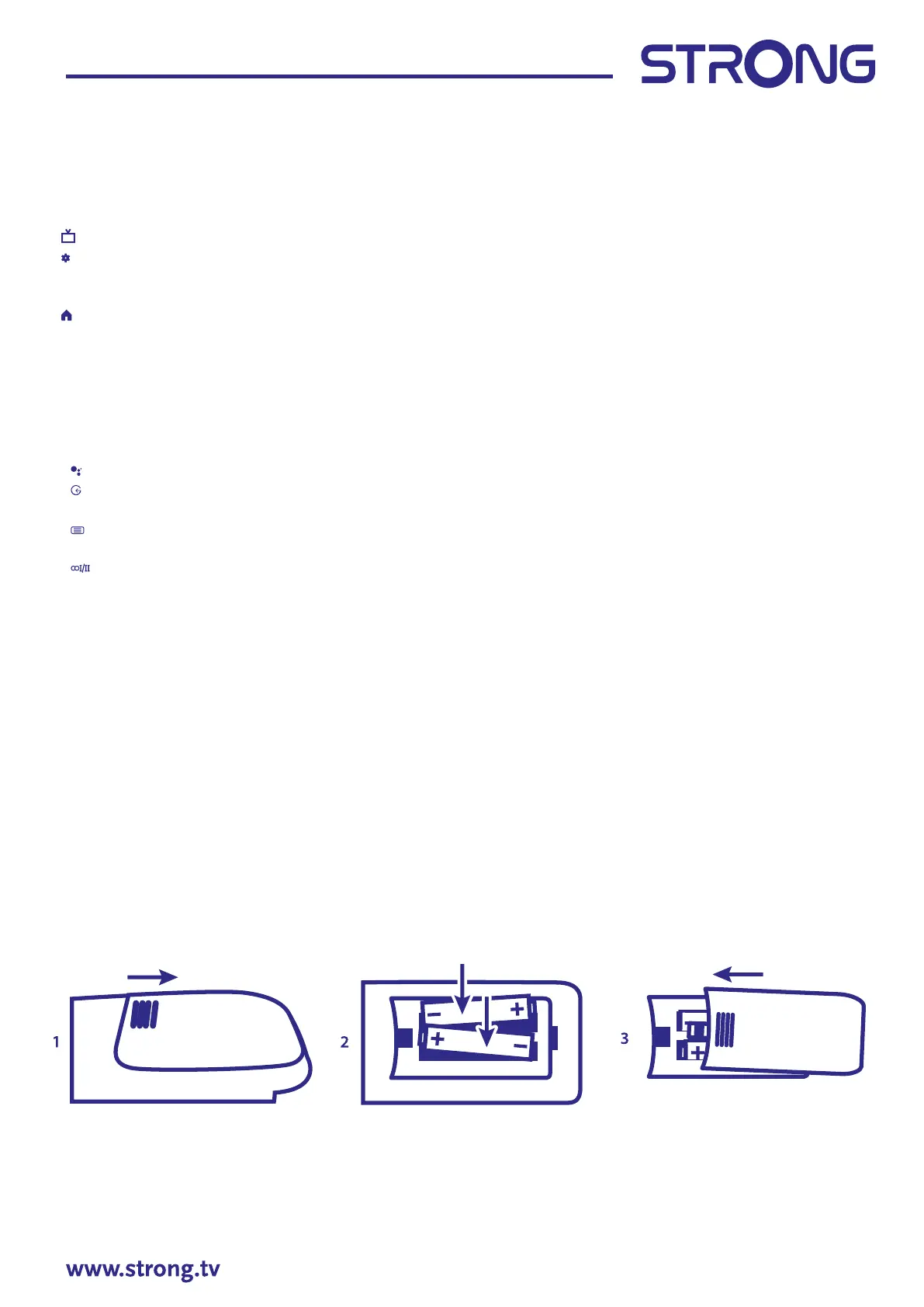
2.5 Installing the batteries
Fig. 5
Place 2x AA batteries in the battery compartment of the smaller remote control and 2 x AAA in the
battery compartment of the bigger remote control. Make sure to match the polarity markings inside the
compartment.



 To Next Page