18
4.2 Network & Internet
Connection to internet allows to install and use internet applications (i.e. You Tube, Netix, etc.) and to enjoy
of other advantages of Smart TV.
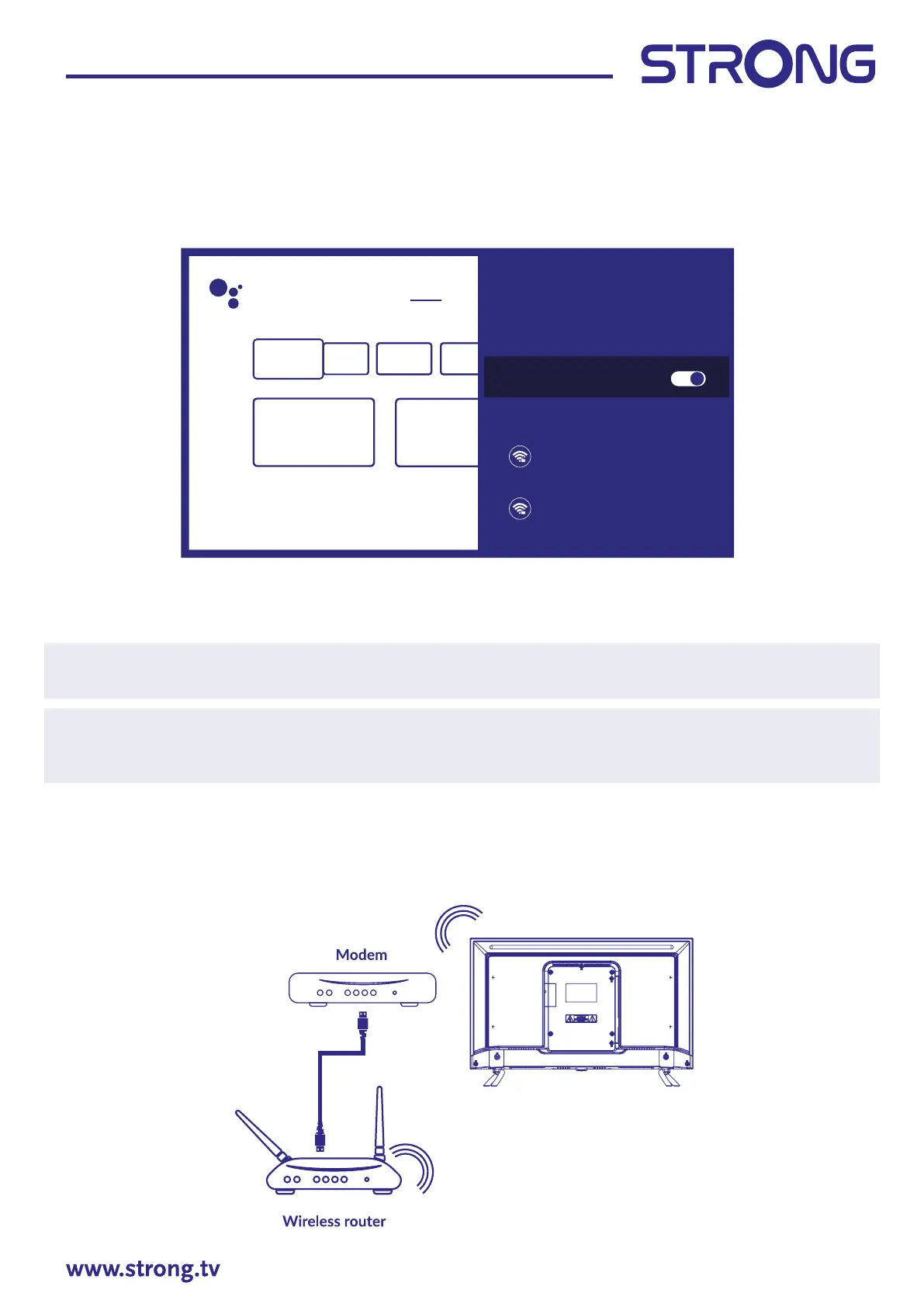
Access to the part for network and internet connection is through chapter Network & internet of Settings
menu or through quick access panel on Home screen.
Your TV can be connected to your home network in two ways:
• Wired, using the RJ-45 (LAN) connector on the back panel.
• Wireless, using the internal wireless and your home wireless network.
NOTE: To access the Internet, you must subscribe to a highspeed broadband Internet service with your
Internet service provider.
NOTE: Instructions below are just the usual ways to connect your TV to a wired or wireless network. The
connection method may dier depending on your actual network conguration. If you have any
questions about your home network, please refer to your Internet service provider.
Connecting to a wired network
Fig. 6a
Search Home Discover Apps
Network & Internet
XXXX
Connected
12345
Network privacy policy
Available networks
Wi-Fi



 To Next Page