10
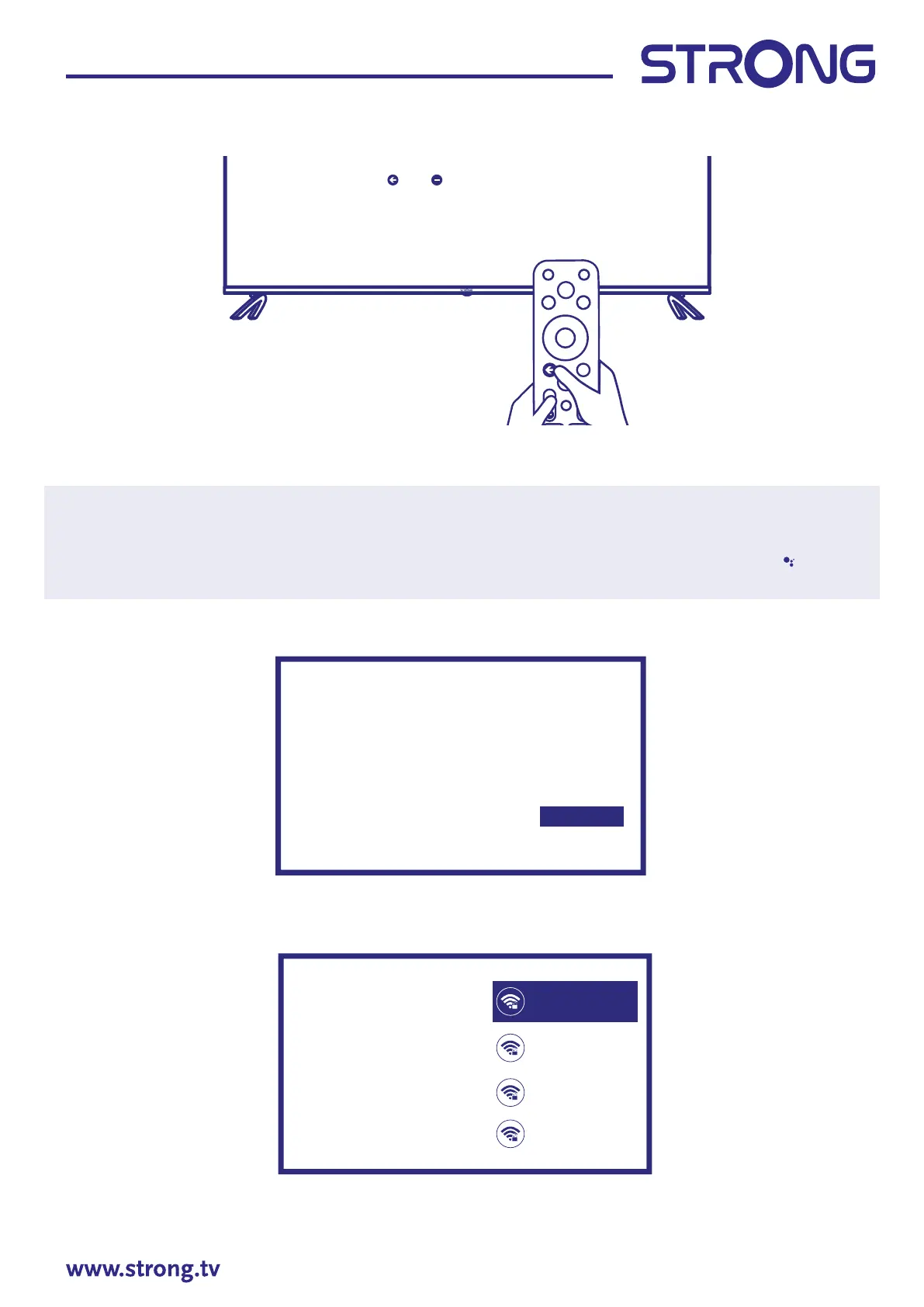
Step 2
Press and - key simultaneously, while pointing to the TV bottom within the distance of 1 meter at least 3
seconds, Release your nger when the indicator light (red) of the remote ashes.
Note: If you plan to use smaller RCU for TV control, we recommend to make pairing of it with your TV.
This will allow using extended features of it. Pairing screen appear after the country and language
selection during the First Time Installation. Follow simple on-screen instructions for this. If you miss
this screen, it is possible to make pairing later in Settings chapter of menu or by pressing
key on
RCU at rst time of it usage.
Step 3
You can easily transfer your Android phone’s Wi-Fi network and Google Account to your TV.
Step 4
Select your Wi-Fi network to connect to the internet. Alternatively, it is also possible to connect an Ethernet
cable to the input on the rear panel.
Press and key simultaneously,
while poinng to the TV boom within the distance
of 1 meter at least 3 seconds. Release your finger when
the indicator light (red) of the remote flashes.
Connue
Skip
Quickly set up your TV
with your Android phone?
You can easily transfer your
Android phone’s Wi-Fi network and
Google Account to your TV
Select your Wi-Fi
network
You can also connect
an Ethernet cable
to connect to the internet.
1600_2.4G
1600_5G
Airport
Super_2.4GHz



 To Next Page