EasyManua.ls Logo

Strong SRT 24HC4023 - User Manual

Strong SRT 24HC4023
22 pages
Print Icon
To Next Page IconTo Next Page
Loading...
User Manual
Bedienungsanleitung
Manuel ulisateur
Manual del Usuario
Инструкции за употреба
Uživatelská příručka
Korisnički priručnik
Használa útmuta
Manuele utente
Gebruiksaanwijzing
Instrukcja obsługi
Manual do Ulizador
Manual de Ulizare
Uputsvo za upotrebu
Používateľská príručka
Navodila za uporabo
Руководство пользователя
Посібник користувача
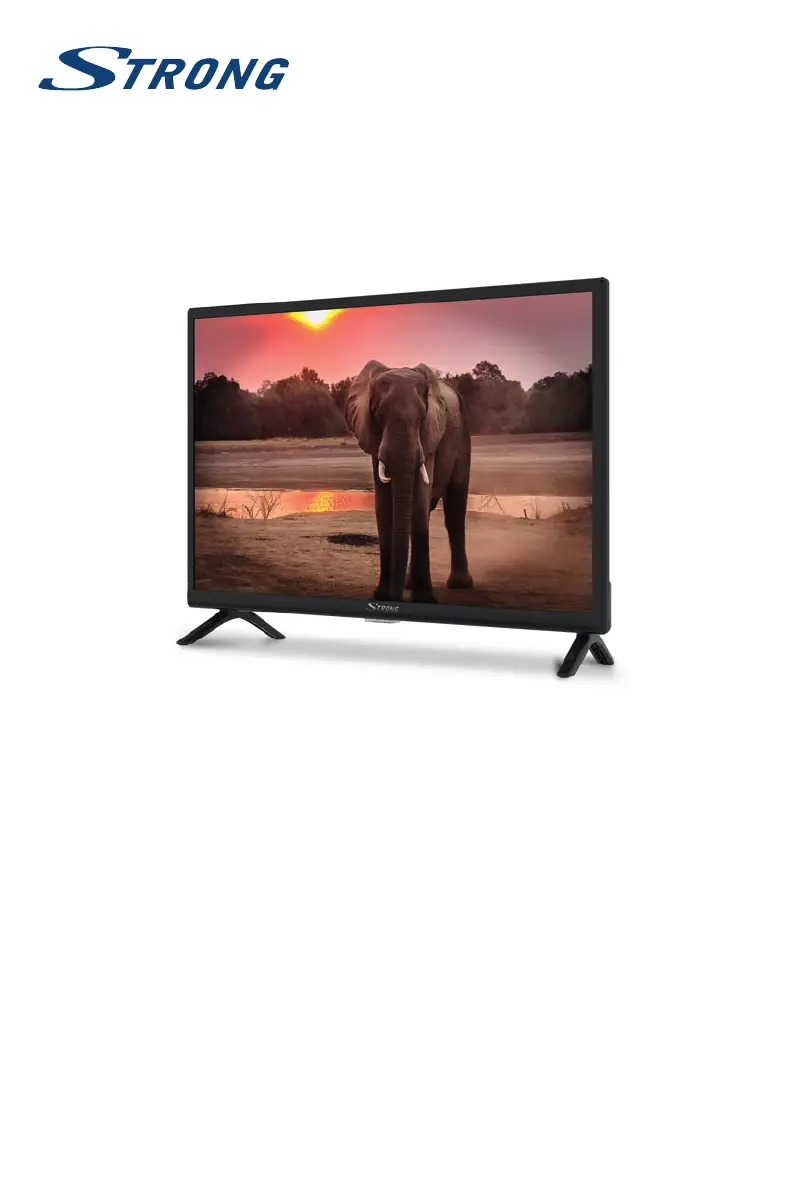
LED TV with DVB-T2/C/S2
SRT 24HC4023

Questions and Answers

  • C
    Carrie LyonsAug 15, 2025
    Why is there no signal on my Strong LED TV?
    • E
      Elizabeth WyattAug 15, 2025
      The TV might not be connected to a signal source (DVB-C, DVB-S/S2, or DVB-T/T2). The antenna (terrestrial or satellite) may not be aligned correctly, or the connection and distribution equipment might be malfunctioning, incompatible, or defective. For DVB-T/T2, ensure active antennas have antenna power switched ON or external power connected. The antenna might be out of digital signal reception range. Check with service providers regarding coverage. For DVB-S/S2, the tuner or LNB parameters might be incorrect.
  • S
    Sara CarrAug 18, 2025
    What to do if my Strong SRT 24HC4023 has normal picture but no sound?
    • E
      Ethan MarshallAug 18, 2025
      First, press the volume up button to increase the volume level. Check if the audio is muted and, if so, press the mute button to restore the sound. If you are using external devices to loop the sound, ensure you have selected the correct sources and sound mode. It's also possible that the tuned channel doesn't transmit audio signals or there is some other transmission interference/failure.
  • M
    Monique Barton PhDAug 21, 2025
    What to do if my Strong SRT 24HC4023 LED TV remote control does not work?
    • T
      Tony BradfordAug 21, 2025
      Try changing the batteries in the remote control, and if you are using rechargeable batteries, ensure they have low self-discharge. Also, check that the batteries are installed correctly and that you haven't mixed different types. Ensure that the IR sensor on the TV is not blocked or interfered with by bright light.
  • T
    Tammy BallardAug 25, 2025
    How to fix video playback causing picture freeze on Strong SRT 24HC4023 LED TV?
    • A
      Amanda BurnsAug 26, 2025
      If video playback causes picture freeze, macro blocks, or similar distortion, especially with HD content, the read/write speed of your USB device could be too low. Ensure you are using a USB storage device with sufficient speed and space. Note that pen drives (USB sticks) may not support sufficient speed.
  • D
    danielhowardAug 28, 2025
    Why does my Strong SRT 24HC4023 LED TV switch off automatically?
    • C
      Chad BrownAug 28, 2025
      The TV switches OFF after a certain time because the automatic STBY function is activated. By default, the TV switches OFF after 4 hours to comply with European low power regulations and to save energy. You can adjust this setting in the TV menu.
  • D
    dbernardAug 31, 2025
    What to do for other signal issues on Strong SRT 24HC4023?
    • J
      Jacob YoderAug 31, 2025
      Ensure that all cables are securely connected and that no moisture has entered the cables or connectors. If there is heavy rain or a storm, especially with DVB-S/S2 and -T/T2 connections, check the cable connections. For DVB-S/S2 and -T/T2, inspect all equipment connected between the reception point and the TV. If the issue persists after the weather improves, consider consulting a local satellite specialist for advice.
  • C
    Crystal DavisSep 4, 2025
    How to troubleshoot no color on Strong SRT 24HC4023?
    • F
      Frank MartinezSep 4, 2025
      Check if the devices are properly connected (SCART, RCA sockets) and that you are using correct, undamaged cables. Try adjusting the saturation settings on your TV. It is also possible that the current program is broadcast in black and white, so try switching to another channel.
  • W
    William AdamsSep 7, 2025
    What to do if my Strong SRT 24HC4023 has no picture but normal sound?
    • C
      Carrie WolfeSep 7, 2025
      Try adjusting the brightness and contrast settings on your TV. It's possible you've tuned into a radio channel, the program isn't transmitting video signals, or there's another broadcasting interference or failure.
  • D
    Daniel KrauseSep 12, 2025
    How to fix a Strong LED TV when the LED indicator doesn't light up?
    • B
      Brian McclainSep 12, 2025
      Check whether the power connector is completely plugged into both the TV and the power socket. Make sure that the switch on multipoint connectors is switched ON as well. The electrical outlet may be damaged. It is also possible that the STBY LED is defective.

Strong SRT 24HC4023 Specifications

General IconGeneral
Screen Size24 inches
Resolution1366 x 768
Display TypeLED
HDMI Ports2
USB Ports1
Refresh Rate60 Hz
Audio Output2x 3W
Aspect Ratio16:9
VGA Port1
Built-in SpeakersYes
TunerDVB-T2/C/S2
Power Consumption36W

Related product manuals