EasyManua.ls Logo

Strong SRT 39HX1003 - User Manual

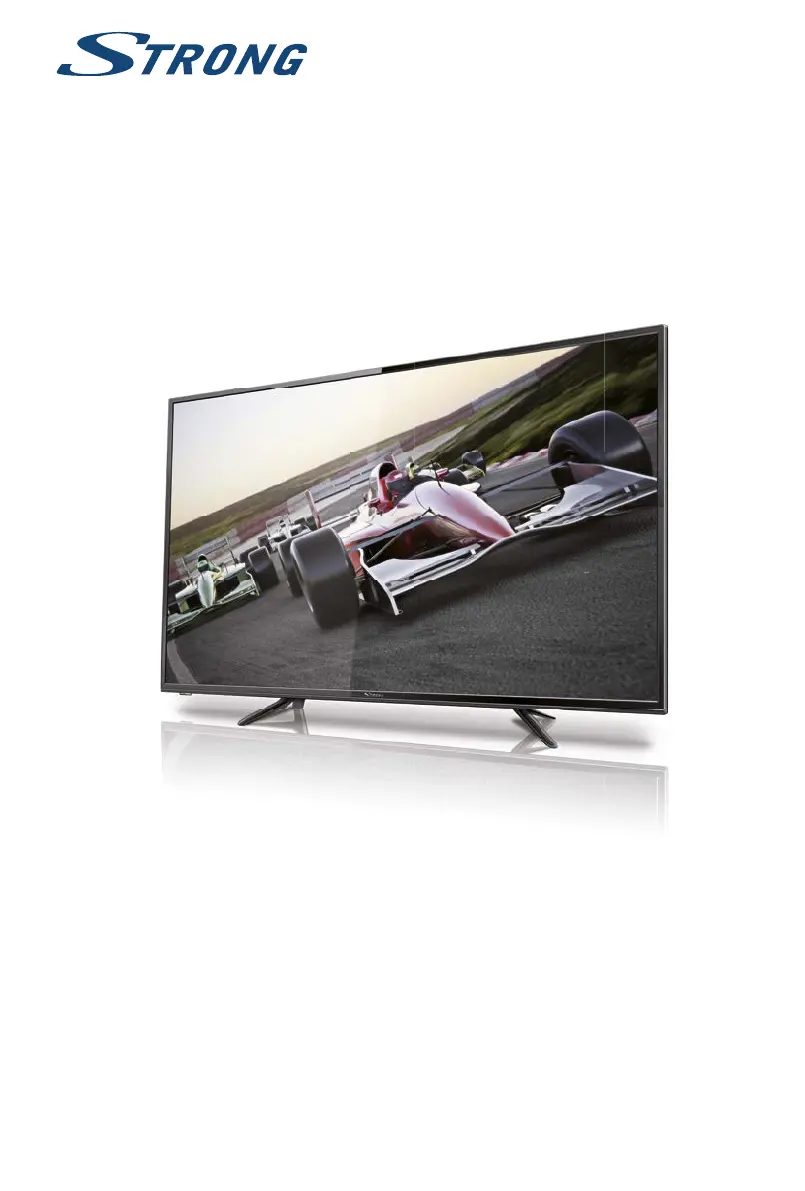
Strong SRT 39HX1003
26 pages
Print Icon
To Next Page IconTo Next Page
Loading...
User Manual
Bedienungsanleitung
Manuel u lisateur
Manuale utente
Manual del Usuario
Manual do U lizador
Gebruiksaanwijzing
Instrukcja obsługi
Uživatelská příručka
Používateľská príručka
Manual de U lizare
Korisnički priručnik
Használa útmutató
Инструкции за употреба
Uputsvo za rukovanje
Руководство пользователя
Посібник користувача
LED TV with DVB-T/T2/C/S/S2
SRT 39HX1003

Questions and Answers

  • M
    Michael AustinAug 17, 2025
    What to do if Strong SRT 39HX1003 LED TV has no picture and sound?
    • R
      Robert IngramAug 17, 2025
      If your Strong LED TV has no picture and no sound, check the following: Ensure the fuse or circuit breaker is working. Plug another electrical device into the outlet to verify it's working or turned on. Check that the power plug is making good contact with the outlet. Finally, verify the signal source.
  • Z
    zachary35Aug 20, 2025
    Why is there sound missing on my Strong LED TV?
    • K
      Katherine WatsonAug 20, 2025
      If your Strong LED TV has a normal picture but no sound, try the following: First, press the volume up button to increase the volume. Also, check if the volume is set to mute and, if so, press the mute button to restore the sound. You may also try changing the sound system. A broadcasting failure may also be the cause.
  • M
    Marissa SweeneyAug 22, 2025
    How to troubleshoot no picture but sound on Strong SRT 39HX1003 LED TV?
    • J
      Jamie ParkerAug 22, 2025
      If your Strong LED TV has no picture but normal sound, try adjusting the brightness and contrast settings. It's also possible that a broadcasting failure is occurring.
  • B
    Brendan ValdezAug 25, 2025
    What causes snowy dots and interference on Strong SRT 39HX1003?
    • D
      Daniel GarciaAug 26, 2025
      Snowy dots, blocking, and interference on your Strong LED TV can occur if the antenna is in a weak signal area. To resolve this, adjust the position and orientation of your antenna. Also, check the antenna connection and fine-tune the channel. Trying another channel may also help. Broadcasting failure may also be the cause.
  • A
    Ashley KennedyAug 27, 2025
    How to restore color on Strong SRT 39HX1003?
    • M
      melissa14Aug 27, 2025
      To restore color on your Strong LED TV, first try changing the color system in the settings. If that doesn't work, adjust the saturation. You might also want to try changing to another channel.
  • P
    Patrick BlackburnAug 30, 2025
    What causes ripples on Strong SRT 39HX1003 screen?
    • T
      terry48Aug 30, 2025
      Unorderly ripples on the picture of your Strong LED TV are usually caused by local interference from sources like cars, daylight lamps, and hair dryers. Adjusting the antenna to minimize the interference may help.
  • B
    Bryan MorrisSep 1, 2025
    How to eliminate ghosting on Strong SRT 39HX1003?
    • H
      Heather BowenSep 2, 2025
      Ghosting on your Strong LED TV is caused by the television signal following two paths. Changing the direction or position of the antenna may improve the reception.
  • R
    Robert HessSep 4, 2025
    How to fix Strong SRT 39HX1003 remote control?
    • K
      kcraigSep 4, 2025
      If your Strong LED TV remote control isn't working, try these steps: First, replace the batteries. If that doesn't work, make sure the batteries are installed correctly. Finally, ensure that the main power is connected to the TV.
  • T
    Tina KimSep 6, 2025
    How to fix 'No signal' on Strong LED TV?
    • D
      Douglas BrownSep 6, 2025
      If your Strong LED TV shows 'No signal' or has weak, intermittent reception, it could be due to several reasons. Check the cable connections, LNB, and other equipment between the LNB and the receiver. Ensure the satellite dish is correctly aligned or peak the dish. If the dish is too small or there are obstructions, consider changing to a larger dish or repositioning it. If the signal is too strong due to an oversized dish, connect a signal attenuator to the LNB input. Heavy rain might be attenuating the signal.
  • J
    Jacob DonaldsonSep 9, 2025
    Why does Strong SRT 39HX1003 LED TV picture get bad during heavy rain?
    • A
      Alison BakerSep 9, 2025
      A bad picture or blocking errors on your Strong LED TV during heavy rain occur because heavy rain attenuates satellite signals. Ensure your dish installation is up to standards to minimize rain effects.

Summary

Instruction and Safety

Safety Instructions

Essential safety guidelines for operating the TV and related precautions.

Equipment Setup

Instructions for physical setup and stand assembly of the television.

Installation and Initial Setup

Installation Overview

Detailed steps for installing and connecting the television and its components.

Remote Control Functions

Explanation of the TV remote control buttons and their functions.

First Time Installation Guide

Initial setup procedure when turning on the TV for the very first time.

Channel Setup and Tuning

Select Input Source

Guide to choosing and switching between different input sources for the TV.

First Time Installation Menu

Navigating the initial setup wizard for language, country, and environment.

DVB-S Satellite Installation

Instructions for installing satellite (DVB-S) channels and settings.

DVB-T Terrestrial Installation

Instructions for installing terrestrial (DVB-T) channels and settings.

DVB-C Cable Installation

Instructions for installing cable (DVB-C) channels and settings.

Menu Settings and Operations

Picture Settings

Adjusting visual display parameters including mode, colour, and sharpness.

Contrast, Brightness, Colour, Sharpness

Detailed control over core picture quality elements.

Sound Settings

Customizing audio output including mode, treble, and bass levels.

Channel Management

Tuning, managing, and viewing channel information.

Setup Menu

Accessing advanced system configuration options.

First Time Installation

Step-by-step guide for initial TV setup.

USB Media Playback

Software Update via USB

Procedure for updating the TV's firmware using a USB drive.

Troubleshooting and Specifications

Troubleshooting Common Issues

Common problems and their solutions for the TV.

Technical Specifications

Detailed technical parameters and features of the television.

Strong SRT 39HX1003 Specifications

General IconGeneral
Product colorBlack
Panel mounting interface200 x 200 mm
Screen shapeFlat
Response time- ms
Display diagonal39 \
Display brightness220 cd/m²
Display resolution1366 x 768 pixels
Display technologyLED
Contrast ratio (typical)5000:1
Display diagonal (metric)99 cm
Screen format adjustments16:9
Motion interpolation technologyIQR (Image Quality Ratio) 100 Hz
3DNo
Annual energy consumption53 kWh
Analog signal format system-
Digital signal format systemDVB-C, DVB-S, DVB-S2, DVB-T, DVB-T2
RMS rated power- W
RF connector typeF, IEC
DVI-D ports quantity0
USB 2.0 ports quantity1
Power consumption (max)74 W
Power consumption (standby)0.5 W
Power consumption (typical)36 W
Weight and Dimensions IconWeight and Dimensions
Depth (with stand)216 mm
Height (with stand)558 mm
Weight (with stand)6000 g
Depth (without stand)77 mm
Width (without stand)889 mm
Height (without stand)511 mm
Weight (without stand)5600 g

Related product manuals