EasyManua.ls Logo

Strong SRT 32HB4003 - User Manual

Strong SRT 32HB4003
23 pages
Print Icon
To Next Page IconTo Next Page
Loading...
User Manual
Bedienungsanleitung
Manuel ulisateur
Manuale utente
Manual do Ulizador
Инструкции за употреба
Руководство пользователя
Посібник користувача
Användar Manual
Uživatelská příručka
Navodila za uporabo
Korisnički priručnik
Uputsvo za rukovanje
Používateľská príručka
Használa útmutató
Käyöohje
Brukermanual
Manual del Usuario
Gebruiksaanwijzing
Brugervejledning
Manual de Ulizare
Instrukcja obsługi
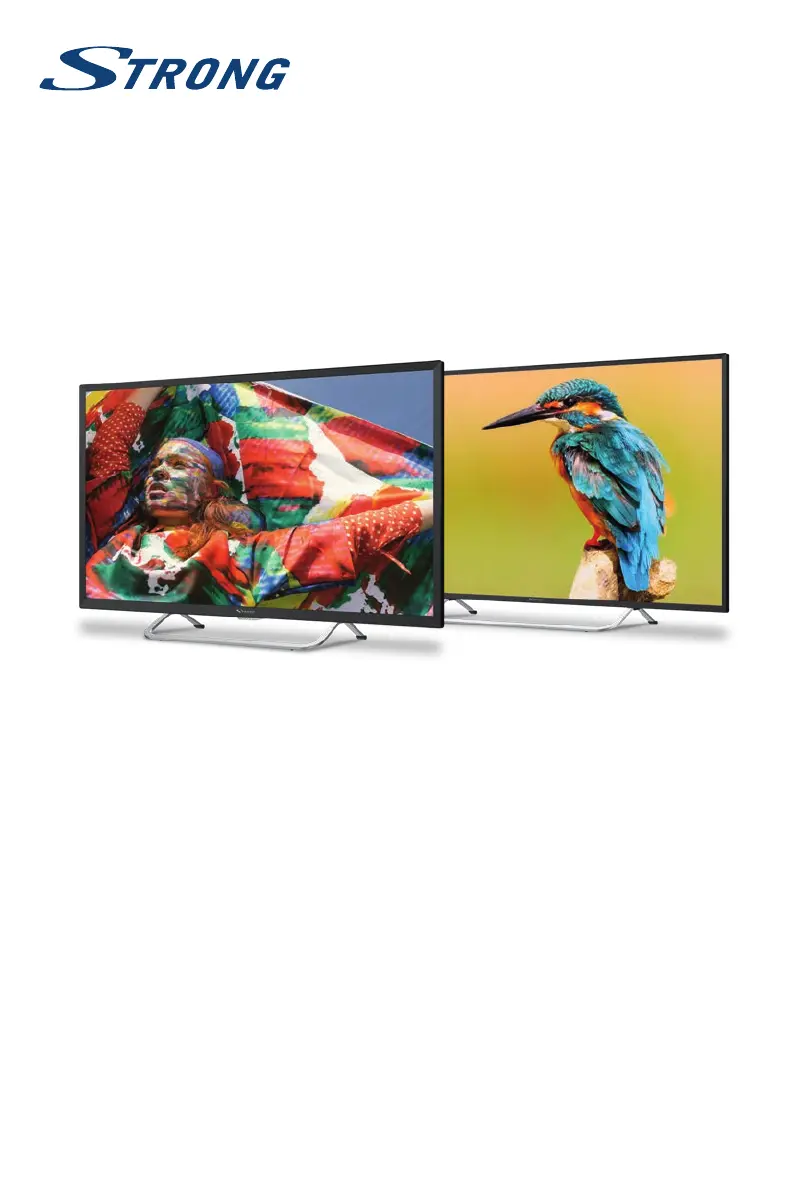
LED TV with DVB-T2/C/S2
SRT 32HB4003
SRT 40FB4003

Questions and Answers

  • O
    ojohnsonAug 12, 2025
    How to fix Strong LED TV remote control when it does not work?
    • C
      Chelsea StevensonAug 12, 2025
      If the Strong LED TV remote control isn't working, first replace the batteries. If that doesn't solve the issue, ensure the batteries are installed correctly. Also, verify that the main power is connected.
  • S
    Sharon ThompsonAug 16, 2025
    Why my Strong SRT 32HB4003 LED TV has no picture and sound?
    • H
      huntgregoryAug 16, 2025
      If your Strong LED TV has no picture and no sound, check whether the fuse or circuit breaker is working. Try plugging another electrical device into the outlet to ensure it is functioning properly. Also, ensure the power plug is making good contact with the outlet and verify the signal source.
  • M
    Michael ParkerAug 20, 2025
    What to do if my Strong SRT 32HB4003 LED TV has picture but no sound?
    • A
      andrew67Aug 20, 2025
      If your Strong LED TV has a normal picture but no sound, first, press the volume up button to increase the volume. Check if the volume is muted and, if so, press the mute button to restore the sound. You may also need to change the sound system. A broadcasting failure may also be the cause.
  • A
    Anthony ReidAug 23, 2025
    How to fix snowy dots and interference on Strong SRT 32HB4003?
    • N
      Nancy BrownAug 23, 2025
      If your Strong LED TV picture is marred by dots, blocking, or break-ups, especially if the antenna is in a weak signal area, adjust the position and orientation of the antenna. Also, check the connection of the antenna, fine-tune the channel, or try another channel, as a broadcasting failure may be happening.
  • T
    Timothy RogersAug 27, 2025
    How to fix no color on Strong SRT 32HB4003?
    • M
      Maria HumphreyAug 27, 2025
      If your Strong LED TV has no color, try changing the color system or adjusting the saturation. You can also try another channel as a black-and-white program may be received.
  • B
    Brandon ConradAug 31, 2025
    Why Strong SRT 32HB4003 LED TV has blocking error during heavy rain?
    • F
      Frank ClarkAug 31, 2025
      Heavy rain can weaken satellite signals, causing blocking on your Strong LED TV. Ensure your dish installation meets standards to minimize rain effects.
  • E
    ewilliamsSep 4, 2025
    How to fix ripples on Strong SRT 32HB4003 picture?
    • J
      John HendricksSep 4, 2025
      Unorderly ripples on the picture of your Strong LED TV are usually caused by local interference from sources like cars, daylight lamps, and hair dryers. Adjust the antenna to minimize the interference.
  • J
    Jonathan GarrettSep 8, 2025
    Why Strong SRT 32HB4003 LED TV video playback causes picture freeze?
    • R
      Rachel SmithSep 8, 2025
      If playing videos on your Strong LED TV causes picture freeze, macro blocks, or distortion, especially with HD content, the read/write speed of your USB device might be too low. Use a USB storage device with sufficient speed and space. Note that pen drives (USB sticks) may not support sufficient speed.

Summary

Product Instructions and Safety

Safety Instructions

Crucial safety precautions for using the TV and its accessories to prevent hazards.

Device Setup and Accessories

Equipment Setup and Placement

Instructions for physically setting up the TV, including stand assembly and ventilation.

Installation and Connections

Remote Control Operation

Remote Control Functions

Explains the purpose of each button on the TV's remote control.

First-Time TV Installation Guide

Satellite TV Setup (DVB-S;S2)

Guide for installing and tuning satellite channels.

Broadcast Reception Setup

Terrestrial TV Setup (DVB-T;T2)

Instructions for setting up terrestrial broadcasts.

Cable TV Setup (DVB-C)

Guide for installing and tuning cable channels.

Menu Settings and Configuration

Picture Settings

Adjustments for picture quality like mode, color, aspect ratio, and noise reduction.

Sound and Channel Management

Sound Settings

Adjusting sound preferences, including mode, equalizer, and volume.

Channel Management

Options for channel tuning, setup, and management.

Advanced Channel Tuning

Security and Lock Features

USB Media Playback and Management

USB Media Playback Options

Playing Video Files

Guide for playing movie files from a USB device.

Playing Music Files

Guide for playing audio files from a USB device.

USB File Browsing

Software Updates via USB

Software Updates via USB

Procedure for updating the TV's software using a USB drive.

Troubleshooting Common Issues

Strong SRT 32HB4003 Specifications

General IconGeneral
Screen Size32 inches
Display TypeLED
HDMI Ports2
USB Ports1
Smart TVNo
Aspect Ratio16:9
Sound OutputStereo
Built-in SpeakerYes
Power Consumption45 W
Resolution1366 x 768
TunerDVB-T

Related product manuals