EasyManua.ls Logo

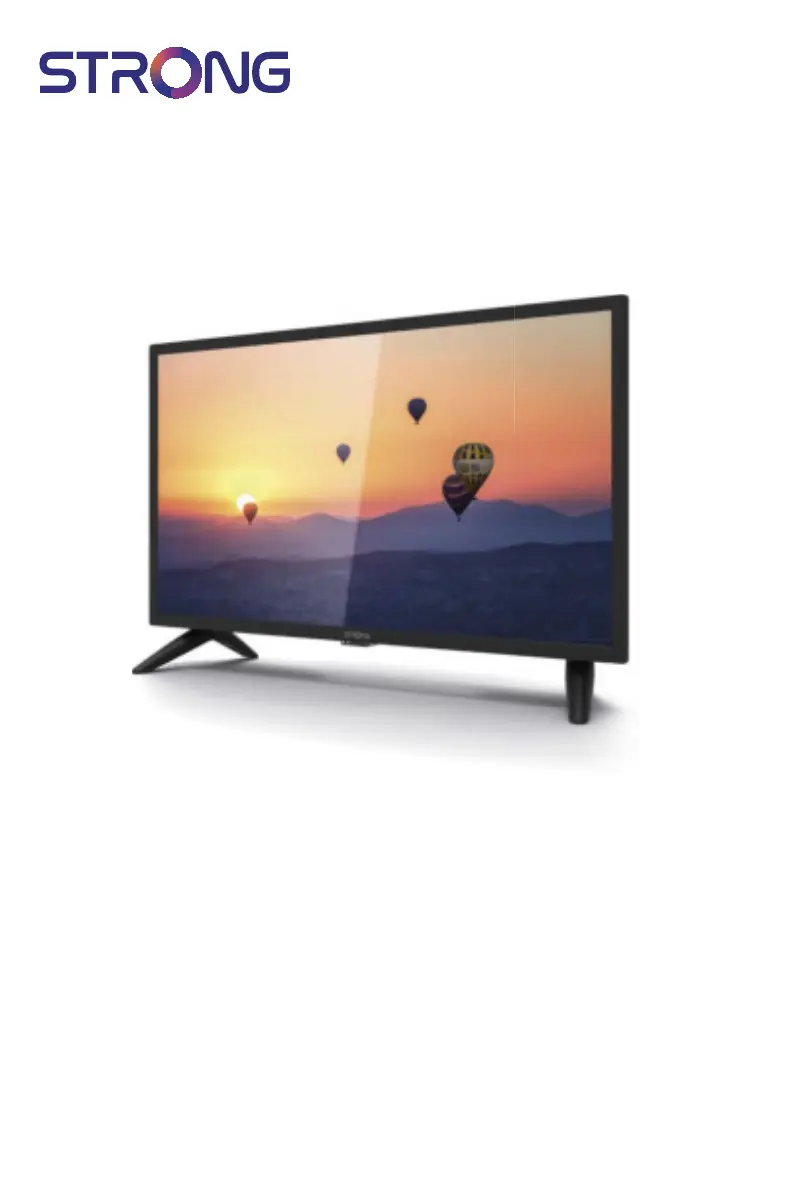
Strong SRT 24HC3023 - User Manual

Strong SRT 24HC3023
23 pages
Print Icon
To Next Page IconTo Next Page
Loading...
User Manual
Bedienungsanleitung
Manuel u lisateur
Manual del Usuario
Инструкции за употреба
Uživatelská příručka
Korisnički priručnik
Használa útmutató
Manuale utente
Gebruiksaanwijzing
Instrukcja obsługi
Manual do U lizador
Manual de U lizare
Uputsvo za upotrebu
Používateľská príručka
Navodila za uporabo
Посібник користувача
Руководство пользователя
LED TV with DVB-T2/C/S2
SRT 24HC3023

Questions and Answers

  • E
    emilypriceAug 16, 2025
    What to do if my Strong SRT 24HC3023 has sound but no picture?
    • R
      Roy MillerAug 16, 2025
      If your Strong LED TV has sound but no picture, try adjusting the brightness and contrast settings. The radio channel might be tuned to, or the program is not transmitting video signals, or there may be another broadcasting interference or failure.
  • J
    Juan GarciaAug 19, 2025
    Why is my Strong SRT 24HC3023 picture freezing or showing distortion?
    • A
      Aaron GordonAug 19, 2025
      If the picture and sound on your Strong LED TV freeze or show macro blocks or similar distortion, the reception signal might be too weak or disturbed by electromagnetic, high-frequency, or other interference signals. For DVB-T/ T2, disturbances may be caused by signal reflections. For DVB-C, DVB-S/S2, the connection cables at the signal source may be too long. For DVB-T/T2, DVB-S/S2, the antenna may not be properly adjusted.
  • C
    cody70Aug 22, 2025
    Why is my Strong SRT 24HC3023 LED TV freezing during video playback?
    • M
      Michelle HammondAug 22, 2025
      If video playback on your Strong LED TV is causing picture freeze, macro blocks, or similar distortion, especially with HD content, ensure you're using a USB storage device with sufficient speed and space. Pen drives (USB sticks) may not support sufficient speed.
  • T
    taylorrichardsonAug 25, 2025
    How to fix a Strong SRT 24HC3023 LED TV remote that is not working?
    • R
      Raymond WoodAug 26, 2025
      If the remote control for your Strong LED TV isn't working, try changing the batteries, using those with low self-discharge if they are rechargeable. Ensure the batteries are installed correctly and that you haven't mixed different types. Also, check if the IR sensor on the TV is blocked or interfered with by bright light.
  • J
    John WallaceAug 28, 2025
    What to do if my Strong LED TV says 'No Signal'?
    • T
      Tina RiversAug 28, 2025
      If your Strong LED TV displays a 'No Signal' message, the TV might not be properly connected to a signal source, or the antenna alignment may be incorrect. For DVB-T/T2, ensure antenna power is switched ON for active antennas or that external power is connected. Check with service providers regarding coverage in your area. For DVB-S/S2, incorrect tuner or LNB parameters might be the cause.
  • D
    Debbie MuellerAug 31, 2025
    Why is there no sound on my Strong SRT 24HC3023?
    • Z
      Zachary RiversAug 31, 2025
      If you have a normal picture but no sound on your Strong LED TV, first press the volume up button to increase the volume level. Check if the audio is muted and, if so, restore the sound. If you're using external devices, ensure you've selected the correct sources and sound mode. It's also possible that the tuned channel isn't transmitting audio signals or there's a transmission interference.
  • T
    Tamara MasonSep 3, 2025
    How to troubleshoot a Strong LED TV when the power indicator is off?
    • J
      Joshua AllenSep 3, 2025
      If the LED/Standby indicator on your Strong LED TV doesn't light up, check whether the power connector is completely plugged into both the TV and the power socket. Also, make sure that the switch on multipoint connectors is switched ON.
  • J
    josephpowellSep 6, 2025
    How to fix reception issues on Strong SRT 24HC3023 LED TV?
    • A
      Alexander DoyleSep 6, 2025
      For any other reception or signal-related problems with your Strong LED TV, start by checking the cable connections to ensure they are secure. If no solution, it is recommended to seek advice from a local satellite specialist.
  • J
    Jose JonesSep 8, 2025
    Why does my Strong SRT 24HC3023 LED TV turn off automatically?
    • M
      Michael WhiteSep 9, 2025
      If your Strong LED TV switches off after a certain time, switch ON the TV and check the settings for the automatic STBY function. By default, the TV switches OFF after 4 hours to fulfill European low power regulations and help you save energy.
  • E
    emurphySep 12, 2025
    Why is my Strong LED TV showing no color?
    • L
      lisalyonsSep 12, 2025
      If your Strong LED TV is showing no color, devices may not be properly connected (scart, RCA sockets) or wrong/bad cables are used. Try adjusting the saturation. You can also switch the TV to another channel, as the current program might be broadcast in black and white.

Strong SRT 24HC3023 Specifications

Audio IconAudio
audio output2 x 3 W
Video IconVideo
channel coverage DVB-T2174 MHz-230 MHz; 470 MHz-860 MHz
channel coverage DVB-C50-858 MHz
channel coverage DVB-S2950 MHz-2150 MHz
Connectors IconConnectors
ANT/CABLE IN1x
PC audio in1x
SAT IN1x
HDMI1x
SCART1x
USB1x
S/PDIF (coax.)1x
VGA1x
AV IN1x
COMMONINTERFACE (CI+)1x
Mini YPbPr1x
Headphones1x
Power IconPower
operating voltage100 ~ 240 V AC 50/60 Hz
input voltageDC 12 V 3 A
power consumption max40 W
power consumption typical25 W
power consumption in standby<0.5 W
Operating Environment IconOperating Environment
operating temperature25° C
storage temperature-15 °C ~ +45 °C
operating humidity20% ~ 80% RH, non-condensing
storage humidity10% ~ 90% RH, non-condensing
Weight and Dimensions IconWeight and Dimensions
dimensions (WxHxD)550.7 x 367.3 x 161 mm
net-weight2.66 kg

Related product manuals