EasyManua.ls Logo

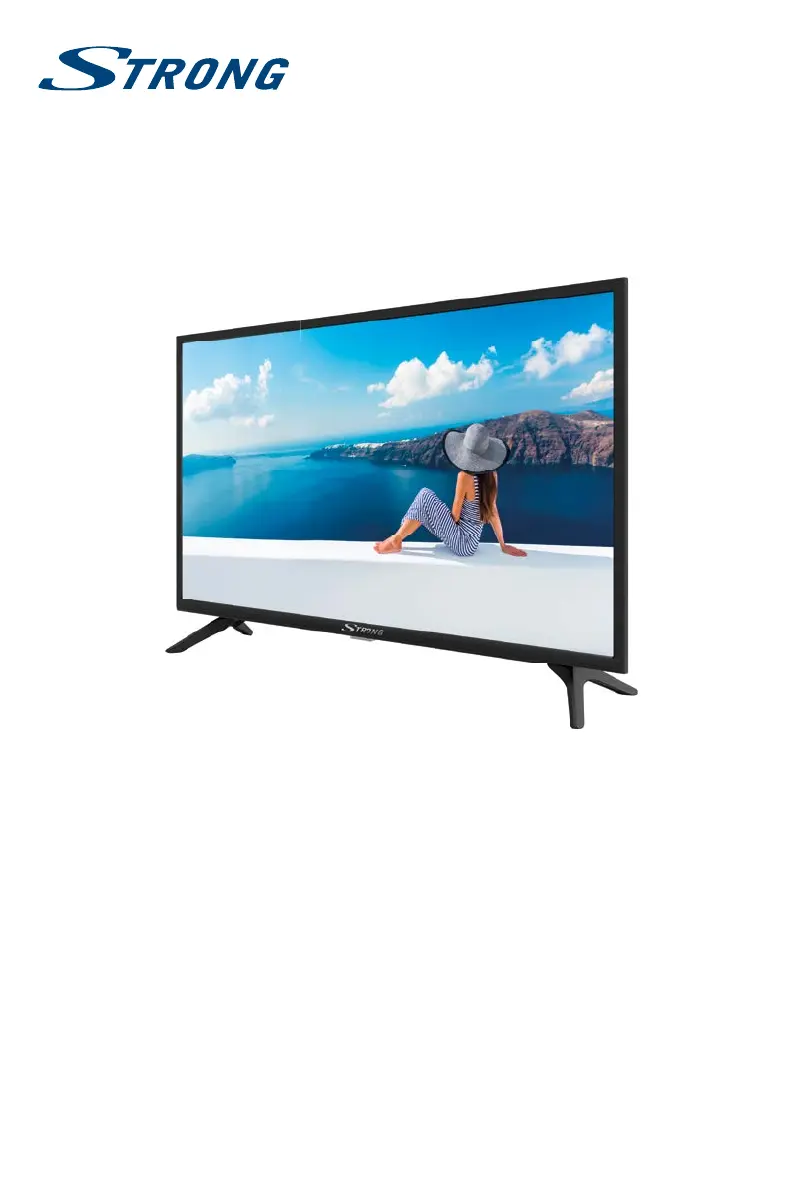
Strong SRT 32HA3003 - User Manual

Strong SRT 32HA3003
24 pages
Print Icon
To Next Page IconTo Next Page
Loading...
User Manual
Bedienungsanleitung
Manuel u lisateur
Manuale utente
Manual del Usuario
Manual do U lizador
Gebruiksaanwijzing
Instrukcja obsługi
Uživatelská příručka
Používateľská príručka
Navodila za uporabo
Korisnički priručnik
Használa útmutató
Руководство пользователя
Посібник користувача
Инструкции за употреба
Manual de U lizare
Uputsvo za rukovanje
LED TV with DVB-T2/C/S2
SRT 32HA3003

Questions and Answers

  • G
    Gabriel JacobsAug 17, 2025
    How to fix Strong LED TV when there is no picture but normal sound?
    • D
      Dawn SmithAug 17, 2025
      If your Strong LED TV has sound but no picture, try adjusting the brightness and contrast settings. Also, broadcasting failure may happen.
  • E
    erica84Aug 20, 2025
    What to do if Strong SRT 32HA3003 LED TV has no picture and no sound?
    • K
      Kimberly MendezAug 20, 2025
      If your Strong LED TV has no picture and no sound, check if the fuse or circuit breaker is working. Plug another electrical device into the outlet to ensure it is working or turned on. Ensure the power plug is making good contact with the outlet and verify the signal source.
  • D
    Deborah LevineAug 22, 2025
    Why does Strong LED TV have snowy dots, blocking and interference?
    • C
      Cody CraigAug 23, 2025
      Snowy dots, blocking, and interference on your Strong LED TV can occur if the antenna is in a weak signal area. Try adjusting the position and orientation of the indoor/outdoor antenna. Also, check the antenna connection and fine-tune the channel. Broadcasting failure may also be the reason.
  • B
    brooksandrewAug 26, 2025
    How to fix Strong SRT 32HA3003 when there is normal picture but no sound?
    • J
      Jeffery BrownAug 26, 2025
      If your Strong LED TV has a normal picture but no sound, first, press the volume up button to increase the volume. If the volume is set to mute, press the corresponding button to restore the sound. You can also try changing the sound system. Broadcasting failure may also be the reason.
  • V
    vcobbAug 28, 2025
    What causes ghosting on Strong SRT 32HA3003?
    • K
      Kenneth CampbellAug 28, 2025
      Ghosting on your Strong LED TV is caused by the television signal following two paths. Changing the direction or position of the antenna may improve the reception.
  • S
    samuelduffyAug 31, 2025
    Why does Strong LED TV have bad picture/blocking error during heavy rain?
    • K
      kimberlyestradaAug 31, 2025
      During heavy rain, your Strong LED TV may experience a bad picture or blocking errors because heavy rain attenuates satellite signals. Make sure your dish installation is up to standard to minimize rain effects.
  • K
    Kimberly CampbellSep 2, 2025
    Why does Strong SRT 32HA3003 have no colour?
    • K
      Kevin RamseySep 3, 2025
      If your Strong LED TV has no color, try changing the color system and adjusting the saturation. It is also possible that you are receiving a black-and-white program, so try another channel.
  • A
    Amanda HensonSep 5, 2025
    What causes disorderly ripples on the picture of Strong LED TV?
    • A
      Amy FrostSep 6, 2025
      Disorderly ripples on the picture of your Strong LED TV are usually caused by local interference. Adjust the antenna to minimize the interference.
  • L
    Linda PettySep 8, 2025
    What to do if Strong LED TV remote control does not work?
    • B
      bakerericSep 8, 2025
      If the remote control for your Strong LED TV isn't working, first, try changing the batteries. If that doesn't work, make sure the batteries are installed correctly. Also, check if the main power is connected.
  • A
    Amy LynchSep 12, 2025
    Why does Strong SRT 32HA3003 have no signal or weak signal, intermittent reception?
    • D
      Dominique VelasquezSep 12, 2025
      A weak or absent signal on your Strong LED TV with intermittent reception might be due to loosened cables, moisture in the cables or connectors, or heavy rain/storm. Check the cable connections, LNB, and other equipment between the LNB and the receiver, or peak the dish. The satellite dish might not be pointing at the correct satellite or might be too small, or there might be obstructions. Adjust the dish, change to a larger dish, or change the dish position. If the signal is too strong, connect a signal attenuator to the LNB input.

Summary

1.0 INSTRUCTION

1.1 Safety Instructions

Read all instructions before operating the set and follow safety guidelines for safe usage.

1.4 Equipment set-up

Instructions for installing the TV display on a solid surface and ensuring proper ventilation.

2.0 INSTALLATION

2.5 Remote control

Explanation of the functions of each button on the TV's remote control.

2.6 Installing the batteries

Guide on how to insert AAA batteries into the remote control, noting polarity.

3.0 FIRST TIME INSTALLATION

3.1 DVB-S;S2 installation

Steps for installing satellite channels, including satellite selection and channel search.

3.2 DVB-T;T2 installation

Guide for installing terrestrial channels, focusing on automatic search settings.

3.3 DVB-C installation

Instructions for installing cable channels, including scan type and network settings.

5.0 MENU SETTINGS

5.2 Picture menu

Settings for adjusting picture quality, including mode, colour temperature, and aspect ratio.

5.2.1 Contrast, Brightness, Colour, Tint, Sharpness

Detailed settings for personal picture adjustments like contrast, brightness, colour, tint, and sharpness.

5.4.1 Auto Tuning

Guide to performing an automatic channel scan for DTV, DVB-T, DVB-C, or Satellite.

6.0 MEDIA ON USB

6.2.1 Play movies

Controls and functions for playing video files, including pause, stop, fast forward, and information display.

7.0 TROUBLESHOOTING

Strong SRT 32HA3003 Specifications

General IconGeneral
Screen Size32 inches
Resolution1366 x 768
Display TypeLED
HDMI Ports3
USB Ports1
Smart TVNo
Aspect Ratio16:9
Built-in SpeakerYes
Power Consumption45W
TunerDVB-T

Related product manuals