EasyManua.ls Logo

Strong SRT 32HC2003 - User Manual

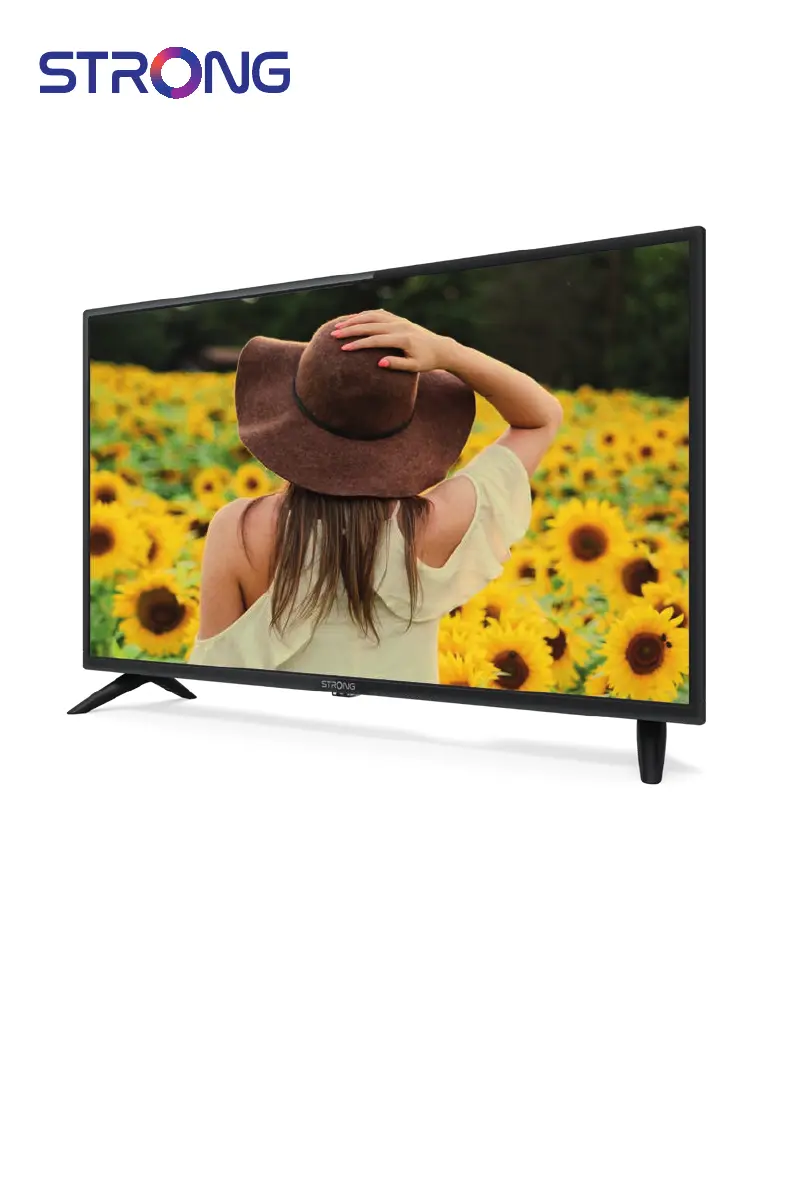
Strong SRT 32HC2003
24 pages
Print Icon
To Next Page IconTo Next Page
Loading...
User Manual
Bedienungsanleitung
Manuel utilisateur
Manual del Usuario
Инструкции за употреба
Uživatelská příručka
Korisnički priručnik
Használati útmutató
Manuale utente
Gebruiksaanwijzing
Instrukcja obsługi
Manual do Utilizador
Manual de Utilizare
Uputsvo za upotrebu
Používateľská príručka
Navodila za uporabo
Посібник користувача
Руководство пользователя
LED TV with DVB-T2/C/S2
SRT 32HC2003

Questions and Answers

  • D
    Dana BellAug 21, 2025
    Why is there no sound on my Strong SRT 32HC2003 LED TV?
    • L
      Lori HuntAug 21, 2025
      If your Strong LED TV has a picture but no sound, first, press the volume up button to increase the volume level. Also, check if the audio is muted and, if so, press the mute button to restore the sound. Make sure you've selected the correct audio source and sound mode. Finally, ensure you are tuned to a channel that transmits audio signals, as some channels may not have audio or there may be a transmission issue.
  • T
    Thomas WillisAug 25, 2025
    What to do if my Strong LED TV says 'No Signal'?
    • K
      Kelly MyersAug 25, 2025
      If your Strong LED TV displays 'No Signal,' check the connection to your signal source and ensure the antenna is correctly aligned. If using an active antenna, verify that antenna power is switched on or an external power source is connected. The antenna may be out of digital signal reception in your area, check coverage with your service provider. Also, incorrect tuner or LNB parameters can cause this issue.
  • J
    Joseph SanchezAug 26, 2025
    Why won't the LED light turn on on my Strong SRT 32HC2003 LED TV?
    • C
      Christopher SalasAug 26, 2025
      If the LED/Standby indicator on your Strong LED TV isn't lighting up, check that the power connector is fully plugged into both the TV and the power socket. Also, make sure the switch on any multipoint connectors is turned on. The electrical outlet itself may be damaged. Note that a defective STBY LED may also cause the issue.
  • G
    Gregory ClarkAug 28, 2025
    What to do for reception problems on Strong SRT 32HC2003?
    • C
      Cody DeckerAug 28, 2025
      For other reception or signal-related issues with your Strong LED TV, start by checking the cable connections to ensure they are secure, as cables may have loosened. Inspect all equipment between the reception point and the TV for moisture. If there's heavy rain or a thunderstorm, wait until it passes. If you use a satellite dish, consult a specialist for alignment, dish size, or obstructions. Note that a signal that is too strong can also cause issues.
  • T
    Tina MannAug 30, 2025
    Why is my Strong SRT 32HC2003 showing no color?
    • R
      Richard ClementsAug 30, 2025
      If your Strong LED TV has no color, first check the connections and cables to ensure they are properly connected and of good quality. Adjust the saturation settings. Also, try switching the TV to another channel.
  • D
    dylanbridgesSep 1, 2025
    How to stop my Strong SRT 32HC2003 LED TV from turning off automatically?
    • S
      Stephanie CaldwellSep 1, 2025
      If your Strong LED TV turns off automatically after a set time, switch the TV back on and check the settings for the automatic STBY function. Disable this function if you want the TV to stay on continuously.
  • T
    Thomas SharpSep 3, 2025
    Why is there normal picture but no sound on my Strong LED TV?
    • T
      Tracey ClarkSep 3, 2025
      If your Strong LED TV has a normal picture but no sound, first, press the volume up button to increase the volume level. Check if the audio is muted and, if so, press the mute button to restore the sound. If you are using external devices, ensure you have selected the correct sources and sound mode. It's also possible that the channel you're tuned to doesn't have audio or the program isn't transmitting audio signals.
  • L
    Linda PerrySep 5, 2025
    What to do if Strong LED TV says no signal?
    • J
      Joshua FreySep 6, 2025
      If your Strong LED TV displays a 'No Signal' message, it could be due to several reasons. The TV may not be properly connected to a signal source (DVB-C, DVB-S/S2, or DVB-T/T2), or the antenna might not be aligned correctly. Check the connection and distribution equipment for any malfunctions, incompatibilities, or defects. If you're using active antennas, ensure that the antenna power is switched on or that external power is connected. Also, the antenna may be out of digital signal reception in your area, so check with service providers for coverage information. Incorrect tuner or LNB parameter values might also be the cause.
  • E
    Eileen BennettSep 7, 2025
    Why is the LED indicator not lighting up on my Strong LED TV?
    • R
      Robert NguyenSep 7, 2025
      If the LED/Standby indicator on your Strong LED TV doesn't light up, check that the power connector is fully plugged into both the TV and the power socket. Also, make sure the switch on any multipoint connectors is turned on. The electrical outlet itself might be damaged, or the STBY LED could be defective.
  • S
    Stephanie ScottSep 9, 2025
    Why is there no picture but normal sound on my Strong LED TV?
    • K
      Karen MezaSep 9, 2025
      If your Strong LED TV has no picture but normal sound, try adjusting the brightness and contrast settings. It's also possible that you've tuned to a radio channel, the program isn't transmitting video signals, or there's some other broadcasting interference.

Strong SRT 32HC2003 Specifications

General IconGeneral
Screen Size32 inches
Display TypeLED
HDMI Ports2
USB Ports1
Refresh Rate60 Hz
Aspect Ratio16:9
Built-in SpeakersYes
Power Consumption45W
Resolution TypeHD
Resolution1366 x 768 pixels
TunerDVB-T2/C/S2

Related product manuals