29
English
28
6.3 Channels
1) Set Favorites
This submenu allows you to set up favorite groups of channels. You can select TV or
Radio channels in an alternative way by pressing the TV/RADIO button. The receiver
supports 16 favorite groups.
⊹
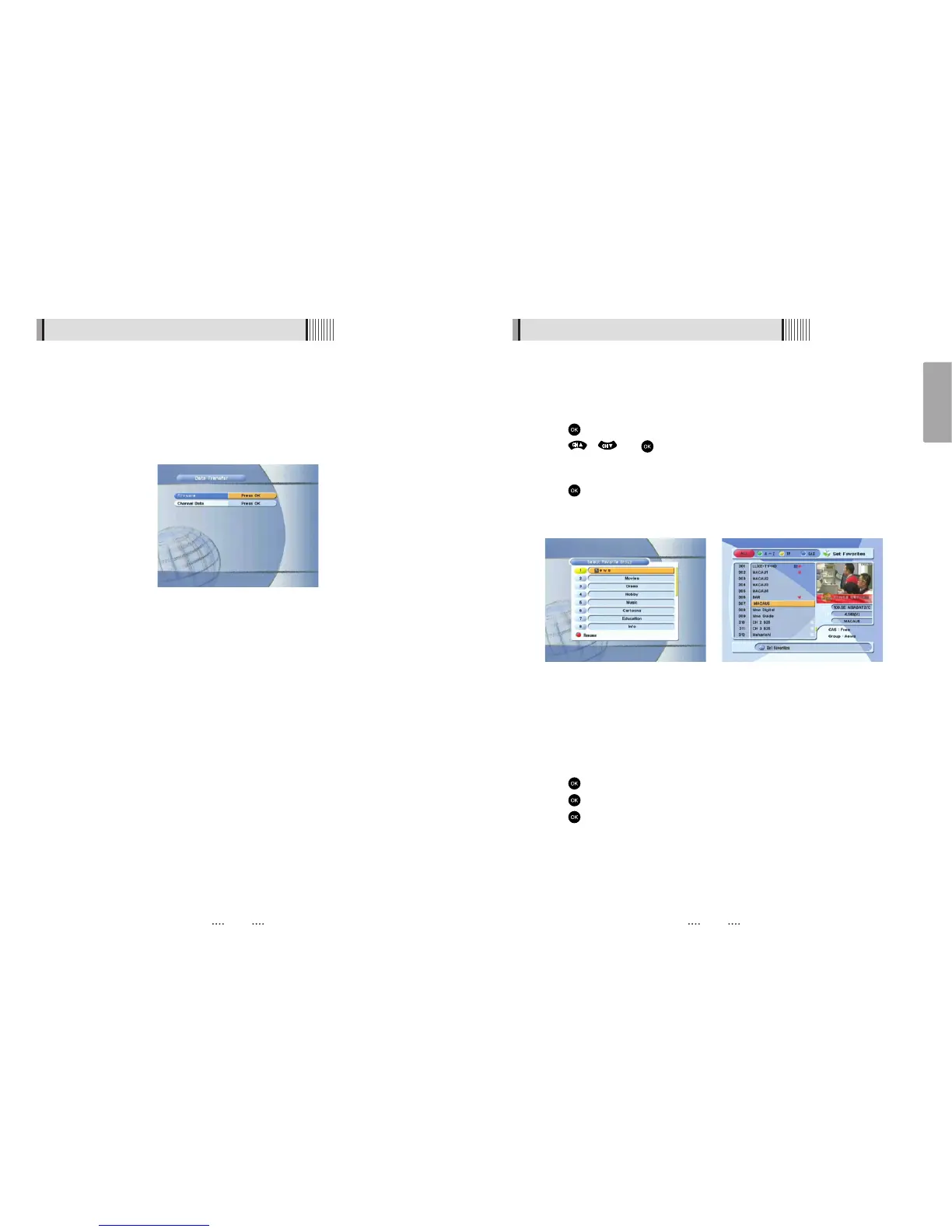
Press on ‘Set Favorites’. The list of groups will be displayed. <Figure 6.3.1>
⊺
Press / and to choose a group. The following menu will be displayed.
<Figure 6.3.2>
If you want to change the name of a favorite group, press the RED button.
⊻
Press to add (or remove if previously added) the selected channel to/from the
favorite channel group.
⊼ Press the EXIT button to return to the previous menu.
<Figure 6.3.1> <Figure 6.3.2>
2) Edit Channels
This submenu allows you to rename channels and input user PID. You can select TV or
Radio channels in an alternative way by pressing the TV/RADIO button. You can choose
a channel list group by pressing the GROUP button.
⊹
Press on ‘Edit Channels’. The following menu will be displayed. <Figure 6.3.3>
⊺
Press on the channel that you want to edit.
⊻
Press on ‘Edit Name’ to rename the channel; the keypad will be displayed.
⊼ Similarly, you can edit the PID data using the NUMERIC keys.
ҫ
Note : The VIDEO PID, AUDIO PID and PCR PID are very important for optimal satellite
signal reception. We recommend you get professional advice where available.
7) Data Transfer
This submenu allows you to transfer the software from a receiver to another receiver. You
can select and transfer Firmware/ Channel Data/ Games. <Figure 6.2.9>
- Firmware : Transfer the firmware of a receiver to another receiver.
- Channel Data : Transfer the channel data of a receiver to another receiver.
<Figure 6.2.9>
6.2 System Setting



 To Next Page