37
English
36
1) Tetris
⊹
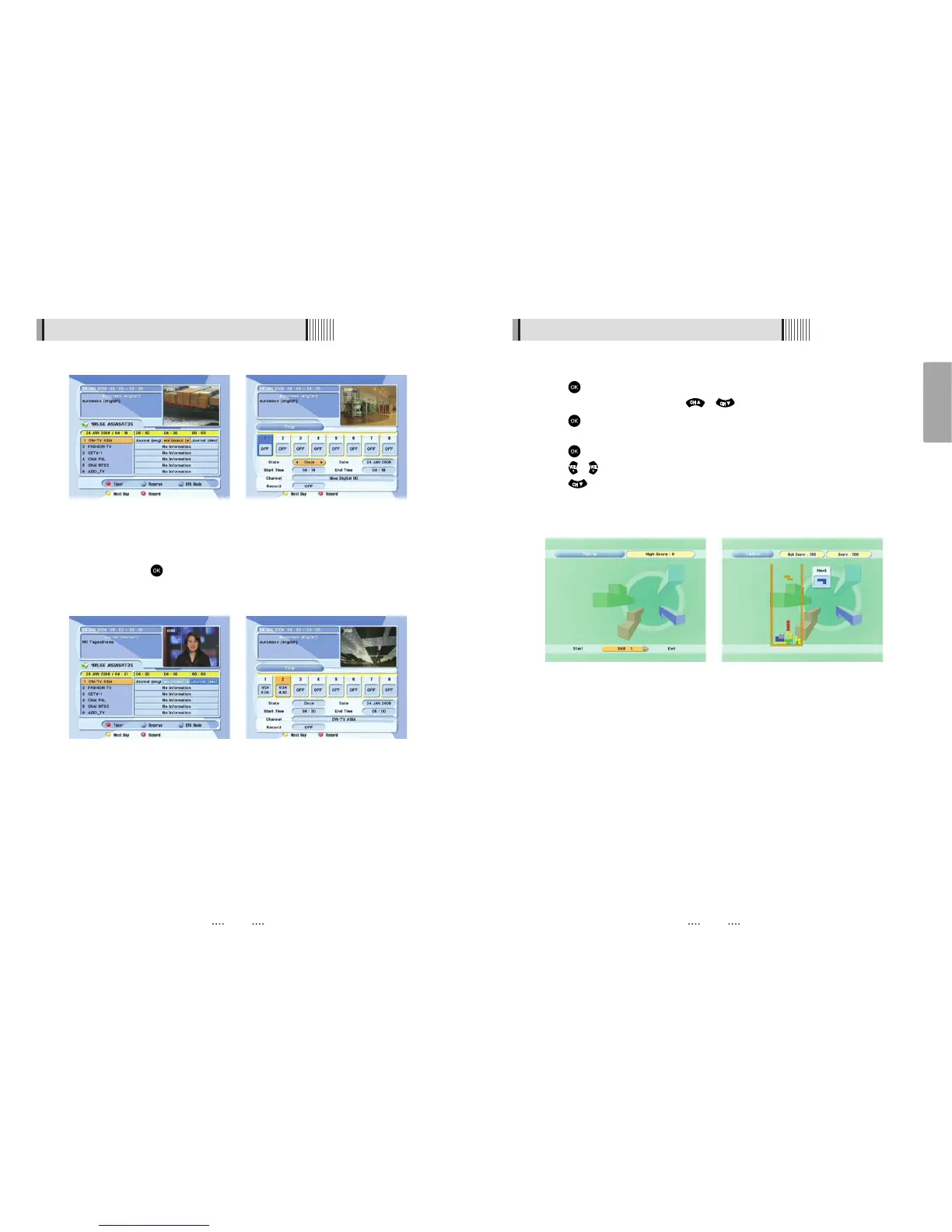
Press on ‘Tetris’. The following menu will be displayed. <Figure 6.5.1>
⊺
You can choose a skill level using / .
⊻
Press to start the game <Figure 6.5.2>, or press the EXIT button to return to the
previous menu.
⊼
Press to rotate a block.
⊽
Press / to move a block.
⊾
Press to drop a block.
⊿
You can see the next block in the top-right small window.
⋀
Press the EXIT button to quit the game.
<Figure 6.5.1> <Figure 6.5.2>
6.5 Games
<Figure 6.4.3> <Figure 6.4.4>
- If you want to record a program in the right side of the screen, you can select a
program by using . The selected program will be reserved and the event color
text will change to red. <Figure 6.4.3>.
- You can also see change the timer menu.<Figure 6.4.4>
6.4 Electronic Program Guide
<Figure 6.4.1> <Figure 6.4.2>



 To Next Page